Top 5 best AI contract review alternatives in 2026


Relying on a single AI contract review tool can leave legal teams with workflow gaps, compliance concerns, or integration headaches. Most AI contract review platforms restrict essential features behind sales calls, limit integration to a narrow set of editors, or do not publish transparent pricing for evaluation, so this comparison covers contract workflow, integration depth, and pricing across five contract management platforms so legal teams can pick a better fit based on real needs.
Table of Contents
Formable
At a Glance
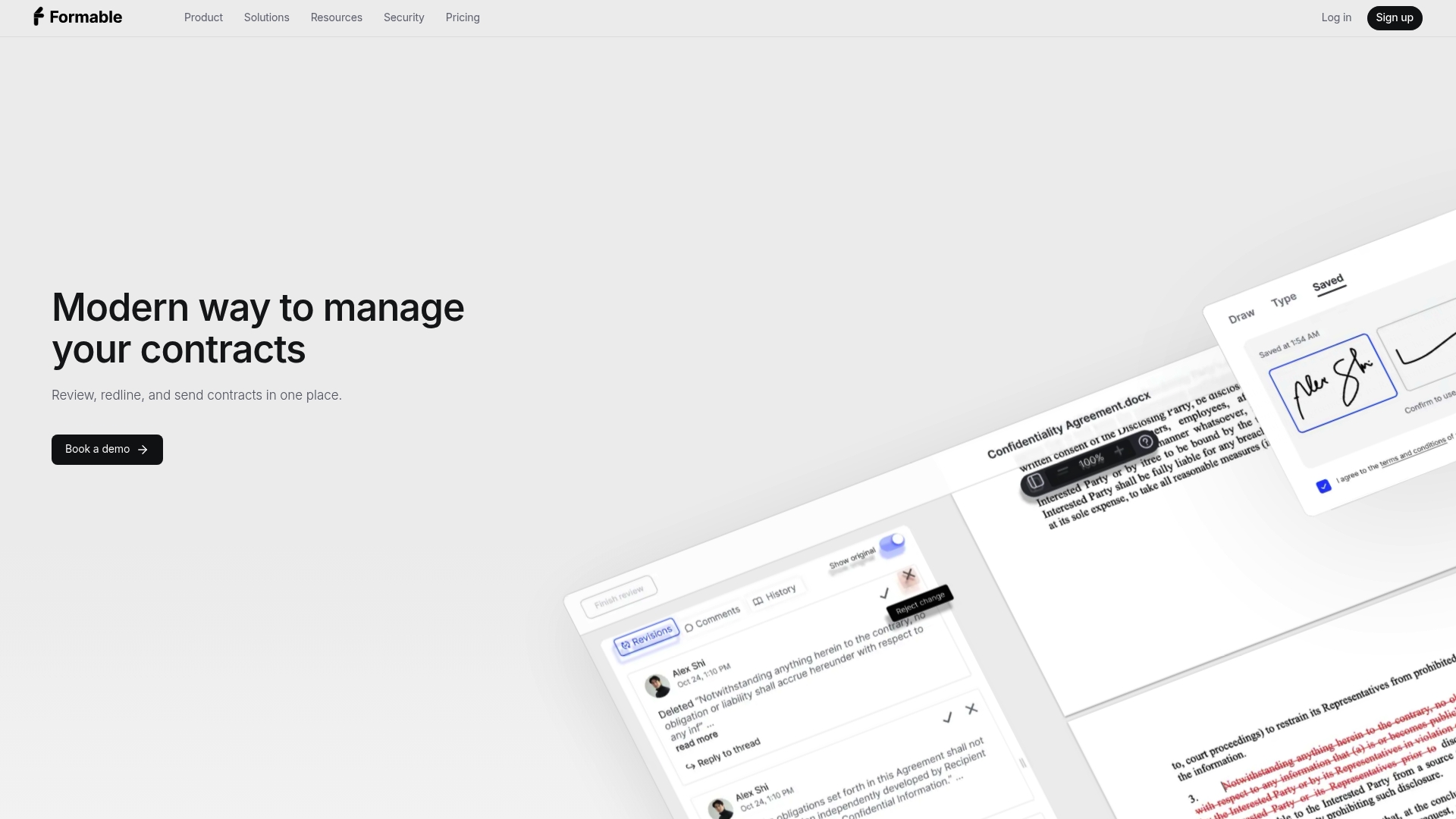
Formable exposes embeddable redlining and e-signature APIs, so development teams can add contract editing and signing directly into their apps. The platform pairs that capability with AI risk detection and an audit trail for high-trust documents. A Free forever basic plan and a $19.99/month Pro tier are available alongside custom enterprise pricing.
Core Features
Formable bundles AI risk detection, collaborative redlining, and secure electronic signatures with audit trails into a single contract workflow. It includes a dashboard to track revisions, signatures, and workflow status, plus developer-friendly API access for embedding redlining and signing. Deep connections to Salesforce, Slack, Google Workspace, and Webhooks let teams keep contracts inside existing systems.
Key Differentiator
The single most distinctive capability is the embedded API model that places redlining and signing inside other applications. That reduces tool handoffs by keeping negotiation, review, and signature steps in one environment. Legal and engineering teams can run redlines inside a CRM or product platform without exporting documents between apps.
Pros
Formable advertises compliance with ESIGN and UETA, which legal teams will ask about when relying on electronic signatures. The platform’s connected workflow speeds handoffs between review, negotiation, and signing because the same record persists across stages. Embeddable redlining and signing APIs let development teams integrate contract flows into CRMs and product UIs, and the dashboard gives legal operations clear visibility into revisions and signature status.
Cons
- Some advanced capabilities require API integration and developer support, which raises setup time and initial complexity.
Notable Integrations
- Salesforce
- Slack
- Google Workspace
- Webhooks
Who It's For
Formable fits legal teams that want AI-assisted review plus native negotiation tools inside one environment. It also suits legaltech developers who need redlining and e-signature APIs to embed contract workflows into their products. Sales and legal operations teams that track deals across systems will find the dashboard and integrations helpful.
Unique Value Proposition
Embeddable redlining and e-signature APIs let you remove separate signing tools and external editors from the contract path. That reduces document handoffs and keeps an auditable record inside the systems your sales and product teams already use. For teams that build productized contracting or need contracts inside a CRM, this lowers operational friction and preserves a single source of truth.
Real World Use Case
A corporate legal team runs AI-assisted risk checks on incoming MSAs, applies collaborative redlines inside the platform, and routes the final file for e-signature without exporting it. Negotiators work in real time while the platform logs each revision. The whole sequence remains auditable for compliance and postdeal review.
Pricing
Formable offers a Free forever basic plan, a Pro plan at $19.99/month, and custom pricing for enterprise customers. Enterprise features and higher-volume API access are available under custom contracts.
Website: https://formabledocs.com
Spellbook
At a Glance
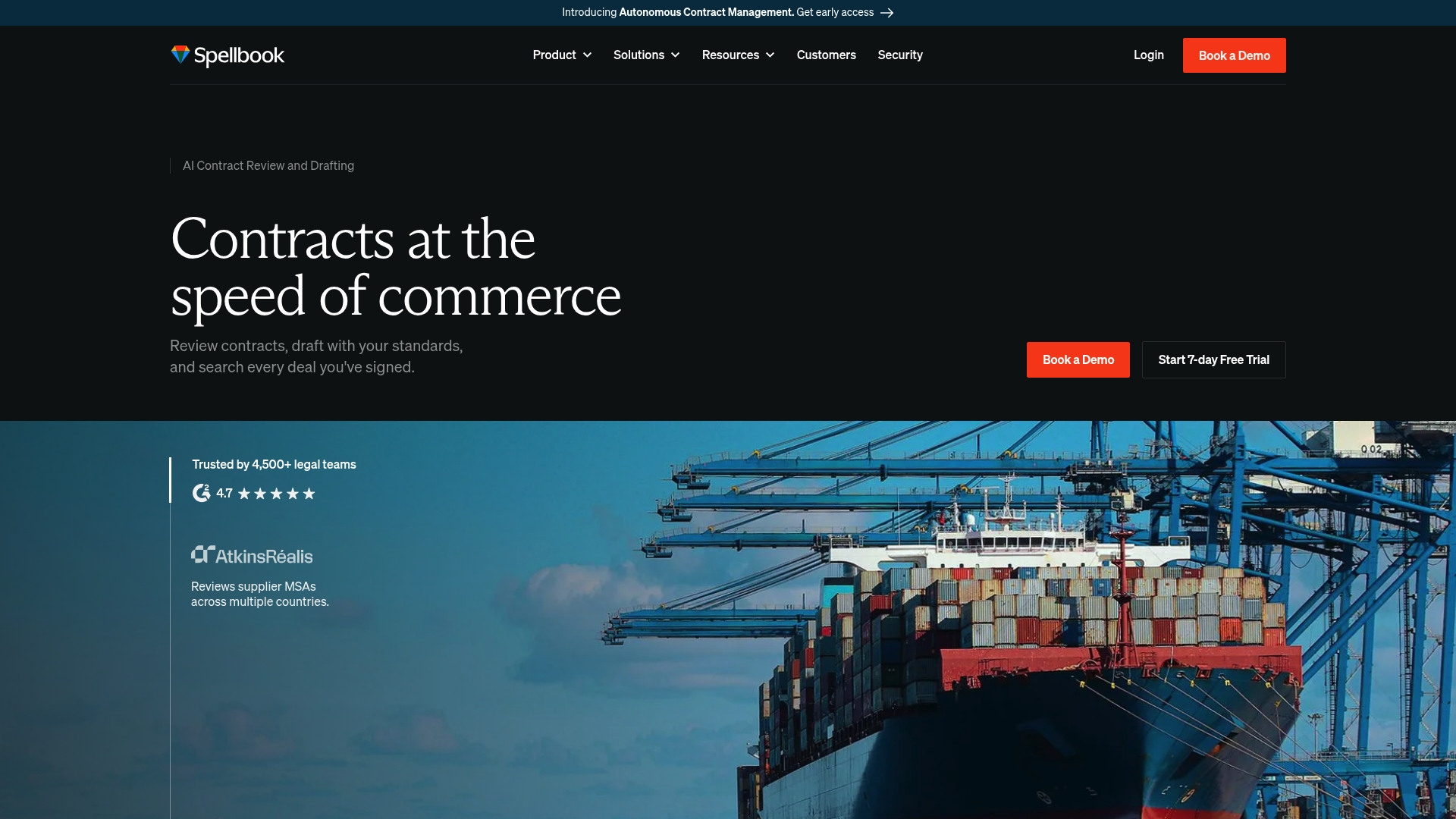
Spellbook reports more than 4,500 legal teams worldwide use its AI tools for contract work. The product centers on contract review, drafting, benchmarking, and multi document workflows tailored for legal teams. Pricing is flexible and tied to team size, and the company sells access via demo and onboarding.
Core Features
Spellbook detects risky language, suggests redlines, and can draft clauses from saved libraries or from scratch. It compares agreements to market benchmarks and answers complex legal questions using embedded playbooks for consistent review. According to the company, the product complies with SOC 2 and GDPR and integrates directly into Microsoft Word for in‑document workflows.
Key Differentiator
The primary distinction is end to end legal contract management built to run inside Word. That design keeps drafting, review, and benchmarking in the same editor lawyers use every day. The Word focus suits teams that prefer minimal context switching and want AI that follows established legal drafting habits.
Pros
Specialized legal models and playbooks let teams encode their review standards and reuse clause libraries across matters. The Word integration reduces file exports and preserves tracked changes, which speeds adoption among lawyers who rely on precedent. The vendor advertises wide adoption by law firms and corporate legal teams, and the suite also covers multi document workflows and market benchmarking for deal work.
Cons
-
Pricing is not publicly listed. Prospective buyers must request a demo or contact sales.
-
Requires a legal workflow built around Microsoft Word and compatible systems. Teams using other editors may need process changes.
-
No clear free tier beyond trial is listed, which may limit evaluation for smaller teams.
-
Advanced features rely on playbooks and configuration, which creates a training period for reviewers and drafters.
When It May Not Fit
Small teams that do not use Word as their primary editor will find the product a poor match. Organizations that need fully transparent list pricing for procurement may face delays. Casual users or nonlegal teams will likely encounter unnecessary complexity and configuration steps.
Notable Integrations
Spellbook connects to common legal and cloud storage systems to keep documents in place. Integrations include Microsoft Word, iManage, OneDrive, Dropbox, SharePoint, and Google Drive. These connectors support in document review and multi document projects across repositories.
Who It's For
Legal teams in law firms and corporate legal departments that already use Word and want AI to reduce external review load. The product suits groups that maintain clause libraries and playbooks and that handle transactions, M&A, or high volume contracting.
Real World Use Case
Dropbox's legal team used Spellbook to keep more contract work in house. That effort cut external review steps and reduced overall review time while keeping precedent and playbooks in one place. The approach helped the team move work from outside counsel back to internal reviewers.
Pricing
Pricing is based on team size and seats, and the company lists fees only through demo or onboarding conversations. Prospective buyers must contact sales for a tailored quote and implementation options.
Website: https://spellbook.com
Ivo

At a Glance
Ivo's marketing materials state it is trusted by Fortune 500 companies such as Atlassian, IBM, and Uber. The platform groups contract review, redlining, and insight extraction into modules labeled contract review, intelligence, and AI assistant. That stack targets large legal teams that need consolidated views of base agreements and amendments.
Core Features
Ivo delivers AI-powered contract review and redlining that flags risky clauses and suggests edits within documents. The platform compares agreements against prior contracts and benchmarks while mapping relationships between parties and obligations. Prompt-based drafting and a unified view of base agreements and amendments aim to reduce repetitive manual work.
Key Differentiator
Ivo centers on surgical redlining and benchmarking inside familiar editors. The platform connects those capabilities directly into Microsoft Word and Google Docs so lawyers can review and revise without switching contexts. That editor-first approach separates Ivo from tools that force uploads and detached review workflows.
Pros
Ivo advertises reductions in legal review cycle times and positions its AI to deliver consistent clause-level analysis. The vendor lists SOC 2, ISO27001, GDPR, and CCPA among its security and compliance claims. Integration with Microsoft Word and Google Docs supports redlining in editors lawyers already use. Those elements combine to make the tool suited to enterprise-scale contract operations.
Cons
- Implementation complexity can be high for smaller teams. Large deployments may require dedicated engineering and legal ops time.
- Outcomes depend on the quality of input contracts. Poorly structured or partial documents will limit automated insights.
- Public pricing is not available. That suggests the product targets enterprise engagements rather than small legal departments.
When It May Not Fit
If your team has fewer than a handful of full-time contract reviewers, the integration and setup effort may outweigh benefits. Teams that need transparent, self-serve pricing will find Ivo’s enterprise sales model a poor fit. Organizations that require lightweight, no-install tools for occasional redlining should look elsewhere.
Notable Integrations
Ivo integrates with Microsoft Word and Google Docs to enable inline review and redlining inside native editors. Those connections reduce context switching and let teams keep track changes and comments where they already live.
Who It's For
Legal teams at large corporations, in-house counsel, and contract managers who run high volumes of complex agreements will get the most value. The product fits groups that can support an implementation and want benchmarked comparisons across contract portfolios. Smaller firms and solo practitioners will likely find the offering oversized.
Real World Use Case
Atlassian uses Ivo to shorten contract cycle times and accelerate deal velocity by applying AI to contract review and insights. The platform surfaces comparable language from prior agreements and highlights negotiation levers for counsel. That application reduced manual comparison work during negotiations.
Pricing
Pricing is not specified and appears custom for enterprise clients. Expect a negotiated enterprise contract rather than fixed public tiers, and plan for implementation and onboarding fees.
Website: https://ivo.ai
Ironclad
At a Glance
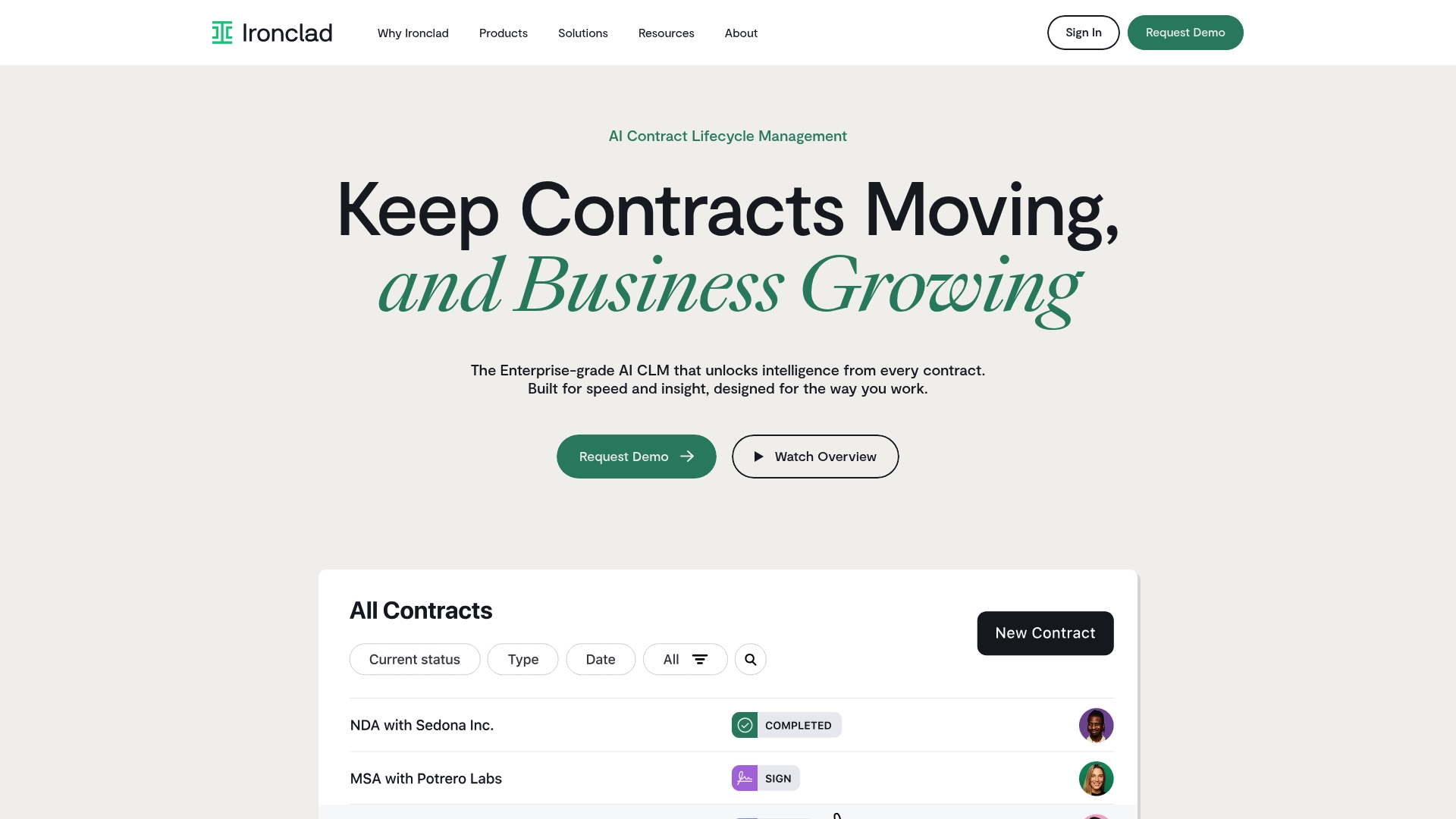
Ironclad's marketing materials state a Fortune 500 company used the platform to process over a billion contracts. That claim illustrates the platform's focus on very high volume contract programs. Legal and business teams use its AI features to speed review, negotiation, and postexecution analysis.
Core Features
Ironclad provides AI driven contract management across the contracting lifecycle for creation, review, signature, storage, and fulfillment. Its AI assistant Jurist helps surface clauses, draft language, and suggest playbooked responses during review. The platform also includes contract analytics and automation to extract obligations and generate operational reports while connecting to common enterprise tools.
Key Differentiator
The platform's standout angle is an AI engine tuned for end to end contract automation and deep data analysis. That engine combines clause extraction, negotiation support, and reporting turning contracts into queryable data. Organizations with large, complex portfolios use those analytics to monitor risk and measure cycle time improvements.
Pros
Ironclad is cited in industry reports as a leader for contract lifecycle management, which adds vendor credibility. Ironclad reports high adoption rates and significant reductions in contract cycle time and cost for some customers. The platform offers broad enterprise integrations and collaboration features that let legal, procurement, sales, and IT work from a single source of truth. Customers give positive feedback on the interface and on-team collaboration during negotiation and approval workflows.
Cons
- Enterprise pricing and implementation costs can be high for smaller teams.
- Successful deployment often requires dedicated onboarding and internal change management.
- The platform depends on cloud infrastructure and internet access, which may not suit organizations that require on premise solutions.
When It May Not Fit
Small legal teams with straightforward contract needs will likely overpay for features they do not use. Organizations that prefer on premise hosting should look elsewhere because Ironclad requires cloud infrastructure. Teams that cannot allocate time for integration and training will find the initial rollout slow to reach full value.
Notable Integrations
- Salesforce
- DocuSign
- Microsoft Word
- Slack
- Google Drive
- HubSpot
- Zapier
- Mulesoft
Who It's For
Large legal operations, procurement groups, sales enablement teams, and IT departments that manage high volume contracting will get the most from Ironclad. The product fits organizations that want advanced AI review and enterprise grade integrations. It targets teams prepared to invest in onboarding and governance to scale automation across the company.
Real World Use Case
A large enterprise used Ironclad to centralize contract intake and reporting and to reduce manual review bottlenecks. The vendor cites processing over a billion contracts in that engagement, which shows the platform can support massive scale. Legal ops then used extracted data to track obligations and speed audit responses.
Pricing
Pricing is not publicly listed. Ironclad appears to use enterprise tier pricing and requires contacting the vendor for a custom quote. Expect costs to reflect platform scope, integration needs, and onboarding services.
Website: https://ironcladapp.com
Harvey

At a Glance
Harvey's marketing materials state SOC2 II, ISO 27001, and GDPR compliance. The platform pairs domain specific AI for legal work with secure shared spaces and analytics. Real world deployments include scaled legal operations and automated workflows.
Core Features
Harvey combines document analysis, AI question asking, and bulk legal document storage into a single environment. Research tools handle complex legal, regulatory, and tax questions while purpose built agents execute end to end tasks. The platform integrates with existing workflows and offers on demand training through Harvey Academy.
Key Differentiator
Harvey focuses its models on legal and professional services tasks rather than general purpose language duties. That emphasis lets purpose built agents run deal management, due diligence, and complex workflow steps. Deep workflow integration aims to reduce handoffs between lawyers, contract managers, and other teams.
Pros
The product ships legal centric capabilities, including research tools and AI trained for contract analysis. Harvey Academy supplies on demand training, which helps teams adopt new processes and agents faster. The vendor advertises enterprise grade security and compliance controls alongside collaboration features such as secure shared spaces. Deep integrations reduce duplicate review steps across systems and centralize legal knowledge.
Cons
- Some third party reviews report media loading delays and occasional network errors when handling media content.
- The company provides limited public detail on specific AI performance metrics.
- Pricing is not publicly listed, which suggests enterprise licensing or custom quotes for larger legal teams.
- Full value requires organizational change and training resources to adopt agents and automated workflows.
When It May Not Fit
Small firms or solo practitioners without training budgets may find the implementation overhead too high. Teams that need offline review or limited internet dependency will encounter constraints due to cloud reliance. Buyers seeking transparent, self service pricing may need to request a formal quotation before committing.
Who It's For
Legal departments, in house counsel groups, and professional services networks make the best fit. Teams that manage large contract volumes and require combined research and workflow automation will benefit most. Organizations with resourcing for training will extract more value from the platform.
Real World Use Case
Syngenta Group partnered with Harvey to scale legal operations and automate repetitive review tasks. The deployment focused on deal management and routine contract analysis across business units. Legal staff gained central access to precedent documents and analytics for faster decision making.
Pricing
Pricing is not publicly listed and appears to follow enterprise licensing or custom quotes. Request a sales consultation to get specific tiering and seat based or per project options.
Website: https://harvey.ai
Comparison of alternatives
Contract management platforms distinguish themselves through various functionalities, catering to diverse operational needs within organizations. Selecting an appropriate solution is contingent on understanding these offers and identifying which best fit unique circumstances.
Integration and adaptability
Formable stands out for its developer-friendly architecture enabling embedding redlining and e-signing capabilities directly into existing CRM systems or product UIs. This feature reduces context switching for legal and operational teams. Competitors like Ironclad and Ivo, while allowing system integrations, focus on standalone deployment scenarios, making Formable highly adaptable for internal system-specific workflows, to development-driven teams.
Workflow environment preferences
For legal teams heavily utilizing Microsoft Word as their default tool for contract drafting, Spellbook emerges as an advantageous option due to its direct plugin compatibility. It enables drafting, editing, and reviewing contracts without leaving Word, favoring teams resistant to adopting new platforms. In comparison, Formable and Ironclad integrate with Word but aren't built specifically for exclusive Word-based operations.
Best fit
- Legal teams requiring high versatility and efficient development-driven API integrations into existing platforms should select Formable for superior embedding capabilities.
- Legal departments predominantly utilizing Word for real-time contract editing and comprehension will benefit most from Spellbook, developed explicitly around this familiar tool.
- Large-scale corporate legal teams needing high-volume data handling, intelligent tracking, and audit processing frameworks should consider Ironclad, as its advanced analytics cater to such contexts.
- Organizations keen on automating expansive workflows integrating AI-driven document exploration should evaluate Harvey, optimized for multifaceted legal automation.
Our pick
Formable provides an exceptional balance of flexibility and functional integration, specifically benefiting development teams aiming to integrate contract workflows into internal ecosystems. This distinct capability makes it preferable for legal operations desiring workflows built on adaptable application programming interfaces (API), while acknowledging context-specific selections from competitors adapting to alternate scenarios.
The following table highlights the unique features, integrations, and pricing models of top AI-powered contract management platforms for informed decision-making.
| Product | Key Differentiator | Pricing | Best For | Limitation |
|---|---|---|---|---|
| Formabledocs | Embedded API model for redlining and signing | Free plan or $19.99/month | Legal teams integrating contract workflows | Requires API setup for advanced features |
| Spellbook | Microsoft Word integration for drafting & review | Price not published | Legal teams targeting streamlined Word workflows | No transparent free tier |
| Ivo | Redlining and benchmarking inside native editors | Price not published | High-volume drafting in large organizations | Complex deployment requiring engineering involvement |
| Ironclad | End-to-end automation with advanced analytics | Price not published | Large organizations managing extensive contracts | High implementation costs |
| Harvey | Specialized AI agents for legal and regulatory workflows | Price not published | Large teams requiring deal management workflows | Adoption depends on training and organizational changes |
How to Overcome Contract Review Complexities with Formabledocs
Legal teams face challenges managing risk detection, negotiation, and e-signatures across disconnected systems. The search for the best AI contract review alternative often centers on reducing document handoffs, unifying workflows, and embedding review tools directly into familiar environments. Formabledocs addresses these pain points by offering embeddable redlining and e-signature APIs with AI-powered risk detection all within one platform.
Formabledocs helps legal and engineering teams keep contract negotiation, editing, and signing inside their existing CRMs and applications. This approach cuts setup complexity and offers a persistent, auditable trail for compliance. You gain visibility with a dashboard that tracks revisions, signature status, and workflow progress in real time.
Take the next step to speed contract closure and reduce review friction. Visit Formabledocs to see how AI-driven contract workflows and developer-friendly APIs can fit your legal operations or product integration needs.
FAQ
What unique features does Formabledocs offer for contract review?
Formabledocs features AI risk detection and collaborative redlining, which are essential for effective contract management. The platform combines these capabilities with secure electronic signatures and audit trails, creating a comprehensive workflow. Consider using Formabledocs if your team seeks integrated solutions that enhance document security and tracking.
How does Formabledocs compare to Spellbook?
Spellbook excels with its deep integration into Microsoft Word, allowing users to draft and review contracts without leaving their primary editor. Formabledocs, on the other hand, provides embeddable redlining and e-signature APIs, making it particularly suitable for teams looking to integrate these functions into other applications. Evaluate your preferred workflow to determine the best fit between the platforms.
What is the pricing structure for Formabledocs?
Formabledocs offers a Free forever basic plan and a Pro plan priced at $19.99/month, along with custom pricing for enterprise customers. This flexibility allows teams to choose a plan that meets their budget and needs while exploring additional features in the Pro tier.
Can Formabledocs support integrations with other tools?
Formabledocs integrates with various tools like Salesforce, Slack, and Google Workspace to keep contracts within existing systems. If your team utilizes these platforms, Formabledocs can enhance your workflow by reducing the need for document handoffs and improving efficiency across departments.
What advantages does Formabledocs provide for legal teams?
Formabledocs ensures compliance with ESIGN and UETA, which are crucial for legal teams relying on electronic signatures. Its platform facilitates clear visibility into revisions and signature status through a centralized dashboard, making it easier for legal operations to track contracts throughout their lifecycle.
