Top 4 legal contract management software alternatives 2026


Finding legal contract management software that combines AI analysis, embedded workflows, and straightforward setup is difficult for most legal and product teams. Most traditional vendors either require long deployment time, switch users between multiple platforms, or have unclear add-on pricing. This comparison covers price, integration depth, and contract automation strengths so legal, sales, and product teams can pick a contract platform that fits their workflow and growth plans.
Table of Contents
Formable
At a Glance
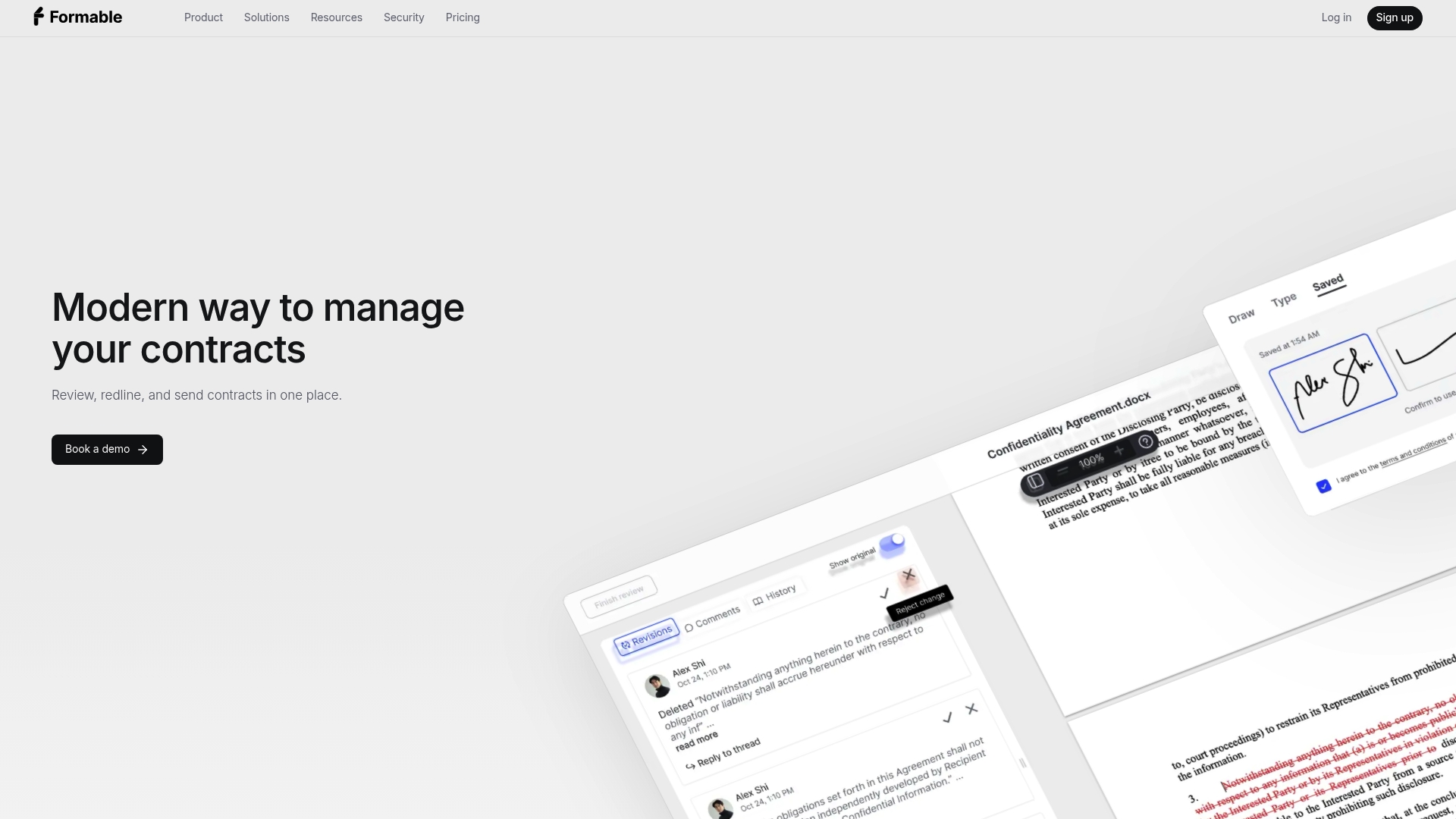
The Pro plan lists a price of $19.99/month and includes unlimited documents and recipients. Formable combines AI contract review, embedded redlining, and e-signing into one interface. The product targets deal workflows common to MSAs, DPAs, SOWs, LOIs, and order forms.
Core Features
Formable pairs AI review that flags risks and missing clauses with a document dashboard that tracks templates, revisions, and signatures. The platform exposes a redlining API for in-app negotiation and a native e-signature system with a tamper-evident audit trail. Developers can embed signing and redline flows via APIs and connect to common productivity tools.
Key Differentiator
All-in-one contract review, negotiation, signing, and tracking with AI-powered insights and developer-friendly APIs. That combination lets legal teams keep review, redlining, and signature capture inside a single workflow rather than moving documents between separate vendors. The native APIs make it practical for product teams to add negotiation and signing without a separate signing vendor.
Pros
The unified interface reduces handoffs between review and signature phases, which saves time during deal close. AI review surfaces risky clauses and missing terms so legal reviewers focus on substance rather than search. The redlining API supports live collaboration with comments and @mentions while the e-signature audit trail preserves timestamps and tamper evidence for compliance. The flexible API set works for product teams embedding signing or for ops teams wanting automated routing.
Cons
- May be complex for small teams or solo practitioners seeking a simple, lightweight signing solution.
Notable Integrations
Formable integrates with Salesforce, Slack, Google Workspace, Microsoft Teams, Dropbox, and Zapier. These connectors support automated routing, signature notifications in chat, and document sync to cloud storage.
Who It's For
Legal and contract teams in medium to large organizations that handle frequent MSAs, DPAs, SOWs, and order forms. Product teams that need an embeddable redlining or signing API will find the developer tools useful. Sales operations and legal ops teams that want to consolidate review, negotiation, and signing into one workflow will benefit most.
Unique Value Proposition
Embedded redlining and standalone e-signing APIs let product and legal teams add negotiation and signature flows directly inside their applications. That reduces integration work and avoids routing documents through a separate signing tool. For teams that build contract experiences into a product, this reduces developer cycles and keeps audit trails inside one system.
Real World Use Case
The vendor advertises reducing approval time from days to hours by combining AI review with embedded negotiation and signing. A legal team uses AI to triage high-risk clauses, collaborates on redlines inside the same interface, and sends documents for signature without leaving the system. That workflow compresses multiple touch points into fewer steps.
Pricing
Formable offers a free plan with basic features, a Pro tier at $19.99/month with unlimited documents and recipients, and Enterprise plans custom priced by usage and feature needs. Enterprise options include integrations and customization that may require additional setup and negotiation.
Website: https://formabledocs.com
Docue
At a Glance
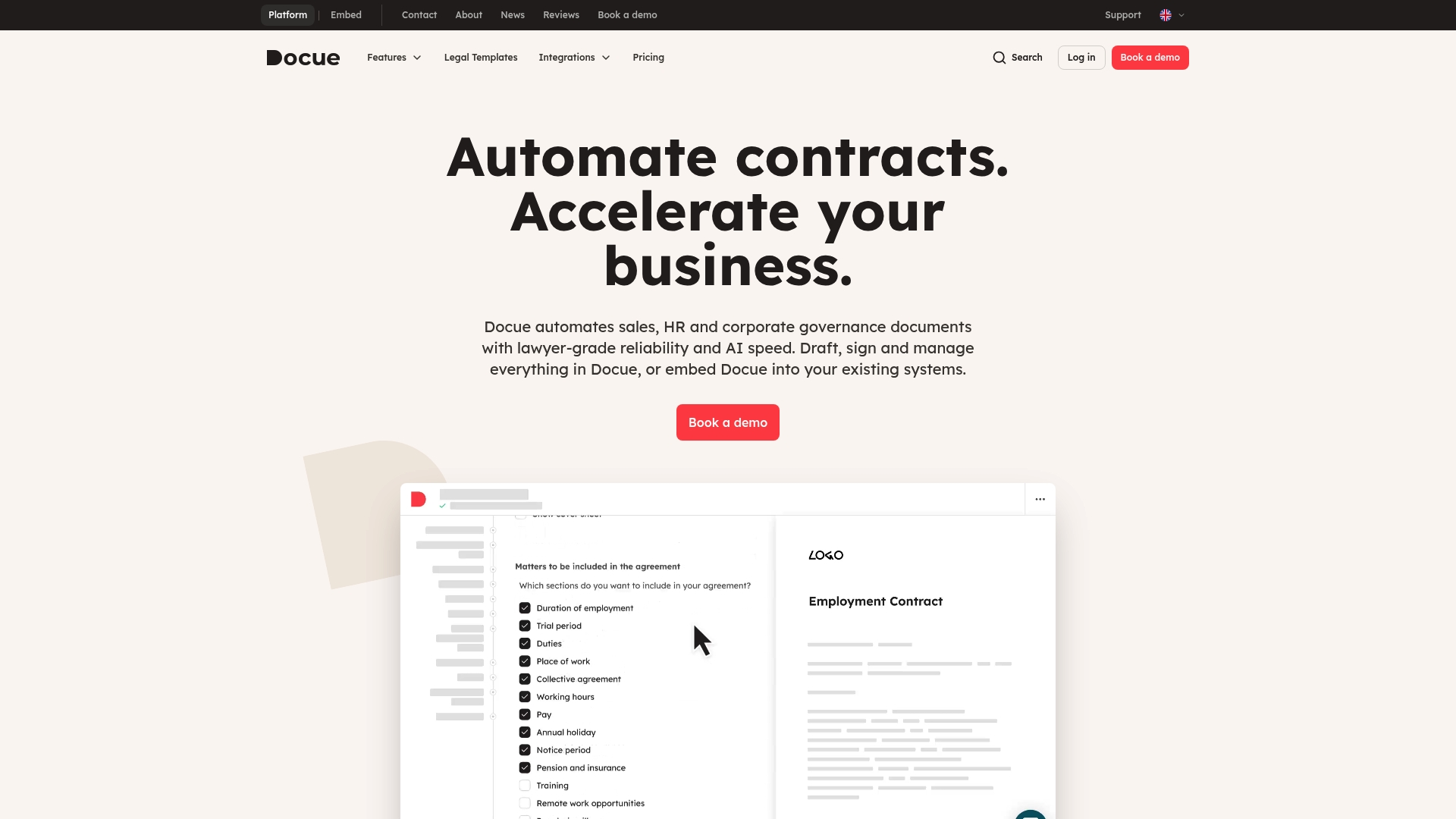
Docue reports serving over 2,000 clients across the UK and Europe. The company launched in 2017 and opened a UK presence in 2022. It focuses on lawyer made templates, electronic signature flows, and a secure storage layer called Docue Drive.
Core Features
Docue provides customizable templates plus a library of more than 150 lawyer made templates for UK law and related jurisdictions. The platform supports an electronic signature process and secure contract storage through Docue Drive. Companies can embed the template engine and signing flow into existing business systems to automate document creation and acceptance.
Key Differentiator
Docue’s legal content is created and reviewed by local lawyers and then baked into templates and automation. That approach pairs legal accuracy with fast document assembly and signing. Embedding the template and signing engines into other systems separates Docue from general purpose document editors.
Pros
Legal content comes from an experienced in house legal team, which reduces the need for external drafting on routine agreements. Automation cuts repetitive drafting and lowers the chance of manual errors while preserving clause integrity. Embedding capabilities let you run template generation and signing inside CRMs or custom apps. The vendor also highlights ISO/IEC 27001 certification, which supports high standards for data protection and audits.
Cons
- Pricing is reported as unclear by some third party reviewers, and smaller teams may find the cost relatively high.
- Several templates offer limited customization, which can frustrate buyers with unusual contract needs.
- Advanced features often require extra paid integrations or higher plan tiers, increasing total cost.
When It May Not Fit
Docue does not replace personalized legal advice for complex or high risk matters. Very small teams or solo professionals may find the starting price point restrictive. Organizations that need deep clause level customization or bespoke legal drafting will likely require supplemental legal support.
Notable Integrations
Docue integrates with common CRMs and sales tools to push data into templates and capture signatures. Key integrations include:
- HubSpot
- Salesforce
- Pipedrive
- Other CRM and enterprise systems
Who It's For
Docue fits small to mid sized businesses, startups, and professional service firms that want to automate routine contracts without external counsel. It also suits in house legal teams focused on volume agreements and repeatable workflows. Tech teams that need embedding options will find the integration focus useful.
Real World Use Case
A startup uses Docue to issue employment contracts, NDAs, and partnership agreements from a single template catalog. HR selects a template, populates fields from the CRM, and sends for electronic signature. The result is fewer manual edits, consistent clause language, and central storage for audit requests.
Pricing
Pricing starts from £29/month/user for the Essentials plan. The vendor offers custom enterprise plans on request for larger teams or businesses with advanced needs.
Website: https://docue.com
smartContract CLM
At a Glance
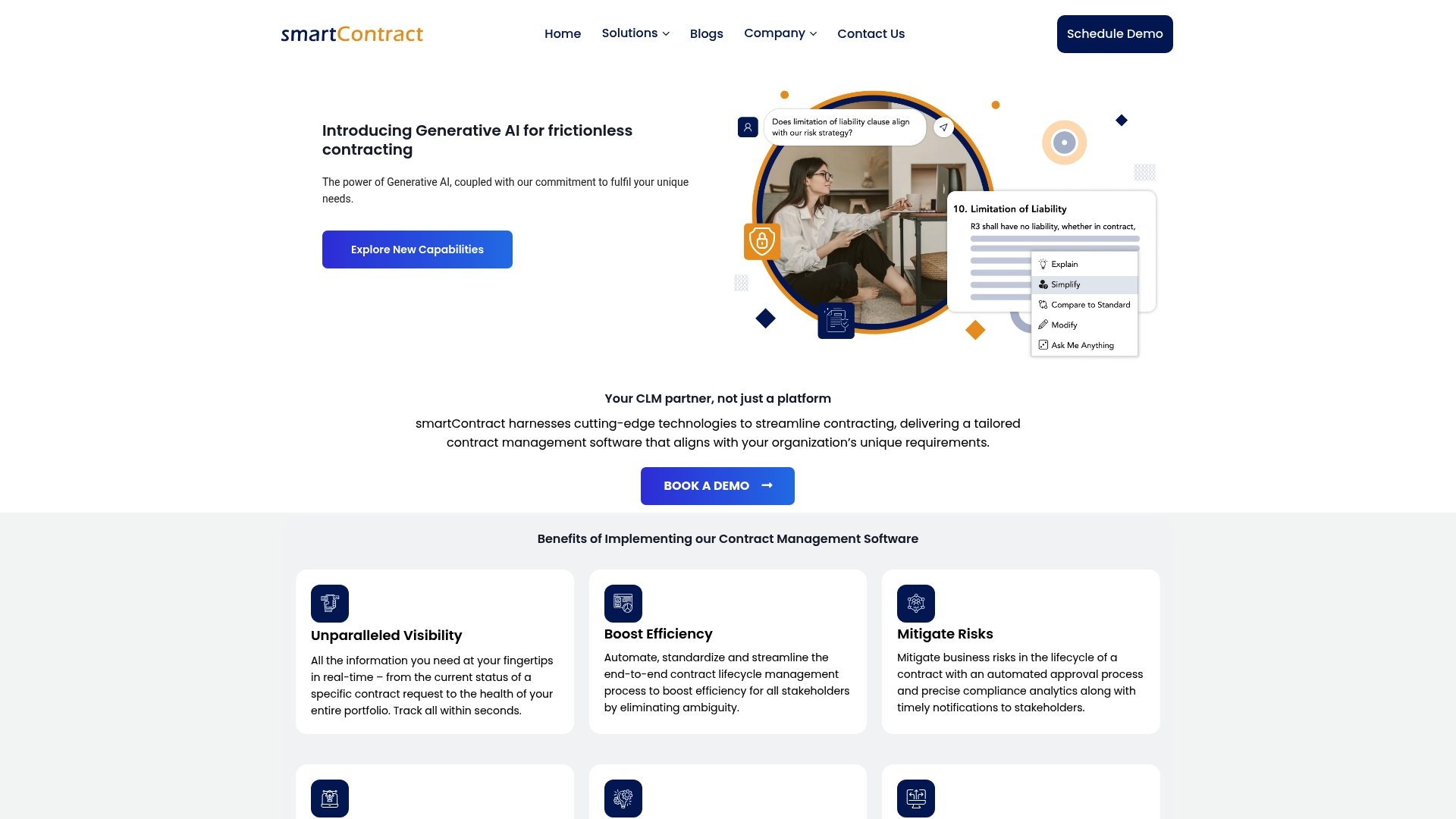
smartContract CLM's marketing materials state it is recognized as a top-rated CLM on Gartner. The platform pairs contract analysis driven by AI with clause extraction and obligation tracking. It brings review and approval actions into familiar tools like Word and Gmail to reduce context switching. That focus speeds visibility across contract lifecycles.
Core Features
smartContract CLM offers contract analysis driven by AI and clause intelligence to surface key terms and potential risks. The system includes automated obligation extraction and tracking, risk detection, compliance analytics, and a central clause library for drafting and negotiation. It supports electronic signature integration inside Word, Outlook, and Google Workspace and provides a unified repository with search and storage.
Key Differentiator
The product combines AI driven contract analysis with deep integration into existing user workflows to lower manual review effort and increase contract visibility. Rather than forcing users into a separate portal, it embeds drafting, negotiation, and signature steps in the apps legal and business teams already use.
Pros
That recognition lends credibility for teams shortlisting CLM vendors. Integration with Microsoft Word, Outlook, Google Workspace, and cloud storage keeps contract work inside familiar documents and email. The AI driven clause suggestions and risk detection speed review and support more consistent negotiation outcomes. Flexible configuration lets legal and procurement adapt templates and clause libraries to organizational standards.
Cons
- Some users report the AI features have a learning curve. Expect training and governance to reach repeatable accuracy.
- The product may struggle with very specialized or non standard contract types. Complex bespoke templates can require manual setup.
- Integration hurdles appear with legacy systems or niche platforms. Those challenges can extend deployment timelines.
When It May Not Fit
Organizations that require highly bespoke parsing rules for regulatory contracts may find the product limiting without vendor custom work. Large transformation programs without clear change management plans might see slow adoption and inconsistent outputs.
Notable Integrations
- Microsoft Word
- Outlook
- Google Workspace (Docs, Gmail)
- Google Drive and OneDrive
- Electronic signature tools
Who It's For
Legal, procurement, sales, and compliance teams seeking AI driven contract lifecycle management will get the most value. Teams that prefer keeping contract actions inside document editors and email will benefit from the integration model. Organizations ready to invest in training reap better results from the AI features.
Real World Use Case
A multinational company uses smartContract CLM to automate contract analysis, track obligations in real time, and streamline approvals. That implementation reduced cycle time for routine agreements and improved visibility into compliance obligations across business units.
Pricing
Pricing is not publicly listed. The vendor marks pricing as not applicable informational only, so buyers must contact sales for quotes and deployment options.
Website: https://smartcontractclm.com
ContraxAware
At a Glance
Starting at $250/month for up to 100 contracts and 3 users. ContraxAware focuses on quick deployment for small teams that need core contract controls without heavy implementation. The product pairs centralized storage with AI powered extraction and built in eSignatures to cut manual data entry.
Core Features
A centralized contract repository stores executed agreements and working drafts while an AI powered extraction engine pulls key dates and clauses into metadata fields. Smart alerts notify teams of expirations and renewals, and workflow automation routes drafts from authoring through approvals. Insights and analytics dashboards track contract metrics and the platform preserves an audit trail for compliance and recordkeeping.
Key Differentiator
ContraxAware combines AI powered contract data extraction with a deliberately simple interface to minimize ramp time for small teams. This focus lets legal or sales groups start automating renewals and reporting within days rather than weeks. The result is practical automation without an extensive implementation project.
Pros
The interface is simple and intuitive, so nontechnical teams can find documents and trigger workflows quickly. Setup time is short, which helps teams adopt the system without professional services. AI automation reduces manual entry and common transcription errors, and the platform includes eSignatures plus role based access to control signing and viewing rights. Pricing tiers aim to keep costs predictable for small teams.
Cons
- Limited customization options compared to larger enterprise systems. This affects deep template or clause library tailoring.
- Fewer advanced integrations and platform extensions for large scale operations. Integrations are basic and may require workarounds.
- Lower pricing tiers may restrict contract volume or advanced features. Teams with high volumes will likely need a higher tier.
When It May Not Fit
Large legal operations that need heavy customization, complex approval trees, or wide third party integration will find ContraxAware limiting. Organizations that require a full contract lifecycle platform with extensive developer APIs will likely outgrow this product. High volume enterprises should evaluate capacity and feature ceilings before committing.
Who It's For
Small to medium sized teams that need straightforward contract management and automation. Legal teams that want to reduce manual review tasks and sales teams tracking renewals will gain immediate value. Organizations that prefer fast setup and minimal admin overhead will find the product aligns with their needs.
Real World Use Case
A sales operations team uses ContraxAware to centralize master services agreements and order forms, enabling reps to pull contract metadata without manual lookup. The system sends renewal alerts to account owners and escalates overdue approvals to managers. Legal uses the analytics dashboard to spot contracting bottlenecks and measure turnaround times.
Pricing
Pricing starts at $250/month for up to 100 contracts and 3 users. Plans are tiered to add contracts and seats as teams grow, with higher tiers removing volume limits and enabling more features.
Website: https://contraxaware.com
Comparison of alternatives
Choosing between Formable, Docue, smartContract CLM, and ContraxAware requires balancing unique advantages and functionality specific to your organizational needs.
Core functionalities and unique features
Formable excels by combining AI-powered risk assessment, document redlining, and e-signing workflows into an efficient, singular platform that supports integrations via APIs for broader operational reach. On the other hand, Docue emphasizes legally accurate, jurisdiction-specific templates supported through collaboration with regional legal experts, whereas smartContract CLM integrates into familiar Microsoft and Google ecosystems for a natural user experience.
Pricing variability and value propositions
Formable's pricing begins with competitive rates and expands for enterprise customization, catering to diverse workloads. ContraxAware provides predictable cost structures for small teams, enabling straightforward contract automation. Docue's pricing, while higher, includes access to authoritative legal template libraries but may not be scalable for all users without incurring additional costs.
Best fit
- Medium organizations needing consolidated AI-enhanced contract workflows combining review, negotiation, and signing will maximize their efficiency with Formable.
- Small teams requiring quick deployment with minimal technical overhead will benefit from ContraxAware's intuitive interface and automation.
- Businesses that operate in jurisdiction-specific environments and prioritize legal document accuracy will find Docue's tailored templates.
- Legal teams accustomed to Microsoft Office and Google Workspace seeking AI-driven contract lifecycle management integrated within those platforms should prefer smartContract CLM.
Our pick
For legal and operational teams managing contracts across various stages needing streamlined, API-support-integrated solutions leveraging AI insights, Formable is likely to align with process requirements effectively. While specialized use cases like jurisdiction-specific needs or system-native integrations might call for alternate solutions, Formable's capabilities make it a strong recommendation for broad applicability.
This comparison highlights notable legal contract management platforms, each tailored to distinct team sizes and operational needs.
| Product | Core Feature | Key Differentiator | Pricing | Notable Limitation |
|---|---|---|---|---|
| Formabledocs | AI review, redlining, e-signature | Unified document workflow and APIs | Free plan; Pro $19.99/month | May overwhelm small or solo practitioners |
| Docue | Lawyer-made templates, e-signature | Prebuilt, jurisdiction-specific templates | Starts at £29/month/user | Limited customization and advanced feature cost |
| smartContract CLM | AI analysis, obligation tracking | Embedded workflows in common tools | Price not published | May require training for optimal AI accuracy |
| ContraxAware | Centralized storage, AI data extraction | Simplified setup for small teams | Starts at $250/month | Lacks extensive customization for large teams |
How to Manage Legal Contract Workflows More Efficiently
Legal and contract teams often face delays when using multiple tools for review, negotiation, and signing. Common challenges include time lost switching between platforms, manual oversight of risky clauses, and lack of integration for deal workflows such as MSAs, DPAs, and SOWs. This article highlights those pain points and the need for a unified legal contract management software solution that keeps contract data and audit trails in one place.
Formabledocs offers a combined approach with AI-powered contract review, embedded redlining, and e-signing all in one platform. It reduces handoffs and lets legal, procurement, and sales teams move faster and with greater confidence. Developers can also use Formabledocs’ e-signing and redlining APIs to build signing flows directly into applications.
See how Formabledocs tackles these challenges by visiting Formabledocs. Reach out and we will walk through your use case for managing MSAs, LOIs, order forms, and more with fewer review cycles and clear audit events.
FAQ
How does Formabledocs handle AI review for legal contracts?
Formabledocs provides an AI review feature that flags risks and missing clauses, making it easier for legal teams to identify issues. The platform's integrated dashboard allows for thorough tracking of templates, revisions, and signatures. Teams can expect enhanced focus on critical content rather than searching for errors, which improves overall efficiency.
What is the difference between Formabledocs and Docue regarding template customization?
Docue offers over 150 lawyer-made templates designed for UK law, providing users with high legal accuracy. Formabledocs, on the other hand, combines contract review and negotiation in a single platform without a separate signing vendor, making it advantageous for legal teams focusing on workflows and approvals. Legal teams should choose based on their need for tailored documents or integrated workflow management.
Which platform provides an embedded API for redlining?
Formabledocs includes a redlining API that supports in-app negotiation and allows for comments and @mentions. This feature enables real-time collaboration during contract reviews, which can enhance communication within teams. Legal teams focusing on integrated negotiation should consider this capability vital for their workflows.
Can I expect quick deployment with Formabledocs?
Formabledocs is designed to minimize the time needed for setup and integration, allowing legal teams to get started efficiently. Its feature set reduces handoffs between the review and signing phases, which generally accelerates deal closure times. Organizations can adopt the platform without extensive infrastructure changes, making it a practical choice.
Does Formabledocs support integrations with common productivity tools?
Yes, Formabledocs integrates with popular tools like Salesforce, Slack, and Google Workspace. This connectivity allows teams to automate processes and keep all contract-related activities within their existing systems. Teams looking for compatibility with multiple productivity platforms will benefit from this feature.
