
Contract workflow management is the end-to-end process that controls how contracts are requested, created, reviewed, approved, executed, and monitored for obligations and renewals. The industry term for this discipline is contract lifecycle management (CLM), and the two phrases describe the same structured approach. For business and legal teams, the difference between a well-designed workflow and a fragmented one shows up in missed deadlines, compliance gaps, and deals that stall before they close. This guide covers every stage of the process, explains where automation delivers real value, and outlines the design decisions that separate functional workflows from ones that break under pressure.
What is contract workflow management and why does it matter?
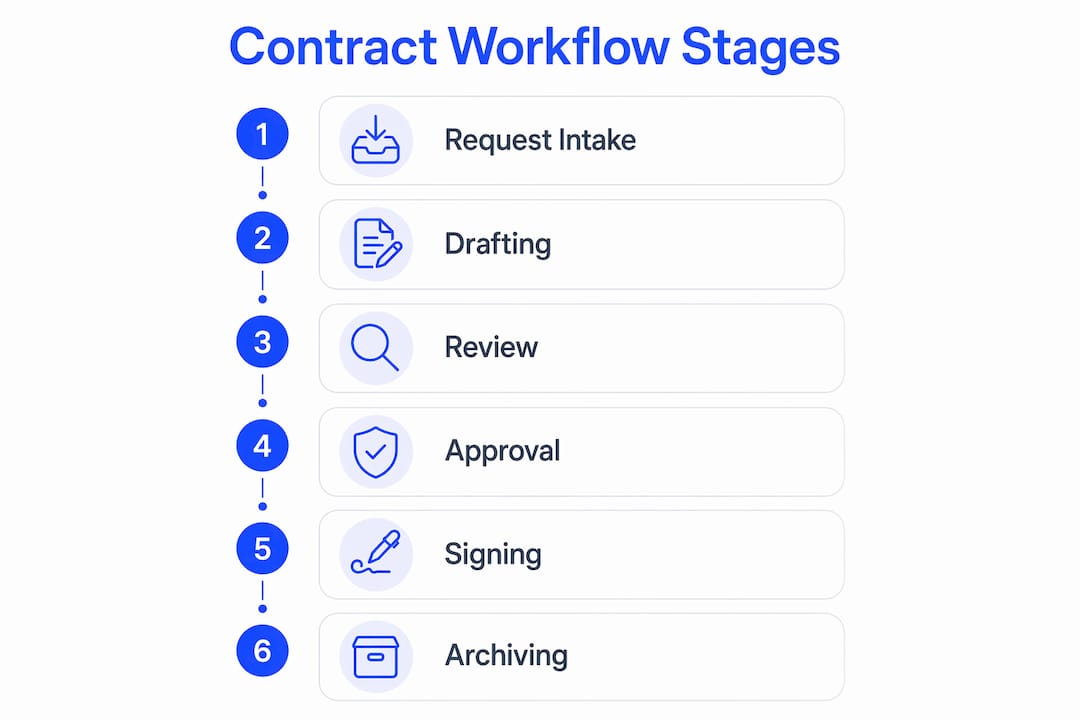
Contract workflow management is defined as an orchestrated sequence of stages that moves a contract from initial request through final obligation tracking. A modern workflow includes at least six stages: request intake, drafting, review and redlining, approval routing, signature execution, and post-signature obligation monitoring. Managing these stages as a connected process mitigates compliance risks that fragmented, ad hoc handling cannot address.
Each stage has a distinct function. Request intake captures the business need and collects the metadata required to generate or select the right template. Drafting produces the initial document, either manually or through template automation. Review and redlining is where legal and counterparty negotiation happens. Approval routing sends the contract to the right stakeholders based on contract type, value, and risk level. Signature execution closes the agreement. Post-signature monitoring tracks renewal dates, obligations, and compliance milestones.

The risk of treating these stages as separate tasks rather than a unified process is significant. A contract that clears legal review but sits in an approval queue with no escalation rule can expire or lose commercial relevance before it is signed. Compliance obligations missed after execution create legal exposure that no amount of careful drafting can prevent.
| Stage | Key activities |
|---|---|
| Request intake | Collect metadata, validate fields, select template |
| Drafting | Generate document, apply standard clauses |
| Review and redlining | Legal review, counterparty negotiation, clause flagging |
| Approval routing | Route by risk tier, contract value, or team |
| Signature execution | Collect e-signatures, confirm execution |
| Post-signature monitoring | Track obligations, renewals, and compliance dates |
How can automation improve contract workflow management?
Automation delivers the most value when applied to the stages where volume is high and variation is low. Starting with a core set of high-volume templates like NDAs, MSAs, order forms, and offer letters produces measurable speed improvements within weeks. Trying to automate every legacy contract type at once delays ROI and increases the risk of configuration errors.
SLA tracking is one of the most underused controls in contract automation. Automated escalations based on predefined timeouts, typically 24–48 hours, prevent review stages from stalling when a stakeholder is unavailable. Systems that automatically reassign tasks or notify alternates keep contracts moving without requiring manual follow-up from legal or operations teams.
AI plays a specific and bounded role in this process. AI-powered review supports legal teams by triaging contracts and flagging exceptions against a standard legal playbook. This reduces the volume of contracts requiring full attorney review and focuses legal attention on high-risk clauses. AI does not replace human judgment; it filters the queue so that judgment is applied where it counts most.
Pro Tip: Phase your automation rollout by contract type, not by department. Automate NDAs first, measure cycle time improvement, then expand to MSAs and order forms. This approach produces clear before-and-after data that builds internal support for broader adoption.
The integration layer matters as much as the automation logic itself. Embedding workflow tools into CRM, email, and messaging apps drives higher adoption than requiring teams to log into a separate portal. Sales teams that can initiate a contract request from within their CRM complete the intake step correctly far more often than those who must switch applications.
Common pitfalls in contract workflow management and how to avoid them
The most common failure point is not in the approval stage or the signing phase. Data leakage at the intake stage is where most workflow breakdowns begin. When intake forms do not validate required fields, contracts enter the drafting stage with missing counterparty details, incorrect contract values, or unspecified governing law. Every downstream stage then requires manual correction, which erases the efficiency gains automation was meant to deliver.
A second widespread misconception is that contract automation means e-signing. Contract execution is only one phase; the real efficiency and risk mitigation gains come from automated controls during pre-signature drafting and review, and from obligation tracking after execution. Teams that invest in e-signature capability alone and skip workflow controls before and after signing will still face the same bottlenecks they had before.
Common workflow stalls and how to address them:
- Approval queue abandonment. A stakeholder does not act within the SLA window. Fix: configure automatic reassignment to a designated alternate after 24–48 hours.
- Redline version confusion. Multiple versions circulate outside the system. Fix: enforce a single document repository with version locking during active negotiation.
- Missing obligation alerts. Renewal dates pass unnoticed. Fix: set automated calendar triggers at 90, 60, and 30 days before key dates.
- Intake form bypass. Requesters email contracts directly to legal. Fix: close the email channel for contract requests and route all intake through the workflow system.
Pro Tip: Build an exception-handling rule for every approval step before you go live. If you cannot answer "what happens when the approver does not respond?" for each stage, the workflow is not ready to deploy.
Isolated contract portals reduce user engagement regardless of how many features they offer. The tool that lives where your team already works will always outperform the tool that requires a separate login, even if the latter has a more complete feature set.
Best practices for designing effective contract workflows
Process design must come before software selection. Most contract automation failures trace back to treating software as a fix for broken manual processes rather than starting with a process audit. Map your current contract request paths, identify where contracts stall, and document the approval rules that exist informally before you configure anything in a system.
Define approval logic by risk tier
Approval routing should reflect contract risk, not organizational hierarchy. A low-value NDA with a standard counterparty does not need the same approval chain as a multiyear MSA with a new enterprise customer. Define risk tiers by contract type, value threshold, and counterparty category, then configure routing rules accordingly. This keeps low-risk contracts moving quickly and reserves senior review time for agreements that warrant it.
Build role-specific workflows
Role-based workflows tailored for sales, HR, legal, and operations teams drive measurable ROI by addressing the specific bottlenecks each group faces. Sales teams need speed to signature. HR teams need template consistency across offer letters and employment agreements. Operations teams need obligation tracking after execution. A single generic workflow serves none of these needs well.
Govern your metadata from day one
Clean metadata is the foundation of a useful contract repository. Define required fields at intake, validate them before the contract enters drafting, and enforce consistent naming conventions across contract types. Without this discipline, search and reporting become unreliable, and AI-assisted contract review loses accuracy because it cannot match contracts to the correct playbook.
Measure and refine continuously
Measuring cycle times, approval rates, and request volumes enables continuous performance improvement and gives legal teams data to demonstrate business impact. Set a baseline before automation, then track the same metrics monthly after deployment.
| Workflow design element | Impact on performance |
|---|---|
| Intake validation rules | Reduces downstream rework and data errors |
| SLA-based escalation | Prevents approval queue stalls |
| Risk-tiered approval routing | Speeds low-risk contracts, protects high-risk ones |
| Role-based templates | Improves adoption and reduces drafting errors |
| Obligation tracking triggers | Prevents missed renewals and compliance deadlines |
| Cycle time reporting | Identifies bottlenecks and supports process refinement |
Pro Tip: Audit your contract workflows every six months. Approval rules that made sense when you had 10 contracts a month may create unnecessary friction at 200. Treat workflow configuration as a living document, not a one-time setup.
What I've learned from watching contract workflows fail
Most teams I have seen struggle with contract workflows share one pattern: they buy the software before they understand the process. The tool arrives, someone configures the obvious steps, and within three months the legal team is back to emailing Word documents because the system does not match how they actually work.
The fix is not a better tool. It is a clearer process. Before you select any contract management software, spend two weeks mapping every path a contract takes from request to signature. You will find informal approval chains, undocumented exceptions, and intake steps that happen over Slack instead of in any system. Those are the things that will break your automation if you do not address them first.
AI in contract review is genuinely useful, but only when it is pointed at the right problem. I have seen teams deploy AI review tools and then complain that the AI flags too many issues. The real problem is that their legal playbook was never written down. AI cannot triage against a standard it has not been given. Define your playbook first, then let AI enforce it.
The teams that get the most from digital contract workflows are the ones that treat adoption as a design constraint, not an afterthought. If your sales team has to leave their CRM to initiate a contract, most of them will find a workaround. Build the workflow where they already work, and adoption takes care of itself.
— Alex
Formable makes contract workflow management practical
Managing contracts across request, review, negotiation, and signature is complex enough without juggling disconnected tools. Formable brings these stages into one place, with AI-assisted review, redlining, and e-signature capabilities that legal and GTM teams can configure without IT involvement.

Formable supports MSAs, DPAs, SOWs, LOIs, and order forms out of the box, with approval workflows you can update as your process evolves. The platform integrates with the tools your team already uses, so contracts move without requiring anyone to switch applications. Metrics tracking gives you cycle time data from day one. If you want to see how Formable fits your current workflow, explore the platform or review contract management options side by side.
FAQ
What is contract workflow management?
Contract workflow management is the structured process of moving contracts through request intake, drafting, review, approval, execution, and post-signature monitoring as a connected sequence. The goal is to reduce cycle times, enforce compliance controls, and eliminate manual handoffs that cause delays.
What is the difference between CLM and contract workflow management?
Contract lifecycle management (CLM) is the industry term for the same discipline. Contract workflow management describes the operational process; CLM typically refers to the software category that automates and manages that process.
How does automation help with contract approvals?
Automation applies SLA-based escalation rules that reassign or notify alternates when approvers do not act within a set window, typically 24–48 hours. This prevents approval queues from stalling without requiring manual follow-up.
What should I automate first in a contract workflow?
Start with high-volume, low-variation templates such as NDAs, MSAs, and offer letters. These deliver measurable speed improvements quickly and provide a clear baseline for measuring ROI before expanding automation to more complex contract types.
Why do contract workflow tools fail to get adopted?
Adoption fails when the tool requires users to leave the applications they already work in. Embedding contract workflows into CRM and email platforms drives consistent use; isolated portals do not, regardless of their feature set.
Key takeaways
Effective contract workflow management requires a connected process across all six lifecycle stages, not just a signing tool.
| Point | Details |
|---|---|
| Define all six stages | Map request intake through post-signature monitoring before selecting any software. |
| Automate high-volume templates first | Start with NDAs, MSAs, and order forms to prove ROI before expanding scope. |
| Use SLA escalation rules | Configure 24–48 hour timeouts to prevent approval queues from stalling silently. |
| Validate intake metadata | Enforce required fields at intake to prevent downstream rework and reporting errors. |
| Measure cycle times continuously | Track approval rates and request volumes monthly to identify bottlenecks and refine the workflow. |