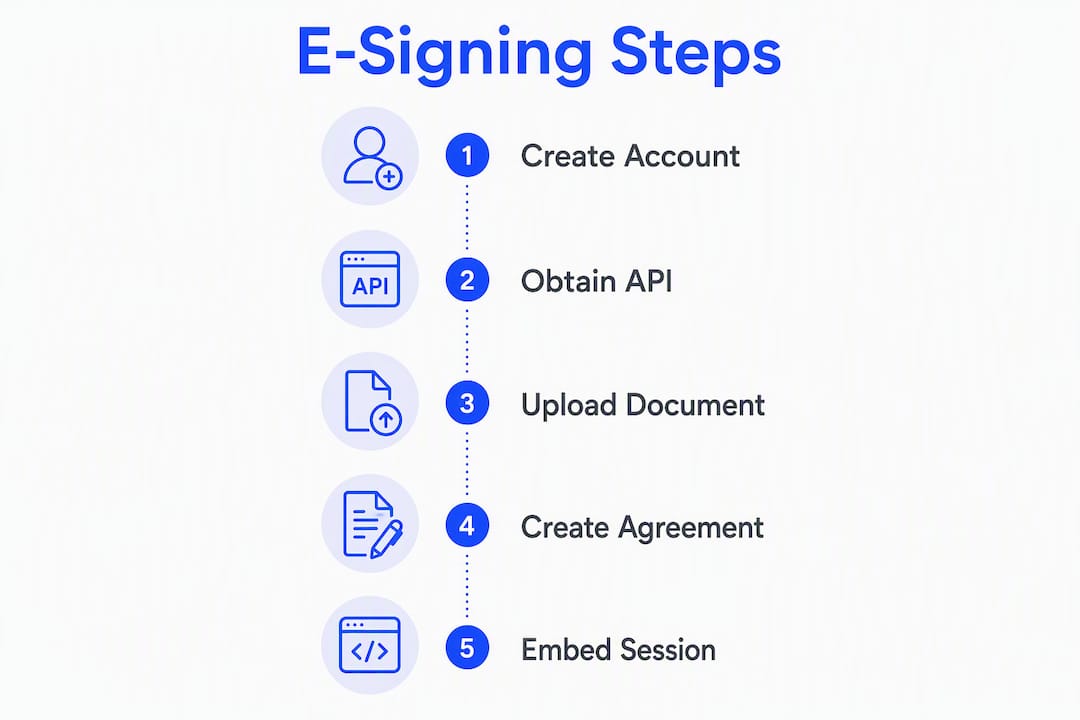
The fastest path to production e-signing is embedded signing via an API, and Formable gives you that out of the box with full ESIGN and UETA compliance baked into the audit trail. Skip the DIY route unless you have a dedicated security team. For most developer projects, the right sequence is: create a dev account, get your API key, upload a template or transient document, generate a signing session, and embed it in an iframe. You can have a working proof of concept running in an afternoon.
Immediate next steps:
- Create a Formable developer account and grab your API credentials
- Choose your integration pattern (embedded iframe is the recommended default)
- Upload a test PDF or use a template in the sandbox environment
- Generate a signing session URL and embed it in a test page
- Subscribe to webhook events and verify your handler returns a 200 response
The sections below walk through each of those steps in detail, including auth patterns, webhook design, audit trail requirements, and cost considerations.
What is the difference between e-signatures and digital signatures?
These two terms get conflated constantly, and the distinction matters for what you build.
An electronic signature is any electronic symbol, sound, or process attached to a document with the intent to sign. Under the U.S. ESIGN Act and the Uniform Electronic Transactions Act (UETA), a simple typed name, a drawn signature, or a click-to-sign action is legally sufficient for most commercial agreements. No cryptography is required by law.
A digital signature is a specific cryptographic mechanism: a private key signs a hash of the document, and a certificate authority vouches for the key holder's identity. The payload includes a signature block, a certificate chain, and a timestamp from a trusted authority. It is verifiable without trusting the signing platform.
When each is appropriate:
- Basic e-signature: contracts, NDAs, MSAs, SOWs, order forms, and most B2B agreements where ESIGN/UETA coverage applies
- PKI-backed digital signature: regulated industries (FDA 21 CFR Part 11, certain financial instruments), cross-border EU transactions requiring eIDAS Qualified Electronic Signatures, or any workflow where independent cryptographic verification is a hard requirement
- Identity proofing add-ons: high-value transactions where you need to verify the signer's government ID before they sign, regardless of whether you use a basic e-signature or a digital signature underneath
For most web application use cases, a well-implemented e-signature with a tamper-evident audit trail is both legally sufficient and far simpler to build. If your users are in the EU or you handle cross-border transactions, note that eIDAS defines additional signature categories (Simple, Advanced, Qualified) that carry different legal weights across member states. Map those requirements before you pick a technology stack.
Which integration pattern fits your project?
Four patterns exist, and the right one depends on how much control you need over UX, how fast you need to ship, and how much compliance burden you can absorb.

Hosted signing (redirect flow)
Your server creates an agreement via the API, and the signer is redirected to a signing page hosted entirely by the provider. After signing, the provider redirects back to your return URL. You get simplicity and zero signing UI to maintain, but the signer leaves your application for the duration of the signing session.
Embedded signing (iframe or session URL)
Your server generates a short-lived session token, and the signing UI renders inside an iframe on your page. The signer never leaves your application. This is the recommended pattern for most production integrations: it preserves your UX, offloads the signing interface and audit trail to the provider, and keeps long-lived API keys off the client entirely.
API-only / send-and-track
Your server sends documents to recipients via email, and signers complete the process in the provider's hosted environment. No embed, no redirect handling on your side. This works well for batch workflows, automated contract generation pipelines, and cases where the signing experience is not part of your core product UI.
Building in-house
You write the signing service yourself: PDF manipulation, cryptographic signing, tamper-evident log storage, key management, certificate handling, and legal audit trail generation. Teams consistently underestimate this scope. You are responsible for staying current with legal and technical audit expectations, maintaining HSM or cloud KMS infrastructure, and handling every edge case in document rendering. Reserve this path for organizations with a dedicated security engineering team and a specific reason an off-the-shelf API cannot meet requirements.
| Pattern | Setup time | UX control | Compliance burden on you | Best for |
|---|---|---|---|---|
| Hosted redirect | Low | Low | Low | Quick POCs, low-traffic flows |
| Embedded iframe | Medium | High | Low | Production apps, in-app UX |
| API-only / send-and-track | Low | None | Low | Batch workflows, automation |
| Build in-house | Very high | Full | Very high | Specialized regulated use cases |
Recommended default: embedded signing via API. It gives you the best balance of UX control, implementation speed, and legal evidence without taking on the operational burden of building your own signing infrastructure.
Step-by-step developer checklist for adding e-signing
This is the ordered path from zero to a signed PDF in your storage bucket. Follow it sequentially; skipping steps creates gaps in your audit trail or breaks the signing flow.
- Create a developer account and access the sandbox environment. Never develop against production credentials.
- Obtain API credentials. Retrieve your API key or integration token from the developer dashboard. Store it in a secret manager (AWS Secrets Manager, HashiCorp Vault, or equivalent), not in environment variables committed to source control.
- Choose your integration pattern from the options above. For most projects, start with embedded signing.
- Prepare your document. Use a reusable template for stable documents (NDAs, MSAs, order forms). Use a transient document upload for dynamic content generated at runtime. Transient documents are temporary; the API accepts a PDF upload and returns a document ID you use in the next step.
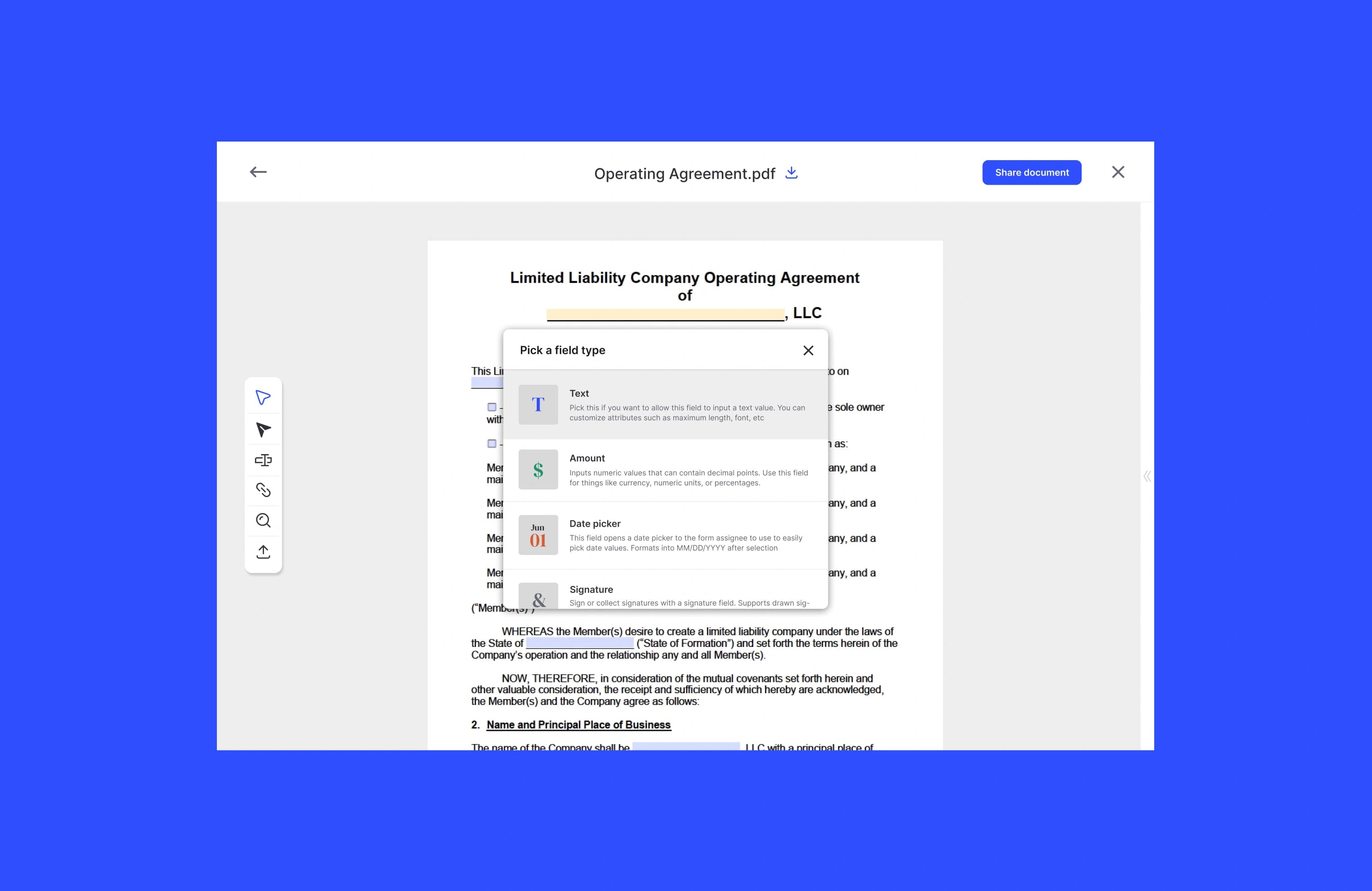
- Define recipients and fields. Specify each signer's name, email, and role. Place signature, date, initials, and any form fields (checkbox, text, formula) at the correct coordinates. For responsive layouts, anchor fields to named form fields in the PDF rather than absolute pixel coordinates.
- Create the agreement. POST to the agreements endpoint with your document ID, recipient list, and field definitions. Agreement creation is often asynchronous; poll the status endpoint or wait for a webhook event before proceeding.
- Generate a signing session URL. Once the agreement is active, request a signing URL for each recipient. For embedded flows, this URL is short-lived (typically minutes to an hour). Pass it to the client via your own API endpoint, never expose the raw API key to the browser.
- Embed or redirect. On the client side, open the signing URL in an iframe or redirect the user. Handle the post-signing redirect or postMessage event to detect completion.
- Handle webhooks. Subscribe to
agreement_completed,signer_signed,signer_declined, andagreement_viewedevents. Your handler should return HTTP 200 immediately, enqueue a background job, and process asynchronously. - Download signed artifacts. Once the agreement is complete, download the signed PDF and the audit trail (certificate of completion). Do not assume the document is immediately available after the webhook fires; poll readiness if needed.
- Store and version. Write the signed PDF and audit trail to object storage (S3, GCS, or Azure Blob) with versioning enabled. Record the storage path and document hash in your database alongside the agreement ID.
Pro Tip: Use templates for any document your team sends repeatedly. Templates let you define field positions once, use merge fields for dynamic data (signer name, deal value, effective date), and avoid re-uploading PDFs on every request. This cuts agreement creation time and reduces field-placement bugs in production. Formable's contract creator supports template-based generation with merge fields.
For the transient upload flow, the server-side pattern looks like this conceptually: authenticate with your API key in the Authorization header, POST the PDF binary to the transient documents endpoint, receive a transientDocumentId, then POST to the agreements endpoint referencing that ID. The response includes an agreementId. Use that ID to request a signing URL per recipient.
On the client side, receive the signing URL from your own backend endpoint (never from the e-signing API directly), then either set it as the src of an iframe or redirect the window. Listen for the provider's postMessage or handle the return URL redirect to update your UI state.
How should you handle authentication and API tokens?
Most e-signing APIs offer two credential types: integration keys (long-lived API keys scoped to a single application) and OAuth 2.0 flows (short-lived access tokens tied to a user or service account).
Integration keys vs. OAuth:
- Integration keys are simpler for server-to-server integrations and single-tenant applications. They do not expire automatically, which makes rotation discipline critical.
- OAuth is the right choice for multi-tenant SaaS applications where each customer authorizes your app to act on their behalf. The authorization code flow gives you short-lived access tokens and refresh tokens; the client credentials flow works for machine-to-machine scenarios without a user in the loop.
Best practices for credential management:
- Store all credentials in a dedicated secret store. Rotate API keys on a schedule (quarterly at minimum) and immediately after any suspected exposure.
- Issue short-lived session tokens to the client. Your backend mints a signing session URL or a short-lived embed token; the browser never sees your API key.
- Apply least-privilege scoping. If the API supports permission scopes, request only what the integration needs (e.g., create agreements, read agreement status) and nothing broader.
- Never embed long-lived API keys in client-side JavaScript bundles, mobile apps, or public repositories. Static analysis tools and secret-scanning CI checks (like those in GitHub Advanced Security or GitLeaks) will catch accidental commits, but prevention is cheaper than remediation.
SDK patterns:
Official SDKs handle token refresh, request signing, and retry logic for you. Use them when available. When calling REST endpoints directly, implement a thin wrapper that injects the auth header and handles 401 responses with a token refresh before retrying. This keeps auth logic in one place and out of your business logic.
How do you build reliable webhook event handling?
Webhooks are the backbone of any asynchronous signing integration. The signing provider POSTs an event to your endpoint when something happens: a signer views the document, signs, declines, or the agreement completes. Your job is to receive that event reliably, process it exactly once, and not block the provider's delivery thread.
Event types to subscribe to:
agreement_completed: all parties have signed; safe to download final artifactssigner_signed: one signer has completed their step; useful for multi-party workflowssigner_declined: a signer rejected the document; trigger your decline workflowagreement_viewed: the signer opened the document; useful for audit trail completeness
Reliable handler design:
- Return HTTP 200 immediately. Do not perform any downstream processing inside the request handler. If your handler times out, the provider will retry, and you will process the event twice.
- Verify the webhook signature or HMAC header before touching the payload. Most providers include a signature header; validate it against your shared secret to reject spoofed requests.
- Extract the
agreementIdand event type, then enqueue a background job (SQS, Pub/Sub, Redis queue, or equivalent). - In the background worker, check whether you have already processed this event using an idempotency key (typically the event ID). If yes, skip. If no, mark it as in-progress and proceed.
- Poll agreement readiness before downloading. The signed document may not be immediately available even after
agreement_completedfires. Implement a short retry loop with exponential backoff. - Download the signed PDF and audit trail, write them to object storage, and update your database record.
Testing webhooks locally:
Use a tunneling tool (ngrok, Cloudflare Tunnel, or localtunnel) to expose your local handler to the internet during development. Most providers also offer sandbox test event triggers so you can fire a synthetic agreement_completed without completing a real signing flow. Save those payloads as replayable fixtures for unit tests.

What security controls and U.S. legal requirements apply?
Under ESIGN and UETA, three things must be true for an electronic signature to be enforceable: the signer must have consented to do business electronically, there must be clear intent to sign, and the signed record must be retained and reproducible. Neither law mandates a specific technology. That gives you flexibility, but it also means the evidentiary burden falls on your implementation.
What to store in your audit trail:
- The final signed PDF (unmodified, with embedded signature metadata)
- Timestamped event log: document sent, viewed, signed, and completed events with UTC timestamps
- Signer identity metadata: name, email address, and any authentication steps completed (SMS OTP, knowledge-based auth, ID verification)
- IP address and user agent string for each signing event
- Authentication method used (email link, SMS, OAuth identity provider)
- Certificate of completion generated by the signing provider
Storing this data in a tamper-evident log, where records cannot be altered after the fact, is what makes your audit trail defensible in a dispute or regulatory inquiry. Write-once object storage (S3 Object Lock, GCS Bucket Lock) is a practical way to achieve this without building custom append-only infrastructure.
Security controls:
- TLS 1.2 or higher on all connections, both inbound (your webhook endpoint) and outbound (API calls)
- Encryption at rest for all stored documents and audit logs; use a cloud KMS (AWS KMS, Google Cloud KMS, Azure Key Vault) rather than managing encryption keys yourself
- Access controls: restrict who in your organization can read signed documents and audit logs; apply role-based access and log every access event
- Secure backup with tested restore procedures; a backup you have never restored is not a backup
International note: if your signers are in the EU, eIDAS applies alongside or instead of ESIGN/UETA. eIDAS defines Simple, Advanced, and Qualified Electronic Signatures with different legal weights. Qualified signatures require a Qualified Trust Service Provider and a qualified certificate. Map your cross-border requirements before choosing a provider or signature type.
This article is general technical information, not legal advice. Confirm current requirements with a qualified attorney or your compliance team for your specific use case.
What file formats and template strategies work best?
PDF is the production standard for e-signature workflows. It preserves layout across devices, supports embedded form fields, and is the format signing providers use for the final signed artifact. Other formats (DOCX, HTML) are sometimes accepted for upload but are typically converted to PDF before signing.
Flattened vs. native PDF forms:
A flattened PDF has no interactive form fields; the signing provider places fields programmatically via the API. A native PDF form (AcroForm or XFA) has fields already embedded. Both work, but native forms give you more control over field appearance and tab order. Avoid XFA forms; they have inconsistent support across providers and PDF renderers.
Template vs. transient document:
- Use templates for documents your team sends repeatedly: NDAs, MSAs, SOWs, order forms. Define field positions once, use merge fields for dynamic values (party name, effective date, deal amount), and reuse the template ID across thousands of agreements. Formable's fillable PDF guide covers field mapping in detail.
- Use transient documents for dynamically generated content: a PDF assembled at runtime from user inputs, a custom quote, or a document that changes with every request. Upload the PDF, get a transient document ID, use it once, and discard it.
Field types and placement:
- Signature and initials fields: place at the bottom of each page requiring acknowledgment
- Date fields: auto-populated by the provider at signing time; do not ask signers to type dates manually
- Checkbox and text fields: use for data collection within the signing flow (e.g., title, company name)
- Formula fields: calculate values from other fields; useful for order forms with computed totals
For mobile responsiveness, anchor fields to named AcroForm fields rather than absolute coordinates. Absolute pixel placement breaks when the PDF is rendered at a different zoom level or on a smaller screen.
How do you test your e-signing integration before going live?
Testing is where most integrations break down. Sandbox environments behave slightly differently from production, and those differences are exactly what you need to find before real signers encounter them.
Sandbox vs. production differences to test:
- Email delivery: sandbox environments often suppress real email delivery or route to test inboxes. Verify your webhook handler works even when the signer never receives an email (use the provider's test event trigger instead).
- Webhook URLs: sandbox webhooks may have different retry windows or rate limits than production. Test your handler's idempotency under rapid retries.
- Certificate verification: the signing certificate in sandbox may be issued by a test CA. Do not hardcode certificate fingerprints; validate the chain instead.
- Rate limits: sandbox rate limits are often lower than production. Design your retry logic against sandbox limits so it works correctly when production limits are higher.
- Return URL behavior: test that your post-signing redirect lands correctly on both desktop and mobile browsers.
Common pitfalls:
- Assuming agreement creation is synchronous. It is often not. If you immediately request a signing URL after creating an agreement and the agreement is still in
AUTHORINGstate, the request will fail. Poll or wait for theagreement_createdwebhook. - Not handling async document readiness after
agreement_completed. The signed PDF may take a few seconds to be available for download. A naive immediate download attempt returns a 404 or an empty response. - Exposing API keys in client-side bundles. A single leaked key can result in unauthorized agreement creation under your account.
- Missing retries on transient network errors. Webhook delivery and artifact downloads both fail occasionally; your worker must retry with backoff.
Debugging tips:
Enable full request and response logging in your development environment. Log the raw webhook payload, the HMAC header, and your computed signature before comparing them. Use replayable fixtures (saved webhook payloads) to unit-test your handler without triggering a real signing flow. After a complete end-to-end test, inspect the downloaded audit trail and verify it contains all the events you expect.
What drives cost, and how do you choose a pricing plan?
E-signing API pricing varies, but the cost drivers are consistent across providers. Understanding them before you commit to a plan prevents surprises when you scale.
Primary cost drivers:
- Per-envelope or per-signature charges: the most common model. Each agreement sent counts as one envelope, regardless of how many signers it has. High-volume workflows (thousands of agreements per month) make per-envelope pricing expensive quickly.
- API call volume: some providers charge for API calls beyond a monthly threshold. Synchronous polling patterns (checking agreement status every few seconds) burn through API quota fast; webhook-driven architectures avoid this.
- Template counts: entry-level plans often cap the number of saved templates. If your workflow relies on many document types, verify the template limit before signing up.
- Storage and retention: long retention periods and large document libraries add storage costs. Define a retention policy early and automate deletion of documents past their retention window.
- Add-on features: advanced authentication (SMS OTP, ID verification, knowledge-based auth), enhanced audit logs, and custom branding are often priced separately.
Checklist for choosing a plan:
- Estimate your monthly signature volume (agreements sent, not pages signed)
- Identify your peak concurrency (how many simultaneous signing sessions you expect)
- Confirm SLA requirements for uptime and support response time
- Check whether the plan includes sandbox access and developer support
- Verify template limits and whether API access is included at your tier
Operational patterns also affect cost. High-volume retry storms, synchronous download loops, and storing every document version indefinitely all raise your bill. Design for efficiency from the start: webhook-driven downloads, batch operations where the API supports them, and a clear retention policy.
What does a production-ready signing architecture look like?
A well-designed signing integration separates concerns cleanly: the client handles UX, the server handles API calls and credential management, and a background worker handles post-signing processing.
High-level component flow:
- The client requests a signing session from your server (never from the e-signing API directly)
- Your server authenticates with the e-signing API, creates or retrieves the agreement, generates a short-lived signing URL, and returns it to the client
- The client opens the signing URL in an iframe or redirects the user
- The signer completes the process; the provider fires a webhook to your server
- Your server enqueues a background job; the worker verifies the HMAC, polls document readiness, downloads the signed PDF and audit trail, writes them to object storage, and updates your database
Sequence for the full flow:
- Server uploads transient document (or references template ID)
- Server creates agreement with recipient list and field definitions
- Server requests signing URL for the first recipient
- Client renders the signing session
- Signer completes; provider fires
agreement_completedwebhook - Worker downloads signed PDF and certificate of completion
- Worker writes artifacts to versioned object storage
- Worker updates agreement record in your database and notifies relevant parties
Scaling considerations:
Watch API rate limits carefully. Most providers enforce per-minute and per-day limits on agreement creation and document download endpoints. Implement exponential backoff with jitter on all retries. For high-volume workflows, batch document operations where the API supports it, and design your worker pool to handle parallel downloads without hammering the download endpoint. Store artifacts in object storage with versioning enabled so you can retrieve any version of a signed document without re-downloading from the provider. For securely sharing signed documents with downstream systems, use pre-signed URLs with short expiry rather than making stored documents publicly accessible.
Formable integration example: from API key to signed PDF
This section walks through a concrete implementation using Formable's signing API. The pattern applies to both embedded and hosted flows; the embedded path is shown here.
Step-by-step:
- Create a Formable developer account and navigate to the API settings to retrieve your API key or integration token.
- Store the credential in your secret manager. Never hardcode it.
- Decide whether to use a template (for a recurring document type) or a transient upload (for a dynamically generated PDF).
- Create the agreement and generate a signing session URL.
- Return the session URL to your client via your own API endpoint.
- Embed the session in an iframe and handle the completion event.
- Process the webhook and store the signed artifacts.
Server-side pseudocode pattern:
// 1. Authenticate
headers = { "Authorization": "Bearer " + API_KEY }

// 2. Upload transient document (skip if using a template)
POST /api/transient-documents
  body: { file: pdf_binary, name: "agreement.pdf" }
  -> { transientDocumentId: "doc_abc123" }

// 3. Create agreement
POST /api/agreements
  body: {
    name: "MSA - Acme Corp",
    documentId: "doc_abc123",  // or templateId
    recipients: [{ name: "Priya Mehta", email: "priya@acme.com", role: "SIGNER" }],
    fields: [{ type: "SIGNATURE", recipientIndex: 0, pageNumber: 1, x: 100, y: 600 }]
  }
  -> { agreementId: "agr_xyz789", status: "AUTHORING" }

// 4. Poll until ACTIVE (or wait for webhook)
GET /api/agreements/agr_xyz789
  -> { status: "ACTIVE" }

// 5. Generate signing URL
POST /api/agreements/agr_xyz789/signing-urls
  body: { recipientEmail: "priya@acme.com" }
  -> { signingUrl: "https://sign.formabledocs.com/session/..." }

// 6. Return signingUrl to client (never expose API_KEY)
return { signingUrl: signingUrl }
Client-side pseudocode:
// Fetch signing URL from your own backend
const { signingUrl } = await fetch("/api/get-signing-url").then(r => r.json())

// Embed in iframe
const iframe = document.createElement("iframe")
iframe.src = signingUrl
iframe.style = "width:100%;height:600px;border:none;"
document.getElementById("signing-container").appendChild(iframe)

// Listen for completion
window.addEventListener("message", (event) => {
  if (event.data.type === "SIGNING_COMPLETE") {
    // Update UI, poll your backend for final document
    showCompletionMessage()
  }
})
Webhook handler pseudocode:
POST /webhooks/formable
  // 1. Verify HMAC
  computedSig = HMAC_SHA256(rawBody, WEBHOOK_SECRET)
  if computedSig != request.headers["X-Formable-Signature"]:
    return 401

  // 2. Acknowledge immediately
  response.status(200).send("OK")

  // 3. Enqueue background job
  queue.enqueue("process_signing_event", {
    agreementId: payload.agreementId,
    eventType: payload.eventType,
    idempotencyKey: payload.eventId
  })
Background worker:
function process_signing_event(job):
  // Deduplicate
  if db.eventProcessed(job.idempotencyKey): return

  // Poll readiness (with backoff)
  for attempt in 1..5:
    status = api.getAgreement(job.agreementId).status
    if status == "COMPLETED": break
    sleep(2 ** attempt)

  // Download artifacts
  signedPdf = api.downloadSignedDocument(job.agreementId)
  auditTrail = api.downloadAuditTrail(job.agreementId)

  // Store
  storage.put("agreements/" + job.agreementId + "/signed.pdf", signedPdf)
  storage.put("agreements/" + job.agreementId + "/audit.pdf", auditTrail)

  // Mark processed
  db.markEventProcessed(job.idempotencyKey)
  db.updateAgreementStatus(job.agreementId, "COMPLETED")
For white-label and PDF generation details specific to Formable's API, the signable PDF API guide covers branding options and field mapping in depth.
Key takeaways
Embedded signing via an API is the fastest, most maintainable path to production e-signing: it preserves your UX, offloads the audit trail, and satisfies ESIGN and UETA without requiring you to build cryptographic infrastructure.
| Point | Details |
|---|---|
| Recommended pattern | Embedded iframe signing via API keeps UX in your app and offloads compliance to the provider. |
| Auth discipline | Store API keys in a secret manager; mint short-lived session tokens for the client, never expose long-lived keys. |
| Webhook reliability | Return 200 immediately, enqueue a background job, and use an idempotency key to prevent duplicate processing. |
| Audit trail items | Store signed PDF, timestamped events, signer IP, email, user agent, and authentication method for ESIGN/UETA admissibility. |
| Formable as your starting point | Formable's signing API supports embedded sessions, templates, audit trails, and redlining, making it a practical choice for teams that need API-first signing plus contract negotiation. |
The tradeoffs nobody talks about clearly enough
Most e-signing integration guides present the options as roughly equivalent and leave the choice to you. That framing is not helpful. Here is a clearer way to think about it.
Embedded signing is the right default for almost every web application. The argument for hosted redirect is usually "it's simpler," but the simplicity disappears the moment you need to customize the post-signing experience, handle multi-step workflows, or keep users engaged after they sign. The iframe approach adds maybe two hours of implementation work and saves you from rebuilding the redirect flow later.
The argument for building in-house is almost always wrong at the early stage. Teams that go this route typically underestimate three things: the ongoing maintenance of tamper-evident log infrastructure, the legal audit expectations that evolve over time, and the security review burden that comes with owning your own cryptographic key management. An off-the-shelf API that handles all of that for a predictable per-signature cost is almost always the better economic decision until you are processing volumes that make the unit economics flip.
One tradeoff worth taking seriously: if your product involves contract negotiation before signing, a platform that handles both redlining and signing in one workflow is meaningfully better than stitching two separate tools together. The handoff between "negotiation done" and "ready to sign" is where agreements stall. A unified workflow eliminates that gap.
For teams with strict compliance requirements (HIPAA, SOC 2, FedRAMP), verify that your chosen provider holds the relevant certifications before you build. Retrofitting a compliance boundary after the integration is live is expensive.
Formable makes the integration straightforward
If you want API-first e-signing with embedded sessions, template management, a full audit trail, and built-in contract redlining, Formable covers the entire workflow from negotiation through signature. That matters for GTM teams and developer teams alike: you get a single platform for sending agreements for negotiation, aligning on terms with the redlining tool, and collecting legally compliant signatures, all accessible via API.

Formable's signing product is built for developers who need a clean embed experience without the overhead of managing signing infrastructure. The API supports transient document uploads, template-based workflows, webhook events, and downloadable audit trails. For teams evaluating their options, Formable also offers a comparison for those looking at an Adobe Sign alternative with unlimited documents and redlining included.
Ready to build? Create your Formable account and test the sandbox before committing to a plan. Reach out and the team will walk through your use case.
Useful sources
- Formable signing API and embed documentation
- Adobe Acrobat Sign embedded e-signature developer learning hub: covers integration keys, transient documents, templates, and signing session generation
- FDIC consumer compliance examination manual, ESIGN Act reference: primary U.S. legal framework for electronic signatures
- Building an in-house e-signing service (InfoQ): detailed look at the operational burden of DIY signing infrastructure, including eIDAS context
- How to use digital signatures in a web application (Docubee blog): practical overview of digital signature implementation patterns
- Securely sharing documents: a practical guide: best practices for delivering signed PDFs to downstream systems
- Formable fillable PDF and field mapping guide
- Formable signable PDF API with white-label options
- U.S. ESIGN Act (15 U.S.C. § 7001 et seq.) and UETA (adopted in 49 states): primary legal texts governing electronic signature enforceability in the United States
- eIDAS Regulation (EU) No 910/2014: governing framework for electronic signatures in EU member states; relevant for cross-border transactions
FAQ
How do I add an e-signature to my website?
The most practical path is to integrate an e-signing API (such as Formable's) that lets your server create agreements and generate a signing session URL, which you then embed in an iframe on your page. This approach keeps users in your application and offloads the signing UI, audit trail, and compliance infrastructure to the provider.
How do I implement an e-signature integration?
Create a developer account, obtain API credentials, upload a document or reference a template, create an agreement with recipient and field definitions, generate a signing URL, and embed or redirect the signer. Subscribe to webhook events to detect completion, then download and store the signed PDF and audit trail.
What does an electronic signature legally require in the U.S.?
Under the ESIGN Act and UETA, a valid electronic signature requires the signer's consent to do business electronically, clear intent to sign, and retention of the signed record in a form that can be reproduced later. No specific technology (such as PKI) is mandated by either law.
How do I handle the signing flow without redirecting users away from my site?
Use embedded signing: your server generates a short-lived signing session URL and you render it inside an iframe on your page. The signer completes the process without leaving your application, and you listen for a postMessage or return URL event to detect when signing is done.
Can Formable handle both contract negotiation and e-signing via API?
Yes. Formable supports API-driven e-signing with embedded sessions and also provides a redlining and negotiation workflow, so teams can align on contract terms before moving to the signing stage, all within a single platform.