Formable is the recommended pick for developers who need the best signer and embedded UI in an e-signing API. It combines deep UI control, collaborative redlining, and clean API ergonomics in a single platform, so you are not stitching together a signing tool and a contract workflow separately.
Quick shortlist:
- Formable: best for embedded signing with negotiation and template workflows; strongest UI control for developer-built apps
- Dropbox Sign: best for lightweight embedded signing with a simple REST API and fast time-to-integrate
- BoldSign: best for startups that need a generous free tier before committing to usage-based pricing
- Anvil Etch: best for PDF-heavy automation pipelines where the signing step is one stage in a larger document process
- PandaDoc: best for sales teams that want proposal automation bundled with e-sign
Pro Tip: Before you shortlist further, run a five-minute embedded signing demo in your own app's domain. Signer UI that looks clean in a vendor's sandbox often breaks branding or layout constraints inside an iframe. Test early.
Which e-signing API has the best UI? Side-by-side comparison
The table below compares all 15 options on the dimensions that matter most to developers: signer UI quality, embedded signing ergonomics, SDK and developer experience, pricing model, white-label capability, compliance, webhooks, and templating.
| Product | Best for | Signer UI / embedded UX | Developer experience | Pricing model / free tier | White-label / customization | Security & compliance | Webhooks / automation | Templating / workflows |
|---|---|---|---|---|---|---|---|---|
| Formable | Embedded signing + negotiation workflows | Clean modal embed; supports in-session redlining | REST API, SDKs, usage-based; strong sample code | Usage-based; free tier for individuals/devs | Deep UI control; white-label capable | ESIGN/UETA; immutable audit trail; multi-auth | Webhooks + event hooks; automation-ready | AI-assisted templates; MSA, NDA, SOW, DPA |
| DocuSign | Enterprise compliance and ecosystem | Polished; mature embedded iframe/redirect | Broad SDKs; extensive docs; longer setup | Per-envelope; no meaningful free tier | Configurable branding; enterprise-grade | ESIGN/UETA; SOC 2; advanced auth options | Robust webhook support | Template library; conditional logic |
| Dropbox Sign | Lightweight embedded signing | Clean, minimal signer flow; good mobile | Simple REST API; clear sample code; fast | Per-document; limited free trial | Basic branding; limited white-label | ESIGN/UETA; audit trail; email/SMS OTP | Webhooks supported | Basic templates |
| PandaDoc | Sales proposal + e-sign automation | Polished proposal-style UI | REST API; good docs; moderate setup time | Per-seat; free tier available | Moderate branding control | ESIGN/UETA; audit trail | Webhooks; Zapier integrations | Strong: proposals, CPQ, conditional fields |
| Adobe Acrobat Sign | Adobe ecosystem users | Enterprise-grade; consistent with Acrobat | SDK available; complex setup for new users | Per-seat; enterprise pricing | Branding options; enterprise white-label | ESIGN/UETA; SOC 2; certificate-based signing | Webhooks; Power Automate | Advanced templates; batch processing |
| SignNow | Budget-conscious teams | Functional; straightforward signer flow | REST API; moderate docs quality | Competitive per-document pricing; free trial | Basic branding | ESIGN/UETA; audit trail | Webhooks supported | Standard templates |
| Anvil Etch | PDF pipeline automation | Functional; PDF-native flow | API-first; good PDF pipeline docs | Usage-based | Limited branding | ESIGN/UETA; audit trail | Webhooks; pipeline events | PDF form generation; field mapping |
| DocuSeal | General-purpose signing | Standard signer flow | REST API; open-source option | Free self-hosted; paid cloud | Self-hosted: full control | ESIGN/UETA; audit trail | Webhooks supported | Standard templates |
| YouSign | Regional / EU-origin deployments | Clean EU-style flow | REST API; moderate docs | Per-document; regional pricing | Moderate branding | ESIGN/UETA + eIDAS; audit trail | Webhooks supported | Standard templates |
| SignWell | SMB low-complexity signing | Simple, clean signer UI | Basic API; easy setup | Free tier; per-document paid | Limited branding | ESIGN/UETA; audit trail | Basic webhooks | Basic templates |
| Signbee | Rapid prototypes / small integrations | Functional; quick-start embed | Developer-friendly quick-start API | Free tier; usage-based | Limited | ESIGN/UETA; audit trail | Webhooks | Basic |
| BoldSign | Startups needing a generous free tier | Clean, modern signer UI | REST API; solid docs; fast setup | Generous free tier; usage-based paid | Good branding control | ESIGN/UETA; audit trail; OTP auth | Webhooks supported | Templates; conditional fields |
| Documenso | General signing workflows | Standard signer flow | REST API; open-source available | Free self-hosted; paid cloud | Self-hosted: full control | ESIGN/UETA; audit trail | Webhooks | Standard templates |
| Firma.dev | API-first modern SDK integrations | Clean developer-oriented UI | Modern SDK; API-first design | Usage-based | Moderate | ESIGN/UETA; audit trail | Webhooks | Standard |
| Anvil (Etch) | PDF-heavy automation | PDF-native signer flow | API-first; pipeline-focused docs | Usage-based | Limited | ESIGN/UETA; audit trail | Pipeline webhooks | PDF form generation |
Several cells in the white-label and mobile responsiveness columns require a hands-on pilot to verify. Vendor marketing often describes "full branding control" while the actual embedded component constrains font, button color, or layout in ways you only discover during integration.
Pro Tip: Request a working embedded signing demo from the vendor using your own domain and a real document. If they cannot provide that in under 30 minutes, treat it as a signal about their developer support quality.
Compact provider profiles: what the signer UI actually feels like
Formable
Formable's embedded signing renders as a clean modal or inline component with configurable branding. What separates it from most competitors is in-session redlining: signers can flag and negotiate terms before committing a signature, which eliminates the back-and-forth email loop that kills deal velocity. The API is usage-based, with a free tier for individual developers. SDKs cover the most common languages, and the sample code is production-quality rather than illustrative. Audit events are immutable and timestamped. For teams managing MSAs, NDAs, SOWs, or DPAs at volume, the contract creation and template tooling integrates directly with the signing flow.

Integration speed: 4/5 | Signer UI quality: 5/5 | Customization depth: 5/5
Strengths: Redlining + signing in one flow; deep UI control; AI-assisted templates; usage-based pricing Limitations: Newer market entrant; enterprise-scale reference list still growing
DocuSign
DocuSign is the incumbent. Its embedded signing via iframe or redirect is mature and well-documented, and its enterprise compliance posture covers SOC 2, ESIGN/UETA, and advanced authentication options including knowledge-based auth (KBA). The developer experience is thorough but verbose. Expect a longer time-to-production than lighter APIs. Per-envelope pricing adds up quickly at volume.
Integration speed: 3/5 | Signer UI quality: 4/5 | Customization depth: 3/5
Strengths: Mature ecosystem; enterprise-grade compliance; broad SDK coverage Limitations: Expensive at scale; setup complexity; limited UI flexibility for embedded flows
Dropbox Sign
Dropbox Sign's REST API is one of the cleaner implementations in this category. The embedded signing flow is minimal and mobile-friendly, and the sample code is genuinely usable. White-label options are limited compared to Formable, but for a team that needs a working embedded signature in a day, it is a strong starting point. See how it compares on pricing and templates.
Integration speed: 5/5 | Signer UI quality: 4/5 | Customization depth: 2/5
Strengths: Fast integration; clean REST API; good mobile signer experience Limitations: Limited white-label; no negotiation or redlining; basic templating
PandaDoc
PandaDoc's signer UI is polished and proposal-oriented. It works well for sales workflows where the document itself is the product. The REST API is solid, though setup takes longer than Dropbox Sign. Templating and CPQ features are the standout. Less suited to pure embedded signing use cases where UI control matters more than proposal aesthetics.
Integration speed: 3/5 | Signer UI quality: 4/5 | Customization depth: 3/5
Adobe Acrobat Sign
Adobe Acrobat Sign fits organizations already running Adobe Document Cloud. The signer experience is consistent and enterprise-grade, and certificate-based digital signing is available for regulated workflows. New integrations outside the Adobe stack carry meaningful setup overhead.
Integration speed: 2/5 | Signer UI quality: 4/5 | Customization depth: 3/5
SignNow
SignNow covers the core signing workflow at a competitive price point. The signer UI is functional without being distinctive. REST API docs are adequate. A reasonable choice for teams with tight budgets and straightforward signing requirements.
Integration speed: 4/5 | Signer UI quality: 3/5 | Customization depth: 2/5
Anvil Etch
Anvil Etch is purpose-built for PDF pipeline automation. The API handles form field mapping, PDF generation, and signing as a connected sequence. The signer UI is PDF-native rather than polished for consumer-facing flows. Best used when signing is one step inside a larger document automation pipeline.
Integration speed: 3/5 | Signer UI quality: 3/5 | Customization depth: 2/5
BoldSign
BoldSign offers a clean, modern signer UI and a generous free tier that makes it easy to prototype without a credit card. Webhook support is solid. A practical choice for early-stage products that expect to grow into usage-based pricing.
Integration speed: 4/5 | Signer UI quality: 4/5 | Customization depth: 3/5
DocuSeal, Documenso, SignWell, Signbee, YouSign, Firma.dev
These providers cover standard signing workflows. DocuSeal and Documenso both offer self-hosted open-source options, which gives full UI control at the cost of infrastructure ownership. SignWell is the simplest integration path for SMB use cases. Signbee targets rapid prototyping. YouSign carries EU-origin compliance features relevant to regional deployments. Firma.dev takes an API-first approach with modern SDK design. None of these match Formable's combination of embedded UI control, redlining, and contract workflow depth, but each fits a narrower use case cleanly.
What "best UI" actually means for an e-signing API
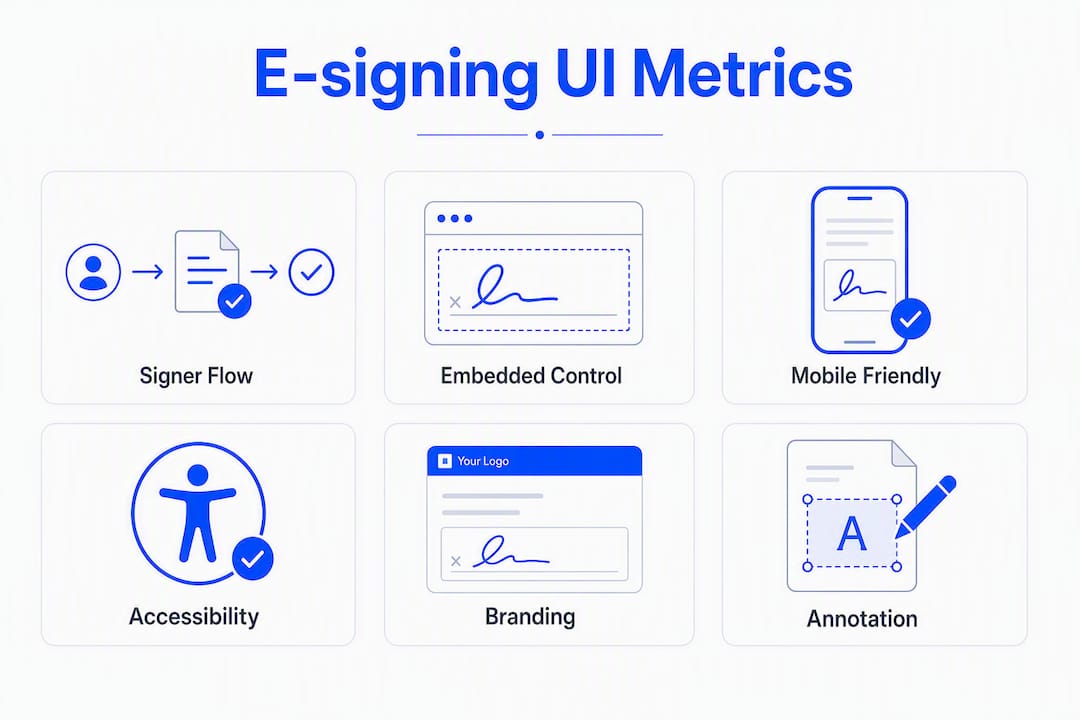
Signer UI quality is not a single metric. From a developer's perspective, it breaks into six concrete dimensions.
1. Signer flow simplicity. The fewer steps between "open document" and "signature applied," the higher your completion rate. Mobile responsiveness and signer flow simplicity directly drive signature completion rates in real deployments. Count the clicks. Test on a 4G mobile connection.
2. Embedded control mode. Modal, inline iframe, and redirect each impose different constraints on your app's layout and session management. Modals are easiest to implement but hardest to brand. Inline iframes give the most control but require careful token handling. Redirects break the in-app experience entirely.
3. Mobile responsiveness. A signer UI that reflows cleanly on a 375px viewport is not optional. Test with real devices, not just browser dev tools.
4. Accessibility basics. WCAG 2.1 AA compliance covers keyboard navigation, screen reader labels, and color contrast. Failing here creates legal exposure and excludes users.
5. Visual branding and white-label depth. "Branded" can mean anything from a logo in the header to full CSS control over every element. Verify exactly which elements the vendor lets you override.
6. In-session annotation or redlining. Most APIs treat signing as a terminal action. Formable's approach, where parties can negotiate terms before signing, reduces round-trip time on complex agreements.
Pro Tip: Build a simple acceptance test: load the embedded signing component in your staging environment, complete a signature on a real mobile device, and measure time-to-complete. Set a target under 90 seconds. If a vendor's component cannot meet that in a controlled test, it will not meet it in production.
How to choose an e-signing API: checklist and pilot plan
A structured pilot takes one to three weeks and answers the questions vendor demos cannot.
- Request an embedded demo on your domain. Ask the vendor to show the signing component running inside your app's URL, not their sandbox. Branding breaks and CSP errors surface immediately.
- Run the SDK sample code in your preferred language. Documentation quality and SDK availability materially affect integration speed. If the sample does not run in under 10 minutes, budget extra integration time.
- Test mobile signing on a real device. Open the embedded component on iOS Safari and Android Chrome. Check layout, touch targets, and scroll behavior.
- Verify white-label completeness. Apply your brand's font, button color, and logo. Confirm no vendor branding leaks through.
- Trigger a webhook event and measure latency. Send a test signing event and time the webhook delivery. Unreliable or slow webhooks break downstream automation.
- Check audit trail output. Download the completed document's audit log. Verify it includes signer identity, timestamp, IP address, and document hash.
- Test multi-signer routing. Create a two-signer document and confirm the routing logic, notifications, and completion events work as documented.
- Confirm token handling for embedded flows. Verify that signing tokens are short-lived, server-side generated, and not exposed in client-side code.
Red flags that should stop a purchase:
- No embedded signing option (redirect-only)
- Missing or outdated SDK for your stack
- No tamper-evident audit trail
- Signing tokens generated client-side
- Webhook delivery with no retry logic or failure alerting
- Vendor cannot provide a working embedded demo within one business day
A realistic pilot timeline: day 1 to 3 for API setup and sample integration; day 4 to 7 for embedded flow, mobile, and branding tests; day 8 to 14 for webhook reliability, multi-signer, and audit trail verification.
Compliance and security essentials for U.S. deployments
The Electronic Signatures in Global and National Commerce Act (ESIGN) and the Uniform Electronic Transactions Act (UETA) establish the legal framework for e-signatures in the United States. Both laws confirm that electronic signatures carry the same legal weight as handwritten ones, provided the signer has consented to electronic transactions and the signature is attributable to them.
For developers, this translates into three non-negotiable requirements.
Audit trails and tamper-evident logs. Every signing event must produce an immutable record that includes signer identity, timestamp, IP address, and a cryptographic hash of the signed document. Audit trails and tamper-evident logs are standard trust signals buyers should verify before deployment, not optional add-ons.
Authentication options. The level of authentication required depends on the risk profile of the document. Email OTP is the baseline. SMS OTP adds a second factor. Knowledge-based authentication (KBA) is used for high-value agreements. Certificate-based signing is available from some enterprise platforms for regulated workflows where a qualified electronic signature is required.
Secure token handling in embedded flows. When you embed a signing session inside your app, the signing token must be generated server-side, scoped to a single session, and short-lived. Exposing a long-lived token in client-side JavaScript creates a forgery risk that would undermine enforceability.
E-signature tools create legally binding digital signatures and support document creation, sharing, and tracking features that underpin enterprise compliance workflows.
Many platforms offer multiple signer authentication methods and enterprise compliance support aligned with ESIGN/UETA expectations. Verify that the vendor you choose documents exactly which authentication methods are available at each pricing tier, since KBA and certificate-based options are sometimes gated behind enterprise plans.
How to evaluate integration speed, docs, and UI quality
A repeatable evaluation methodology removes vendor-demo bias. The tests below are runnable in a standard development environment.
- API call count to first embedded signing session. Count the number of API calls required to produce a working embedded signing URL from a blank document. Fewer calls indicate a cleaner API design.
- SDK sample run-through. Clone the vendor's sample app in your primary language. Time how long it takes to reach a working signing session. Target: under 30 minutes.
- Embedded flow token test. Inspect the network requests during an embedded signing session. Confirm the signing token appears only in server-to-server calls, not in browser-visible requests.
- Mobile signing test on low bandwidth. Throttle the network to a simulated 3G connection in browser dev tools. Load the embedded signing component and complete a signature. Measure load time and check for layout failures.
- Error injection test. Submit a malformed signing request and verify the API returns a structured error with a meaningful message, not a generic 500.
- Webhook reliability test. Complete five signing events in sequence and confirm all five webhook deliveries arrive within a defined window. Check for retry behavior on simulated failures.
- Multi-signer routing test. Create a document requiring two signers in sequence. Verify that the second signer cannot access the document until the first has signed, and that completion events fire correctly.
Practitioner reviews consistently identify documentation and sample apps as the biggest real-world time-savers during integration. Insist on a working SDK sample in your preferred language before committing to a vendor.
Sample pass/fail criteria: API call count to first session under 5 calls (pass); SDK sample running in under 30 minutes (pass); signing token absent from client-side requests (pass); mobile load time under 3 seconds on simulated 3G (pass); all five webhook events delivered within 60 seconds (pass).
Final recommendations by developer use case
SaaS in-app embedded signing with full UI control. Formable. The combination of deep UI customization, modal embed, and in-session redlining makes it the strongest fit for product teams that need the signing experience to feel native to their app. The embedded signing API supports white-label deployment and usage-based pricing.
Lightweight embedded signing, fastest time-to-integrate. Dropbox Sign. The REST API is clean, the sample code runs quickly, and the embedded flow is mobile-friendly. Trade-off: limited white-label and no negotiation capability.
High-volume PDF pipeline automation. Anvil Etch. Designed for document generation and signing as a connected pipeline. Less suited to consumer-facing signer UX; strong for back-office automation.
Enterprise compliance with broad ecosystem integrations. DocuSign or Adobe Acrobat Sign. Both carry mature compliance postures and broad platform integrations. Expect higher cost and longer integration timelines.
Negotiation-heavy contract workflows. Formable. The redlining and negotiation tooling is built into the signing flow, not bolted on afterward. Relevant for teams closing MSAs, DPAs, or SOWs where terms change before signature.
Startups prototyping with a free tier. BoldSign or SignWell. Both offer free tiers that let you build and test without upfront cost. BoldSign has the more generous free tier and cleaner signer UI of the two.
General-purpose signing with self-hosted control. DocuSeal or Documenso. Both offer open-source, self-hosted options that give full UI and data control at the cost of infrastructure management.
Key takeaways
For developers evaluating e-signing APIs, the best embedded UI combines signer flow simplicity, deep white-label control, and reliable webhook delivery, and Formable leads that combination for teams that also need contract negotiation in the same platform.
| Point | Details |
|---|---|
| UI quality is testable | Run a mobile signing test and measure time-to-complete; target under 90 seconds on a real device. |
| SDK and docs drive integration speed | Insist on a working sample in your language; poor docs add days to your timeline. |
| Compliance is a baseline, not a differentiator | ESIGN/UETA compliance and tamper-evident audit trails are required for all U.S. deployments. |
| Secure token handling is non-negotiable | Signing tokens must be server-side generated and short-lived; client-side exposure undermines enforceability. |
| Formable leads for embedded UI + negotiation | Formable's API combines deep UI control, in-session redlining, and usage-based pricing for developer teams. |
Why UI is the variable most developers underestimate
There is a pattern worth naming directly. Most developer evaluations of e-signing APIs start with the API itself: endpoint design, SDK coverage, webhook reliability. Those things matter. But the variable that most often determines whether a signing integration succeeds in production is the one that gets evaluated last: what the signer actually sees.
A technically clean API attached to a confusing or visually broken signer flow produces abandoned signatures. That outcome is worse than a slightly messier API with a polished, mobile-friendly signing experience. The completion rate is the metric that matters to the business, and it lives entirely in the UI layer.
The other underestimated dimension is negotiation. Most e-signing APIs treat the document as frozen at the point of sending. In practice, especially for B2B agreements, terms change after the document goes out. Without in-session redlining, that means voiding the envelope, editing the document, and resending. Formable's approach of embedding negotiation into the signing flow removes that loop entirely.
For teams evaluating options, the recommendation is to weight signer UI and embedded control at least as heavily as API ergonomics during the pilot. Run the mobile test. Measure completion time. Test the branding. Those results will tell you more than any vendor demo.
Formable gives developers embedded signing with UI control built in
If you are building a product where the signing experience needs to feel native to your app, not like a third-party widget, Formable is worth a direct look. The embedded signing API supports white-label deployment, in-session redlining, and AI-assisted contract templates for MSAs, NDAs, SOWs, and DPAs. Pricing is usage-based, with a free tier for developers who want to run the pilot tests from this article before committing.

The contract workflow covers the full lifecycle: template creation, negotiation, signing, and audit trail, all accessible through a single API. Reach out at formabledocs.com and the team will walk through your specific use case, or start with the free tier and run the embedded signing tests yourself.
Useful sources
- ESIGN Act (15 U.S.C. § 7001): Primary U.S. federal statute governing electronic signature enforceability. Start here for compliance verification.
- Gartner Peer Insights: Electronic Signature: Practitioner reviews covering SDK quality, documentation, audit trails, and enterprise compliance across major vendors.
- TechRadar: Best eSign software solutions: Market roundup covering signer UX, mobile responsiveness, templating, and integration features.
- Formable signing API docs: Hands-on reference for embedded signing, white-label configuration, and API ergonomics.
- Formable alternatives overview: Feature-for-feature comparisons against DocuSign, Dropbox Sign, and Adobe Acrobat Sign.
- DocuSeal open-source repo: Reference implementation for self-hosted e-signing; useful for teams evaluating open-source options.
Use the ESIGN Act link to verify your deployment's legal baseline. Use Gartner Peer Insights and TechRadar to cross-check vendor claims against practitioner experience. Run the Formable signing API docs against the pilot checklist in this article to validate embedded UI behavior before committing.
FAQ
What makes an e-signing API "developer-friendly"?
Clean REST endpoints, working SDK samples in common languages, reliable webhooks with retry logic, and documentation that includes embedded signing examples. Practitioner reviews consistently identify sample apps and docs as the biggest time-savers during integration.
Is Formable compliant with U.S. e-signature law?
Formable's e-signing API produces tamper-evident audit trails with signer identity, timestamps, and document hashes, meeting the ESIGN and UETA requirements for legally binding electronic signatures in the United States.
What is the difference between embedded signing and redirect signing?
Embedded signing renders the signing component inside your app via a modal or iframe, keeping the user in your product. Redirect signing sends the user to the vendor's hosted page and returns them via callback. Embedded signing gives more UI control; redirect is faster to implement but breaks the in-app experience.
How do I test signer UI quality during a pilot?
Load the embedded signing component on a real mobile device, complete a signature, and measure time-to-complete. Target under 90 seconds. Also verify that your brand's font, button color, and logo apply correctly with no vendor branding visible.
Which e-signing API is best for negotiation-heavy contracts?
Formable is the strongest option for workflows where terms change before signing. Its redlining and negotiation tooling is built into the signing flow, covering MSAs, DPAs, SOWs, and similar agreements without requiring a separate contract tool.