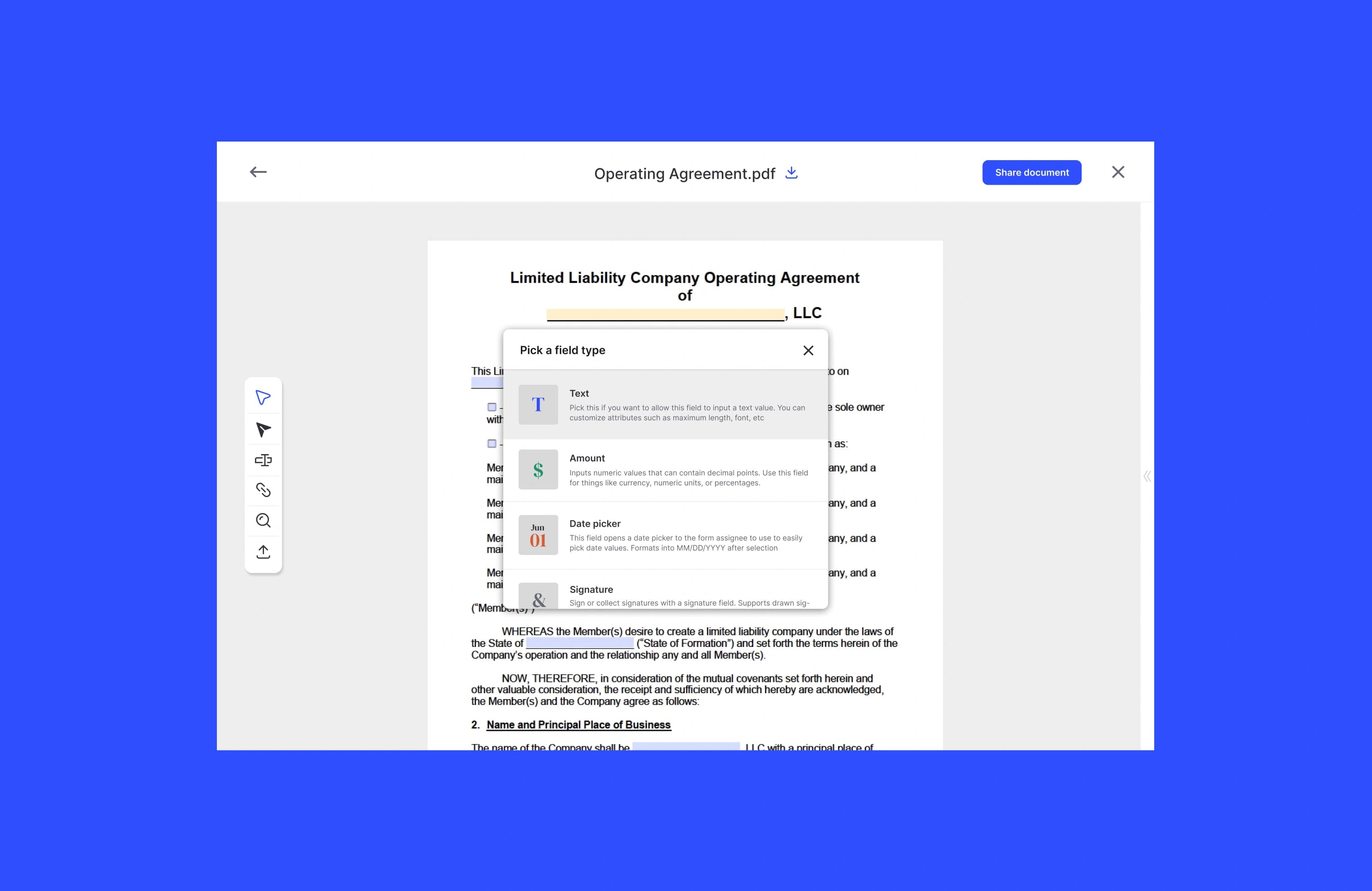
Create a signable invoice by generating a final PDF, placing signature and amount-acknowledgement fields, and sending a signing link. The client reviews the line items, signs to confirm the amount due, and you keep a timestamped audit trail. That flow works from a one-off send or from an API that builds the invoice from your billing data.
TL;DR:
- A signed invoice is the client's acknowledgement of a specific amount, billing period, and payment terms. It is not a substitute for the contract that set those terms.
- Put the invoice total, due date, and PO number on the same page as the signature. Hidden totals are the main reason signers stall.
- Capture name, email, IP, timestamps, and a hash of the signed PDF. That package is what makes the signature useful if payment is later disputed.
- Email signing links fit one-off invoices. Embedded signing fits checkout or customer-portal flows where the client should not leave your product.
- If you generate invoices from code, treat each send as idempotent, verify webhooks, and store the raw signed file before you mark the invoice approved.
When does an invoice need a signature?
Most invoices are just a request for payment. You send the PDF, the client pays, and nobody signs. A signature becomes useful when you need the client to acknowledge a specific bill before you start work, release a deliverable, or open a collection process.
Common cases:
- Milestone invoices tied to a statement of work, where payment is the acceptance trigger
- Retainer or deposit invoices that must be signed before you hold a date or start a project
- Change-order invoices for work that was not in the original quote
- Enterprise bills that accounts payable will not process without a signed acknowledgement or a matching PO
- Disputed or past-due invoices, where you need a record that the client reviewed and accepted the amount
Do not use a signed invoice as the only contract. The invoice should point back to the signed order form, SOW, or services agreement that set price and scope. If those documents disagree, the contract usually controls. Order form vs invoice covers that split in more detail.
What fields belong on a signable invoice?
A signable invoice has to do two jobs: show the bill clearly, and give the signer one obvious place to accept it.
Include:
- Invoice identity. Invoice number, issue date, due date, and currency.
- Parties. Your legal name and the client's legal name, plus billing email and address.
- References. Contract number, SOW or order form ID, and the purchase order number if the client requires one.
- Line items. Description, quantity, rate, and amount for each charge, including tax and discounts.
- Totals. Subtotal, tax, and amount due, placed above the signature block.
- Payment terms. Net days, accepted methods, and late-fee language that already exists in the governing contract.
- Signature block. Client name, title, signature, and date. Add your countersignature if internal policy requires it.
Pro Tip: Put the amount due directly above the signature line. Signers who have to scroll back three pages to find the total are the ones who abandon the session.
If the client's AP team rejects invoices without a PO, make the PO field required on the invoice template. Catching that before send is cheaper than a two-week bounce from accounts payable.
How to create and send an invoice for signature
The sending workflow is the same whether you built the invoice in accounting software or generated it from a template.
- Pull billing data first. Client legal name, invoice number, line items, tax, due date, PO, and the email of the person who can actually approve the bill.
- Export a locked PDF. Do not send an editable spreadsheet. Once amounts are final, the file should not change between send and signature.
- Add fields. Place signature, date, printed name, and, if needed, a checkbox that says the signer acknowledges the amount due.
- Choose delivery. Email a signing link for a one-off invoice. Embed the signing view in your customer portal when clients already log in to pay.
- Set expiration and reminders. Give the client a few business days, with a reminder at the midpoint. Milestone invoices often need a shorter window than a monthly retainer.
- Validate before send. Confirm the total matches your books, the PO is present if required, and the signer email matches the person AP named.
- Archive the signed PDF and the audit certificate. Attach both to the invoice record in your billing system before you mark it approved or start collection.
If more than one person must approve the bill, such as a project manager and then finance, use sequential signing. If either person can approve, send the request in parallel so the invoice does not sit in one inbox.
Generate invoices from an API
If you issue invoices from a product or billing system, generate the PDF from the same data you already store, then send it through a signing API instead of rebuilding the invoice by hand.
Generation. Interpolate invoice number, line items, and totals into a template, convert HTML or markdown to PDF, or stamp fields onto a fixed layout. Attach an idempotency key and your internal invoice ID before the outbound call so a retry does not create a second signing request for the same bill.
The request. Send the document, an ordered signer list, field positions, a webhook URL, and expiry and reminder settings. Keep signer names and emails identical to the billing record. A mismatch here is a common reason a signed invoice later fails an AP check.
Email versus embed. Email works when a person needs to review the invoice on their own time. Embedded signing, by redirect or iframe, works when the client is already in your portal approving a milestone or paying a deposit.
Webhooks. Listen for signed, viewed, declined, and expired events. Verify each webhook with an HMAC or shared secret, and process events asynchronously so a timeout does not drop the approval. On document.signed, mark the invoice as client-approved and, if you collect payment next, create the charge only after you have stored the signed PDF.
Pro Tip: Queue webhook handling. If your database write fails, you want a retry, not a signed invoice that your system still thinks is outstanding.
Build retry and backoff for rate limits. A signing request that sits unopened for four days is not an API error. It is a collections problem, and someone on the billing team should see it.
Legal validity and what to store
Electronic signatures on invoices are enforceable in the United States under the ESIGN Act and UETA when you can show consent to sign electronically, intent to sign, and a reliable link between the signature and that specific invoice. Meeting that bar means storing more than a checkbox.
Keep:
- The final signed invoice PDF
- Timestamps for view, field completion, and signature
- Signer name, email, IP address, and user agent
- A hash of the signed file for tamper evidence
- The raw webhook payload, stored separately from any transformed billing data
Retain the signed invoice and audit trail for at least the period you keep financial records, and longer if the underlying contract or your accountant requires it. A signed invoice helps prove the client accepted a bill. It does not replace the contract that authorized the work.
What actually trips people up
Most failed invoice-signing flows are sequence problems, not tool problems. Someone sends an invoice whose total does not match the SOW, skips the PO, or overwrites the PDF after the client signed. Another quiet failure is marking the invoice paid in your ledger before the signed file is stored, then losing the evidence when a chargeback arrives.
Before you go live, run the full path in staging: generate the invoice, send it, force a webhook retry, and confirm the signed PDF lands on the invoice record. If that path survives a dropped event, it will survive production.
— Alex
Send signable invoices with Formable
Formable lets you upload an invoice PDF, place signature and date fields, and send a signing link with reminders. You can also embed signing in a portal and keep the completed file with a full audit trail.

If you already generate invoices from your own app, Formable's signing flow gives you a signing URL and completion events without building audit logging from scratch. Legal and finance teams get a tamper-evident PDF attached to the invoice. Developers can start from the embedded signing docs and wire document.signed to the invoice status in their billing system.
Sources
- Purchase order vs invoice
- No PO no pay policy
- E-signatures legal requirements | Purdue Global Law School
FAQ
How do I create an invoice for signature?
Generate a locked invoice PDF, place signature, date, and amount-acknowledgement fields, send a signing link to the person who can approve the bill, and store the signed file with the audit trail.
Is a signed invoice the same as a contract?
No. A signed invoice confirms a specific amount due. The order form, SOW, or services agreement is still the document that sets price, scope, and payment terms.
Are electronically signed invoices legally binding?
Yes, under the ESIGN Act and UETA, when the signer consents to sign electronically and the process produces an audit trail that ties the signature to that invoice.
Should I use email requests or embedded signing?
Use email for one-off invoices a client reviews on their own time. Use embedded signing when the client is already in your portal approving a milestone or paying a deposit.
What should I store after an invoice is signed?
Keep the signed PDF, the audit trail, and the raw completion payload with the invoice record for at least as long as you retain financial records.
What if the client's AP team requires a purchase order?
Capture the PO number on the invoice before you send it for signature. Missing PO numbers are a common reason signed invoices still get rejected.