The top legal document management software for U.S. law firms in 2026 are Clio, NetDocuments, iManage, and MyCase. Each serves a distinct firm profile: Clio fits small to mid-size practices, NetDocuments suits compliance-heavy environments, iManage handles enterprise-scale operations, and MyCase works best for solo practitioners who want simplicity above all else.
Here is a quick-reference breakdown before the full comparison:
- Clio — All-in-one platform covering documents, billing, and client communication; cloud-native; starts at approximately $49/user/month
- NetDocuments — Cloud-native with advanced audit trails and Microsoft Office integration; starts at approximately $65/user/month; best for firms with strict compliance requirements
- iManage — Hybrid cloud, enterprise-grade governance and email management; trusted by 80% of the Global 100; custom pricing
- MyCase — Simplified cloud platform with secure client portals; starts at approximately $39/user/month; ideal for solo and small-firm practitioners
Which legal document management software is right for your firm?
The four platforms above cover most of the U.S. market, but they differ sharply on features, architecture, and price. Real-world testing confirms that Clio leads for most law firms, iManage is the benchmark for enterprise, NetDocuments wins on compliance, and MyCase is the friendliest option for smaller practices.
| Platform | Best for | Key features | Security and compliance | AI and automation | Collaboration tools | Pricing/storage |
|---|---|---|---|---|---|---|
| Clio | Small to mid-size law firms | Full-text search, version control, billing, e-signature | AES-256, SOC 2 Type II | Document automation, workflow triggers | Task assignment, client portal, templates | ~$49/user/month |
| NetDocuments | Compliance-heavy firms | Matter-centric filing, audit trails, Office integration | AES-256, SOC 2 Type II, ISO 27001 | Legal AI workflows, context graph | Real-time co-authoring, permission controls | ~$65/user/month; 4.6★ |
| iManage | Large firms and corporate legal | Email management, enterprise search, knowledge tools | Industry-leading cloud security, active threat detection | AI-powered search, secure AI connections | Real-time co-authoring, Outlook integration | Custom pricing; 4.5★ |
| MyCase | Solo practitioners and small firms | Client portals, document storage, case management | Encrypted cloud storage | Document auto-population | Secure client messaging, document sharing | ~$39/user/month |
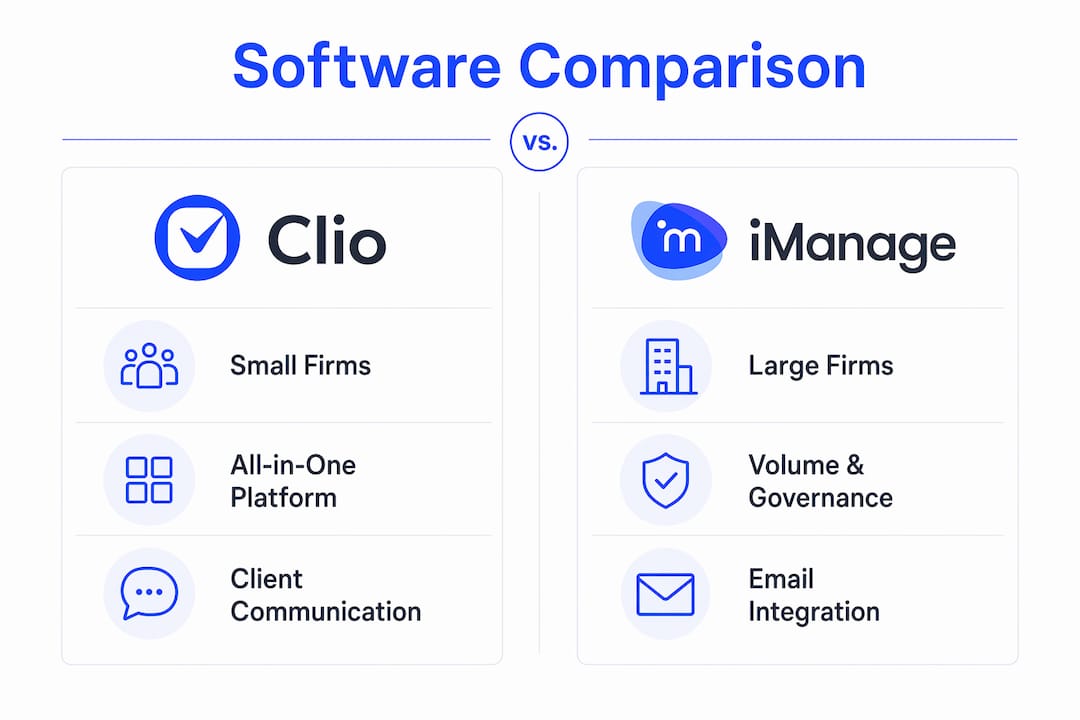
Clio is the most complete package for firms that want a single platform covering documents, billing, and client communication. Its full-text search and direct e-signature integration remove the need for separate tools, and the interface remains manageable without dedicated IT support.
NetDocuments takes a different approach: it organizes everything around the matter, not the folder. Its legal context graph connects related documents, emails, and tasks in real time, which is genuinely useful when a compliance audit arrives. Strong security certifications including SOC 2 Type II and ISO 27001 make it the default choice for firms in regulated practice areas.

iManage is in a category of its own for volume and governance. The email management integration with Microsoft Outlook is particularly strong, saving documents and threads directly into the matter without manual filing. For large firms managing thousands of active matters, that automation alone justifies the cost.
MyCase keeps things simple. Secure client portals let attorneys and clients exchange documents without relying on email, and the auto-population feature generates documents directly from case data. For a solo practitioner or two-person firm, the learning curve is close to zero.
How to choose the right legal document management software
Picking the wrong platform costs more than the subscription fee. Migration, retraining, and lost productivity add up fast. Work through these criteria before committing:
- Security certifications: U.S. firms handling sensitive client data need AES-256 encryption and SOC 2 Type II at minimum. Regulated practice areas (healthcare law, financial services) should also verify HIPAA and ISO 27001 compliance.
- Integration with your existing stack: Reducing context switching between your document system, billing software, and email directly cuts errors and lost billable hours. Confirm that your chosen platform connects natively to the tools your team already uses.
- Metadata at intake: Applying metadata such as client name, matter type, status, and dates at the point of upload is what makes documents discoverable later. Platforms that enforce this at intake save hours of remediation down the line.
- Pricing and total cost of ownership: Published per-user monthly fees are only part of the picture. Factor in storage limits, implementation fees, and whether the vendor charges extra for API access or advanced AI features.
- Vendor support and reputation: Check whether the vendor offers dedicated onboarding, live support, and a documented SLA. For enterprise deployments, ask about a dedicated customer success contact.
- Scalability and customization: A platform that fits a five-person firm today may not handle a 50-person firm in three years. Confirm that permission structures, folder templates, and workflow rules can be customized as the practice grows.
Pre-migration preparation matters more than most firms expect. Before switching platforms, audit your existing files and categorize them into active, archived, duplicate, and obsolete. Transferring disorganized data into a new system just recreates the problem in a cleaner interface.
Pro Tip: Maintain a master list of all files, including closed and destroyed matters, with metadata covering open date, close date, and destruction date. This is a critical risk management practice for chain-of-custody compliance and regulatory inquiries.
User training is often the last item on the implementation checklist and the first reason adoption fails. Schedule structured onboarding sessions before go-live, not after, and designate a power user in each practice group who can answer day-to-day questions without escalating to IT.

How AI is changing legal document management
AI has shifted legal document management from passive digital filing into an active participant in legal workflows. The change is practical, not theoretical. Platforms now categorize documents automatically at intake, extract contract clauses without manual review, and send deadline alerts before a filing window closes.
A fully functional document management system does more than store files. It tracks document lifecycle from intake to archive, locks executed documents as non-editable PDF/A files, and maintains a complete version history so there is always one source of truth. The days of "Final_v3_ACTUAL_FINAL.docx" are genuinely over for firms using a proper platform.
Emerging AI capabilities across leading platforms include:
- Automated document categorization at upload, using matter type and document category metadata
- Contract clause extraction that surfaces key terms, renewal dates, and obligations without manual review
- Deadline and alert automation triggered by document status changes or date fields
- AI-powered search that returns results based on document content, not just file names, using OCR on scanned PDFs
- Audit trail generation that timestamps every access, edit, and share event for regulatory inquiries
- Proactive risk flagging that identifies missing clauses or non-standard terms before a document reaches signature stage
For contract workflow automation, the most productive firms combine a full DMS with a dedicated contract lifecycle tool, letting each system handle what it does best.
Formable handles the contract workflow layer your DMS misses
Most legal document management platforms store and organize contracts well. Where they fall short is the active negotiation layer: redlining, clause-level risk detection, and getting both parties to a signed agreement without a chain of email attachments.

Formable is an AI-enabled contract workflow platform built for exactly that gap. Upload a contract at intake and Formable's review engine flags risks and missing clauses automatically against your playbook. From there, the collaborative redlining tool lets both parties align on terms in real time before the document ever reaches the signing stage. Integrated e-signing and immutable audit trails complete the workflow without switching platforms.
Key capabilities:
- AI contract review with risk and missing clause detection against uploaded playbooks
- Collaborative redlining and real-time negotiation for MSAs, NDAs, SOWs, DPAs, and more
- Template-based contract creation with generative AI
- Standalone e-signing with full audit trail and timestamp on every event
- API access for embedding redlining and e-signature into your own platform
Reach out and the Formable team will walk through your specific use case.
Key takeaways
The strongest legal document management software for U.S. law firms combines secure cloud access, AI-powered automation, and deep integration with practice management tools, with the right choice depending on firm size and compliance requirements.
| Point | Details |
|---|---|
| Match platform to firm size | Clio suits small to mid-size firms; iManage fits large firms and corporate legal; MyCase works for solo practitioners. |
| Security certifications are non-negotiable | AES-256 encryption and SOC 2 Type II are the baseline for any U.S. law firm handling sensitive client data. |
| Audit files before migrating | Categorize existing documents into active, archived, duplicate, and obsolete before switching platforms to avoid importing disorganized data. |
| AI is now a core feature, not a bonus | Leading platforms use AI for automated categorization, clause extraction, deadline alerts, and OCR-powered search across document content. |
| Formable covers the negotiation gap | For active contract workflows including redlining, AI risk review, and e-signing, Formable complements a traditional DMS. |
FAQ
What is the best legal document management software for small law firms?
Clio and MyCase are the strongest options for small firms. Clio covers documents, billing, and client communication in one platform starting at approximately $49/user/month, while MyCase prioritizes simplicity and secure client portals at approximately $39/user/month.
What security certifications should legal document management software have?
At minimum, look for AES-256 encryption and SOC 2 Type II certification. Firms in regulated practice areas should also verify HIPAA compliance and ISO 27001. Platforms like iManage, NetDocuments, and Clio meet these standards.
How does AI improve legal document management?
AI automates document categorization at intake, extracts contract clauses and key dates, triggers deadline alerts, and enables full-text search across scanned PDFs using OCR. This reduces manual review time and catches compliance risks earlier in the document lifecycle.
What should firms do before migrating to a new document management system?
Conduct a file audit first, categorizing documents into active, archived, duplicate, and obsolete. Migrating disorganized data into a new platform recreates the same retrieval problems in a cleaner interface.
Can legal document management software handle contract negotiation?
Most DMS platforms focus on storage, search, and compliance rather than active negotiation. For redlining, clause-level risk detection, and real-time negotiation, a dedicated contract workflow tool like Formable fills that gap alongside a traditional DMS.