Formable is the strongest pick for scaling teams that need AI contract review, redlining, embedded e-signing, and API access in a single platform. Teams with narrower needs should look at proposal-first platforms, signature-API providers, or enterprise CLM suites instead. The sections below walk through capabilities, pricing structure, and a buying checklist so you can match the tool to your stage.
TL;DR:
- Proposal-first platforms are ideal for quickly closing deals with interactive quotes, but they lack the deep negotiation and review features necessary for complex contracts.
- Signature-only API providers are best for embedding simple signing functions into products, but they do not support redlining or comprehensive contract management.
- Full contract lifecycle management (CLM) suites are suitable for large enterprises with extensive legal and approval workflows, though their implementation can take months and cost significantly.
- Formable’s AI contract review and negotiation tools are most beneficial for scaling teams needing both review and signing in a unified workflow at a cost of around $29.99 per month.
- Buyers should verify that platform vendors offer full export capabilities, clear audit trails, and predictable API pricing to avoid vendor lock-in and unforeseen costs.
Formable and the category alternatives worth evaluating
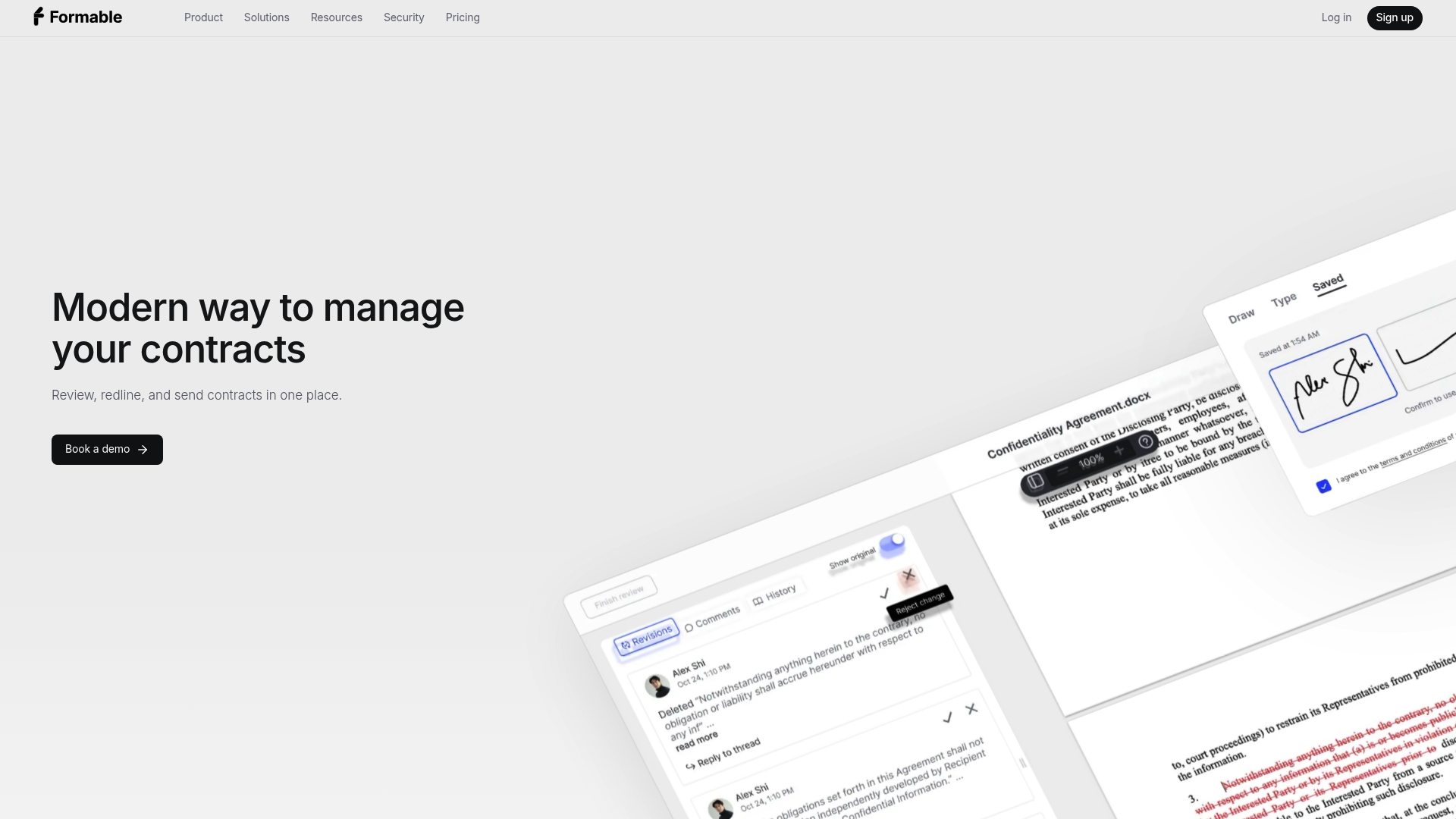
Formable combines contract creation, AI-powered review, redlining negotiation, e-signing, and embedded APIs into one workflow. Teams upload or draft agreements such as MSAs, DPAs, SOWs, LOIs, order forms, and NDAs, then move them through intake, review, negotiation, and signature without switching tools. The AI contract review engine flags risk and missing clauses against uploaded playbooks, and the browser-native negotiation tool lets both sides redline terms before anyone signs. Developers get a redlining API and an embedded e-signing API to build signing and negotiation directly into their own product.
- Best for: scaling GTM and legal teams that want contract review, negotiation, and signing under one roof instead of three subscriptions.
- Standout: an AI review engine paired with negotiation and embedded signing APIs in a single workflow, rather than bolted-together tools.
Not every team needs that full stack on day one. Three other category types cover the gaps.
Proposal-first platforms are built around the sales document itself: pricing tables, interactive quotes, and branded proposals that close deals fast. They excel at the top of the sales funnel, where the priority is a polished, trackable document rather than deep contract negotiation. A sales team sending quotes and simple order forms, with legal review happening elsewhere, is the right buyer here.
Signature-first API providers focus on one job: collecting a legally binding signature, reliably, at scale. They suit engineering teams that need signing embedded into an existing product and do not need redlining, templates, or review built in. If your use case is "a user clicks a button and signs a document inside our app," this category is often the leanest fit.
Enterprise CLM suites handle the full contract lifecycle across large organizations: multi-department approval chains, obligation tracking, and compliance reporting across thousands of agreements a year. They make sense once a company has outgrown template libraries and needs structured governance, dedicated legal operations staff, and audit reporting across business units. The tradeoff is implementation time and cost, which usually only pays off at real scale.
Stage fit tends to follow a predictable path. Early-stage startups closing their first dozen customer and vendor contracts generally do best with Formable's subscription plans targeting teams that need both review and signing capabilities immediately and headcount for a dedicated legal team does not exist yet. Companies moving into a scale-up phase, with a sales team generating volume and legal reviewing exceptions, often run a mix of a proposal tool for the top of funnel and a contract workflow platform for everything that needs redlining. Enterprises with dedicated legal operations and compliance mandates are the ones who justify a full CLM suite's price and implementation timeline.
A partner guide on scalable AI document workflows makes a point worth carrying through all these categories: centralized templates, structured content, and version control matter more than any single feature, because they are what keep a workflow usable once volume increases.
How we analyzed and selected alternatives
The shortlist above was built against a consistent set of evaluation axes, not a popularity count.
- Feature depth across templates, redlining, negotiation, and signing.
- AI capability in contract generation and review, where offered.
- Integration and API depth for teams that need to embed functionality elsewhere.
- Security and compliance signals, including audit trails and e-signature standards.
- Pricing transparency, meaning whether a buyer can find real numbers without a sales call.
- Implementation effort, meaning how quickly a team can go from signup to a signed contract.
Evidence came from public product documentation, vendor pricing pages, Formable's own product pages and alternatives comparisons, and the partner research on document workflows cited above. One limitation is worth stating plainly: vendors that keep enterprise pricing behind a sales call do not disclose confidential figures publicly, so pricing comparisons rely on what each vendor actually publishes. To keep the comparison fair and useful, the analysis compares capability categories rather than naming and ranking individual competitors against each other.
Where each category stands on features, AI, and price
The table below lines up Formable against the three alternative categories on the dimensions that matter most during a buying decision.
| Dimension | Formable | Proposal-first platforms | Signature-API providers | Enterprise CLM suites |
|---|---|---|---|---|
| Best for | Scaling GTM and legal teams needing full contract workflows | Sales teams sending quotes and branded proposals | Developers embedding signing in their own product | Large organizations with multi-department approval needs |
| Core features | Templates, redlining, negotiation, e-signing | Proposal templates, pricing tables, tracking | Signature capture, audit trail | Lifecycle tracking, obligation management, approvals |
| AI capabilities | AI contract review and generative contract creation | Limited to proposal content suggestions | Rarely offered | Varies, often add-on pricing |
| Integrations & API depth | Redlining API and embedded signing API | CRM and payment integrations | Deep signing API, narrow scope | Broad but often requires implementation partners |
| Pricing model | Subscription tiers plus usage-based API pricing | Per-seat subscription | Per-envelope or per-API-call usage | Enterprise contract, often annual |
| Security & compliance | Audit trails and legally binding e-signature controls | Standard e-signature compliance | Strong signature compliance focus | Extensive, built for regulated industries |
| Implementation effort | Low to moderate, self-serve to guided | Low, typically self-serve | Low for developers, requires engineering time | High, often months with a partner |
Formable's pricing page lists Basic, Pro, and Enterprise plans, with Pro priced at $29.99 per month. The developer and API pricing page adds Developer and Growth tiers, with Growth also at $29.99 per month for teams building signing or redlining into their own product.
The most consequential tradeoff in this table is the gap between proposal-first platforms and everything else: they are fast to adopt and cheap per seat, but they stop being useful the moment a deal needs real negotiation rather than a signature on a quote. Signature-API providers sit at the opposite end. They do one job precisely, which is attractive to a developer team, but offer nothing for a legal or sales team that needs to track changes to contract language before signing.
Enterprise CLM suites solve governance at scale, but that scale is exactly what makes them a poor fit for a 10-person startup: implementation timelines measured in months do not match the pace at which an early-stage company closes its first wave of customer contracts.
AI is becoming a standard line item in contract workflows rather than a premium add-on, according to partner guidance on scalable document workflows, which points to centralized templates and version control, paired with automated review, as the features that keep legal review time down as contract volume grows. That shift is the main reason a platform offering AI review and negotiation together, rather than as separate purchases, tends to scale better with a growing team.
How to choose the right document automation tool for your team
Picking the right category starts with the questions you ask in a demo, not the feature list on a pricing page.
- Ask whether redlining happens in the same interface as signing, or whether you will export to another tool for negotiation.
- Ask what the audit trail captures: timestamps, IP addresses, and every edit, or just the final signed version.
- Ask whether AI review runs against your own playbooks or only against generic templates.
- Ask how data export works if you ever need to switch platforms.
- Ask whether role-based access controls exist for who can edit, approve, or sign.
Pricing negotiation has a few recurring traps worth watching for. Per-user pricing can balloon quickly once a sales team grows, while usage-based API pricing rewards teams with predictable, moderate volume but punishes unpredictable spikes. E-signature transaction fees are sometimes quoted separately from the base subscription, so ask for the all-in cost at your expected volume. Setup fees and template migration costs are also worth asking about directly, since they rarely appear on the public pricing page.
A few red flags are worth walking away from. A vendor that cannot describe its audit trail in specific terms, one that locks your templates and data into a closed format with no export option, or an SLA that is vague about uptime and support response time should all raise concern before you sign.
Pro tip: Ask every vendor for their actual API documentation during the sales call, not after signing. A platform that hesitates to share it before you are a paying customer usually has limited documentation once you are.

Buyer persona maps fairly cleanly to category. Founders and early sales hires closing their first contracts usually want Formable's Pro or Growth plan. General counsel at a scaling company managing multiple contract types want full redlining and AI review, which again points toward a unified contract workflow platform rather than a signature-only tool. CTOs and developer teams embedding signing into their own product want deep API access and predictable usage pricing. Enterprise legal operations teams managing thousands of contracts across departments are the ones who should be evaluating full CLM suites.
Formable deep dive: what it offers growing teams
Formable's workflow starts with the contract creator, which combines stored templates with generative AI to draft agreements like MSAs, SOWs, and NDAs without starting from a blank page. From there, the AI contract review engine checks the draft against uploaded playbooks, flagging missing clauses and risk before the document goes anywhere. Once both sides are ready to work through terms, browser-native negotiation and redlining let each party propose and respond to changes in the same place the document lives. Signing happens through Formable's e-signing tools, and teams building their own product can use the embedded signing API or redlining API to put the same functionality inside their own app.
A pilot typically runs in three steps:
- Select and upload the templates your team uses most, such as an independent contractor agreement or contract amendment, and load a basic review playbook.
- Run a handful of real contracts through intake and AI review to see how the flagged risks compare to what your team would have caught manually.
- Send one live deal through negotiation and signing end to end, from first redline to signature, to measure how it compares to your current process.
Teams running this kind of pilot generally want to track a few numbers before expanding usage:
- Time from first draft to fully signed contract.
- Number of negotiation rounds needed before both sides agree on terms.
- Number of risk flags caught by AI review that a manual read missed.
Our guide to setting up CLM at a startup walks through this kind of rollout in more detail, and the PandaDoc alternative comparison covers how negotiation and redlining compare for technology sales teams specifically.
What comes next for document automation
The next few years will likely separate platforms less by whether they have AI review and more by how deeply that review connects to negotiation and signing. A tool that flags risk but still requires exporting to another app for redlining leaves the hardest part of the job, getting both sides to agree on language, outside the system that caught the problem.
The practical advice for anyone buying now is to prefer platforms that are API-first and extensible rather than closed. A closed platform that cannot export your templates or playbooks creates real switching costs later. One simple mitigation: before signing any contract, confirm in writing that you can export your full template and contract history in a usable format. That one question protects you from the vendor lock-in that causes the most pain when a platform stops fitting your needs.
— Alex
Try Formable for your contract workflow
Formable brings contract creation, AI review, negotiation, and e-signing into one place, so your team stops moving documents between four different tools to close one deal. The embedded APIs mean developers can build the same redlining and signing functionality into your own product instead of sending customers somewhere else to finish a deal.
- Review contracts automatically against your own playbooks instead of reading every clause manually.
- Negotiate and redline in the same browser window both sides already used to view the contract.
- Add signing or redlining to your own app through the embedded APIs without building it from scratch.
Start with the Pro plan at $29.99 per month, or check the Developer and Growth API pricing if you are building signing into your own product. You can also explore the full product overview and security details before reaching out to talk through your specific use case.
FAQ
What is the best document automation software?
The right answer depends on what you need automated. For teams that need contract creation, AI review, negotiation, and signing together, Formable's Pro plan at $29.99 per month covers that full workflow in one platform. Teams that only need proposals or only need an embedded signature API are often better served by a narrower, category-specific tool.
Why might a unified contract platform beat separate point tools?
A unified platform keeps drafting, review, negotiation, and signing in one place, which avoids re-uploading the same document across multiple apps and losing track of which version is current. Formable's AI contract review and negotiation tools work from the same document a team later signs, so nothing gets lost between steps.
Is there a better alternative for signature-only workflows?
If your only need is collecting legally binding signatures, a signature-first API provider focused purely on that job can be the leaner choice. Teams that also need redlining, AI review, or template management typically outgrow a signature-only tool quickly and move to a fuller contract workflow platform.
What is the best document tracking software?
Document tracking software should show you where a contract sits in its lifecycle: drafted, under review, in negotiation, or signed, along with a full audit trail of who changed what and when. Formable's workflow tracks a contract through all of those stages in one dashboard, from the contract creator through e-signing.
How much does Formable cost compared to building a custom workflow?
Formable's published plans start at $29.99 per month for the Pro plan, with a separate Growth API plan also at $29.99 per month for usage-based access. Basic, Enterprise, and Developer plans do not have published prices and are available on request.