
Design a minimal metadata model, assign business owners, and connect alerts before you migrate a single file. That single sequence, backed by defined permissions and an AI review queue instead of blind trust in extracted fields, turns a contract repository into a system people actually use. Skip any of the three and you have built an expensive filing cabinet.
TL;DR:
- Establish a small, enforced metadata model with seven or fewer mandatory fields, including counterparty, contract type, dates, and owner, before migration.
- Focus on high-risk contract types like MSAs and DPAs in the initial phases, using saved views to monitor renewals, ownerless contracts, and pending AI reviews.
- Implement role-based permissions and verify access controls before opening the repository to prevent sensitive data exposure and ensure proper user access.
- Use AI extraction solely as a review queue, requiring human verification for critical data fields like dates, notice windows, and monetary values to maintain data accuracy.
- Conduct monthly quality routines and quarterly audit checks to identify missing information, OCR failures, duplicate entries, and permission issues, ensuring ongoing data integrity.
What are the core contract repository best practices?
A usable contract repository starts with a small, enforced metadata model, not a folder tree. Ramp's own definition draws the line clearly: a repository is a working system that stores contracts plus the data that makes them actionable, including dates, owners, and notice terms, not just scanned copies sitting in a shared drive.
Every record needs a fixed set of required fields before it counts as "in" the system:
- Counterparty: the other party's legal name, standardized (see below).
- Contract type: MSA, DPA, SOW, NDA, Order Form, or similar.
- Effective and expiration dates: the two dates that drive every renewal report.
- Notice window: how many days before expiration a termination notice is due.
- Business owner: the person accountable for the relationship, not just the signer.
- Status: draft, executed, amended, terminated.
- Value: required for any contract above your internal risk threshold.
Naming conventions matter more than most teams admit. Pick one format for counterparty names ("Acme Corp" instead of alternating between "Acme Corporation," "ACME," and "Acme Corp.") and enforce it at intake, or your renewal report will miss duplicates hiding under three different spellings.
ServiceNow's implementation guidance recommends configuring repository mappings and a contract model before contracts ever get loaded, precisely so fields and permissions are correct from day one instead of retrofitted later.
Fields should carry a visible status: extracted, reviewed, or approved. A field only becomes reportable, meaning it can trigger an alert or appear in a leadership dashboard, once it clears the reviewed stage.
Pro Tip: Lock the required field list to seven items or fewer at launch. Every extra mandatory field is a reason someone skips the intake form entirely.
How should you organize contracts around real business questions?
Folder structures answer nothing. Legal and finance teams ask the same handful of questions every week, and the repository should be built to answer them directly:
- What renews in the next 90 days, and who owns it? Map to expiration date, notice window, and business owner fields, surfaced in a saved view sorted by expiration.
- Who is responsible for this contract right now? Map to the owner field, with a fallback flag for ownerless records.
- Is this the current, controlling version? Map to status and version-link fields.
- Who is allowed to see the pricing or liability terms? Map to a restricted-record flag tied to permissions.
Three saved views cover most daily use: "Renewals due in 90 days," "Ownerless active contracts," and "Contracts pending AI field review." For initial onboarding, prioritize MSAs, DPAs, and Order Forms first. They carry the highest renewal and compliance stakes, and they are usually the smallest volume, which makes them the fastest place to prove the system works.
How do you set permissions before opening access?
Access control has to exist before broad rollout, not after someone finds a rate card in a report they should never have seen. ContractSafe's setup guidance calls out permission and owner assignment as steps that happen before migration begins, specifically to avoid exposing sensitive terms once the repository opens up.
Three role templates cover most organizations:
- Read-only: view non-restricted metadata and executed documents, no export.
- Edit: update metadata and upload amendments, no permission to delete executed records.
- Legal admin: full access, including restricted fields, exports, and permission changes.
Test cases before launch: can a read-only sales user see pricing on a restricted MSA? Can an edit-level user export a bulk report of contract values? If the answer is yes to either, fix the permission model before go-live.
Pro Tip: Reports inherit the viewer's permissions, not the report creator's. A dashboard built by a legal admin will show restricted fields to that admin but blank cells to everyone else, which is the behavior you want.
Can you trust AI extraction without human review?
Not without a review step first. AI extraction is genuinely fast at pulling dates, parties, and clause language out of hundreds of legacy PDFs, but treating its output as final is how bad data gets into a system everyone now trusts by default. ContractSafe's guidance is direct on this point: AI should function as a review queue rather than an authoritative source.
Four field types always need human verification before approval: dates, notice windows, monetary values, and assignment or change-of-control clauses. These are exactly the fields that trigger alerts and drive financial decisions, so an extraction error here does real damage.
- Route every AI-extracted record into a queue visible to the assigned owner.
- Show a confidence indicator on each field so reviewers know where to focus.
- Allow one-click correction that updates status from "extracted" to "reviewed."
- Reserve full automation for low-risk fields only, like contract type or document language, where an error just means a re-tag.
How do you plan migration and cleanup in risk order?
Migration goes wrong when teams try to load everything at once. A phased approach produces usable results faster and contains risk while cleanup is still in progress:
- Scope: decide which contract types and business units go first.
- Inventory: count what exists, where it lives, and its rough condition.
- Model: finalize the required field set and permission roles.
- Migrate: load the first batch and validate against acceptance criteria.
- Launch: turn on saved views, reports, and alerts for that batch.
- Maintain: run the recurring quality routine going forward.
ContractSafe recommends starting with active, high-value contracts rather than the full historical archive, since those are the records with the most immediate financial and legal exposure.
Cleanup priority follows the same logic: contracts renewing within 90 days first, then high-value agreements, then anything with restricted or sensitive terms, then amendments and related documents.
Pro Tip: Run your first batch small on purpose, 50 to 100 contracts. A failed pilot on 5,000 records is a much bigger cleanup problem than a failed pilot on 50.
What should alerts and reports actually show?
A report that lists file counts tells nobody what to do next. A report that names an owner and a decision does. Three reports cover most operational needs: upcoming renewals with owner name and a direct link to the source document, a list of ownerless active records, and a queue of AI-extracted fields still awaiting review.
- Route the first alert to the assigned business owner, not a shared inbox.
- Escalate to a backup owner if no action occurs within a set window, typically five business days.
- Escalate to legal only after both the owner and backup have missed the deadline.
Leadership dashboards work best when they show decisions pending rather than raw volume. "14 renewals need an owner decision this week" drives action. "412 contracts in the system" does not. This kind of routing also reduces legal help-desk load, since business owners resolve most renewal and ownership questions themselves before they ever reach legal, a pattern also worth building into broader contract obligation tracking work.
What search and version control standards matter most?
Full-text search has to work on scanned PDFs, not just native digital files, which means OCR accuracy matters as much as the search index itself. Set the expectation early that older scanned contracts may need a manual quality pass rather than assuming OCR will catch everything cleanly.
- Require full-text search across body clauses, not just metadata fields.
- Flag any document where OCR confidence falls below a set threshold for manual review.
- Designate one executed version as the master record per contract.
- Link every amendment and order form to its parent agreement, never store them as standalone files.
- Separate drafts from executed documents in both storage and search results.
Linked amendments should surface directly in reports tied to the parent contract, so a renewal report shows the current amended terms, not the original signed version from three years ago. This linkage, described in ContractSafe's repository setup guidance, is what lets someone trust the top search result instead of hunting for a follow-up email chain.
How do you keep the repository accurate over time?
Repositories decay without a recurring quality routine. A monthly check should cover records missing an owner, missing key dates, failed OCR, likely duplicate counterparties, permissions set too broadly, and fields still stuck in "extracted" status.
- Missing business owner on active contracts.
- Missing or conflicting expiration dates.
- Failed or low-confidence OCR flags.
- Duplicate counterparty names from inconsistent formatting.
- Permission roles broader than the role template allows.
- Fields sitting in "extracted" status past a set review deadline.
Ownership works best split four ways: an admin who owns the platform configuration, a legal steward who owns field standards and playbooks, business owners who own individual contract relationships, and named backups for each. One practical benchmark to track monthly: the trend in ownerless record count. A repository moving toward zero ownerless active contracts is healthy; one climbing steadily is quietly losing trust. That trend matters more than it sounds, given that a Gartner survey found 47% of digital workers already struggle to find the information they need to do their jobs.
What does a 90-day implementation plan look like?
A realistic first 90 days breaks into clear weekly blocks rather than one long migration project:
- Weeks 1-2: inventory existing contracts and pick the first batch (start with MSAs and DPAs renewing this quarter).
- Weeks 3-4: finalize the required field model and permission roles.
- Weeks 5-6: migrate the first batch and run AI extraction with review queues active.
- Weeks 7-8: validate a sample against source documents and correct extraction errors.
- Weeks 9-10: launch saved views and the first three reports; assign and confirm owners.
- Weeks 11-13: train owners on self-service views and monitor the first alert cycle.
Acceptance criteria for calling week 13 a success: at least one saved view returns accurate results, every migrated contract has a confirmed owner, at least one renewal alert fired and reached the right person, and a sample report was reviewed by finance or legal without needing a manual data pull. Building this out around existing systems, as outlined in broader contract workflow management planning, tends to cut legal interruptions faster than a big-bang rollout ever does.
Pro Tip: Publish the three saved views to owners in week 10, before reports are perfect. Early access builds habit faster than a delayed, polished launch.
How should you handle backup and disaster recovery?
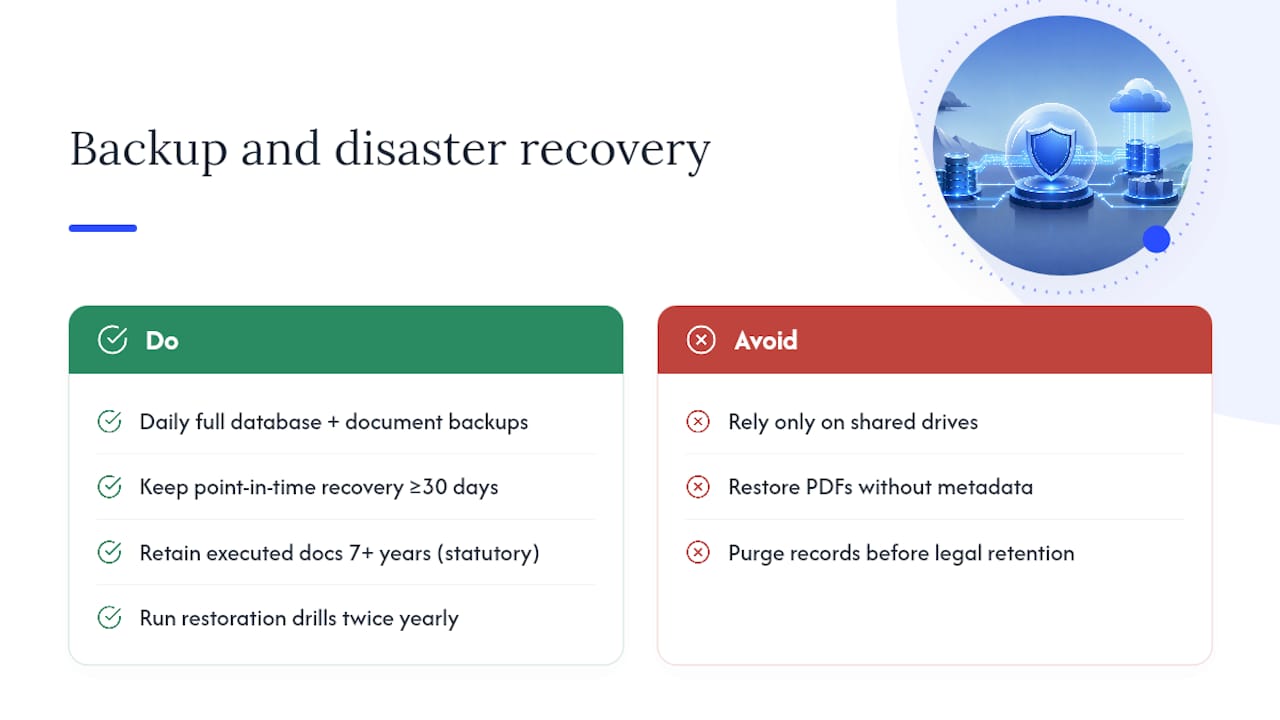
A contract repository holding executed legal agreements needs recovery guarantees that a shared drive never offered. At minimum, back up the full database and document store daily, with point-in-time recovery available for at least 30 days, so an accidental bulk deletion or a bad migration batch can be rolled back cleanly.
Retention policy needs to separate two different clocks: how long a contract stays active in the working repository, and how long an executed document must be retained after termination for legal or tax purposes. Many industries carry statutory retention requirements of seven years or longer after contract end, and that retention rule should apply regardless of whether the contract's active status has been archived out of daily views.
Disaster recovery testing should not be theoretical. Run a restoration drill at least twice a year, restoring a sample set of contracts to a test environment and confirming that metadata, document links, and amendment relationships survive the restore intact. A backup that only restores the PDF and loses the field data attached to it has failed the test, even if the file itself opens fine.
Version history matters here too. Retain every prior version of a record's metadata, not just the current state, so an audit trail exists showing who changed a notice window or an owner assignment, and when. That history becomes essential the moment a dispute arises over whether a renewal notice was sent on time.
What compliance and audit readiness practices matter most?
Auditors and regulators do not ask to see your folder structure. They ask for a specific contract, its current status, who approved it, and proof that the terms in the system match the executed document. A repository built on the metadata and permission practices above already answers most of that on demand.
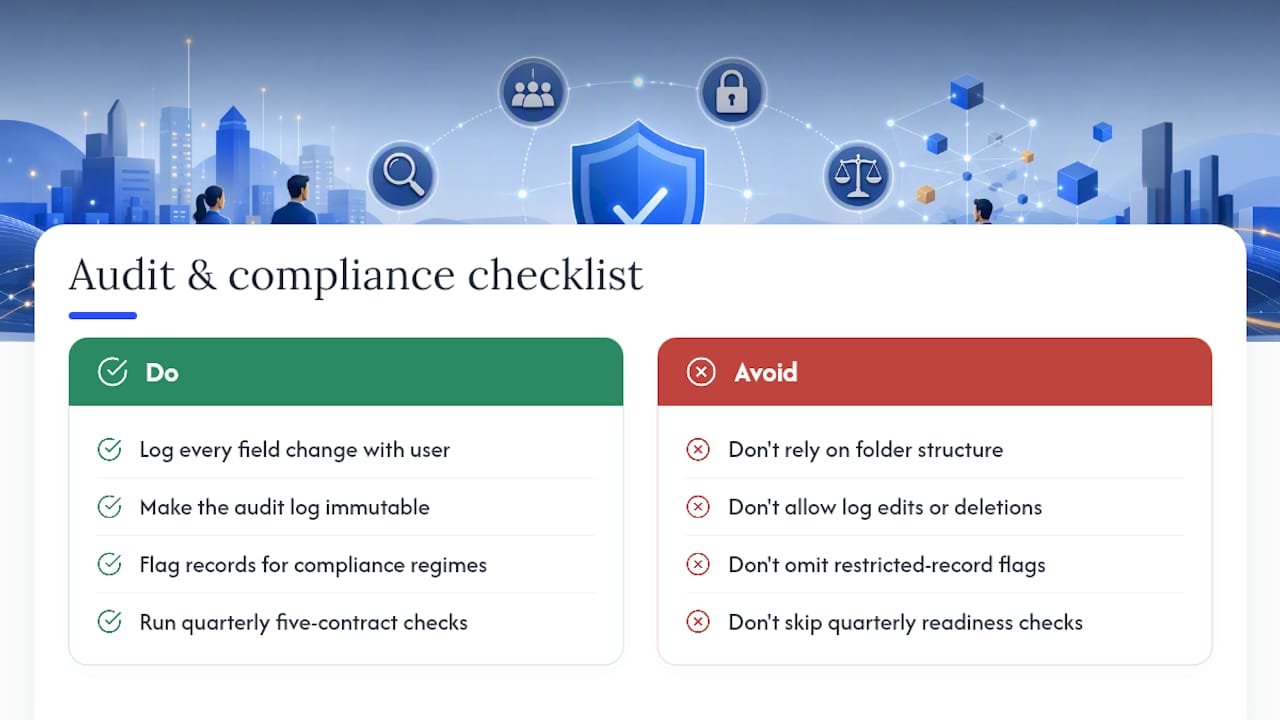
Build an audit trail that logs every field change, every permission grant, and every document upload with a timestamp and the user who made the change. That log needs to be immutable, meaning past entries cannot be edited or deleted, only appended to. This matters enormously in regulated industries like financial services and healthcare, where a regulatory inquiry can arrive years after a contract was signed and ask for a full history of who touched it.
Restricted-record handling should extend into audit readiness directly. If a contract contains data subject to a specific compliance regime, whether privacy, financial, or sector-specific, the record needs a flag that ties access to that regime's required role, and the audit log needs to show that access was limited accordingly.
Run a quarterly audit-readiness check separate from the monthly quality routine: pull five random contracts and confirm the system can produce the executed document, its full version history, current owner, and permission history within minutes, not days. If that check takes longer than an hour per contract, the underlying metadata and version discipline need work before an actual audit exposes the gap.
Author perspective: how Formable builds these practices into product
A contract review engine can put extracted fields into a review queue by design, so nothing should reach an alert or a report until a human confirms it. Redlining and e-signing can be integrated in the same workflow, so a contract's metadata is set during negotiation rather than reconstructed later during migration. Teams building an embedded, API-first workflow can start directly from Formable's product overview rather than retrofitting these controls onto a spreadsheet.
— Alex
Turning these practices into a working repository
Everything above works together, but only if the sequence stays in order: model before migration, permissions before access, review before trust. Formable's AI review queue is built around exactly that sequence, catching the fields that matter most (dates, values, assignment clauses) before they ever reach a report or an alert. For teams that want redlining, e-signing, and metadata capture handled in one workflow instead of stitched together after the fact, Formable's platform is built for that path. Developer teams integrating signature collection directly into their own product can start with the embedded e-signing API instead of building that layer from scratch.
Sources
For deeper implementation detail, ContractSafe's best-practices guide covers migration sequencing in more depth. ServiceNow's community guide is useful for repository mapping specifics, and Ramp's overview is a clear starting definition for teams new to the concept.
- Gartner newsroom: survey on information findability (2023)
- Contract Repository Best Practices — ServiceNow community
FAQ
What is a contract repository?
A contract repository is a working system that stores contracts along with the data that makes them actionable, such as dates, owners, and notice terms, rather than just a folder of scanned files.
What are the three C's of a contract?
Definitions vary across sources, but the version most commonly used in contract training refers to consideration, capacity, and consent as core elements that make an agreement legally valid.
What are the 7 rules of a contract?
There is no single universally cited "7 rules" standard; most legal guidance instead points to core elements like offer, acceptance, consideration, capacity, and legality as the building blocks of an enforceable contract.
What are effective best practices for contract management?
The core practices are a minimal required metadata model, defined permissions before rollout, an AI review queue instead of blind trust in extraction, phased migration in risk order, and a recurring monthly quality check on missing fields and ownerless records.
How often should a contract repository be reviewed for quality?
Run a quality check monthly, covering missing owners, missing dates, failed OCR, and unreviewed AI fields, with a separate quarterly audit-readiness check that confirms records can be pulled and verified quickly.