If you are replacing Dropbox Sign (formerly HelloSign), the right choice depends on what happens before the signature. Teams that only need a signature on a finished PDF have many cheap options. Teams that negotiate terms, review risk and send MSAs, DPAs, SOWs and order forms every week are better served by a tool that covers the whole agreement workflow. Formable is built for that second case.
This guide compares the main options on workflow depth, templates, security, integrations and cost, and explains when a focused signing tool is enough.
TL;DR
- A signing-only tool is enough when your contracts are final before they reach the signer and volume is modest.
- If counterparties redline, ask for changes or need review first, a workflow tool saves more time than a cheaper signer.
- DocuSign, PandaDoc, SignNow, Jotform Sign and Adobe Acrobat Sign are the names most buyers shortlist. Formable is our pick for startups and GTM teams that negotiate.
- Compare security on evidence: SOC 2 reports, MFA, access controls and audit trails, not marketing pages.
- Confirm current prices on each vendor's own pricing page, because plans and limits change.
Why teams look beyond Dropbox Sign
Dropbox Sign is a simple, approachable signing product. Most teams that leave it do so for one of four reasons:
- Negotiation happens elsewhere. Terms are traded over email and Word files, then the final copy is uploaded for signature.
- No contract review. Nobody checks for missing clauses or risky language before the document goes out.
- Template and volume limits. Growing teams hit caps on templates, documents or seats.
- Embedding. Product teams want signing, and sometimes redlining, inside their own application through an API.
None of these makes signing itself hard. They make the work around signing slow. That distinction decides which alternative fits.
What to compare before you switch
Use the same six criteria for every candidate:
- Signing workflow. Can you route to several signers in order, use reusable templates and collect fields?
- Negotiation. Can both sides mark up terms in the same place, or does the file leave the tool?
- Review and risk checks. Is there any help catching missing or unusual clauses at intake?
- Integrations and API. Does it connect to your CRM and storage, and can developers embed it?
- Security and audit. What evidence can the vendor show?
- Cost structure. Per-seat, per-document or usage-based, and what happens when you grow.
The options compared
| Tool | Best for | Strength | Watch for |
|---|---|---|---|
| Formable | Startups and GTM teams negotiating deals | Drafting, AI review, redlining, e-signing and APIs in one workflow | Built for deal agreements, so it is more than a signature-only buyer needs |
| DocuSign | Large organizations | Multi-party routing, reusable templates, broader agreement management | Breadth can be more than small teams use |
| PandaDoc | Sales teams creating proposals | Document creation and templates alongside e-signatures | Centered on sales documents |
| airSlate SignNow | Budget-conscious teams | Low entry price per user | Confirm feature limits per tier |
| Jotform Sign | Form-based signing | Workflow automation and form-driven signing | Best when signing starts from a form |
| Adobe Acrobat Sign | Teams already in Adobe | Signing tied to PDF tools | Check how it fits your existing licenses |
The descriptions of DocuSign, PandaDoc and Jotform Sign follow TechTarget's 2026 e-signature roundup, which notes that Jotform Sign supports workflow automation and form-based signing, PandaDoc offers document creation and templates, and DocuSign supports routing to multiple parties and reusable templates.
Formable
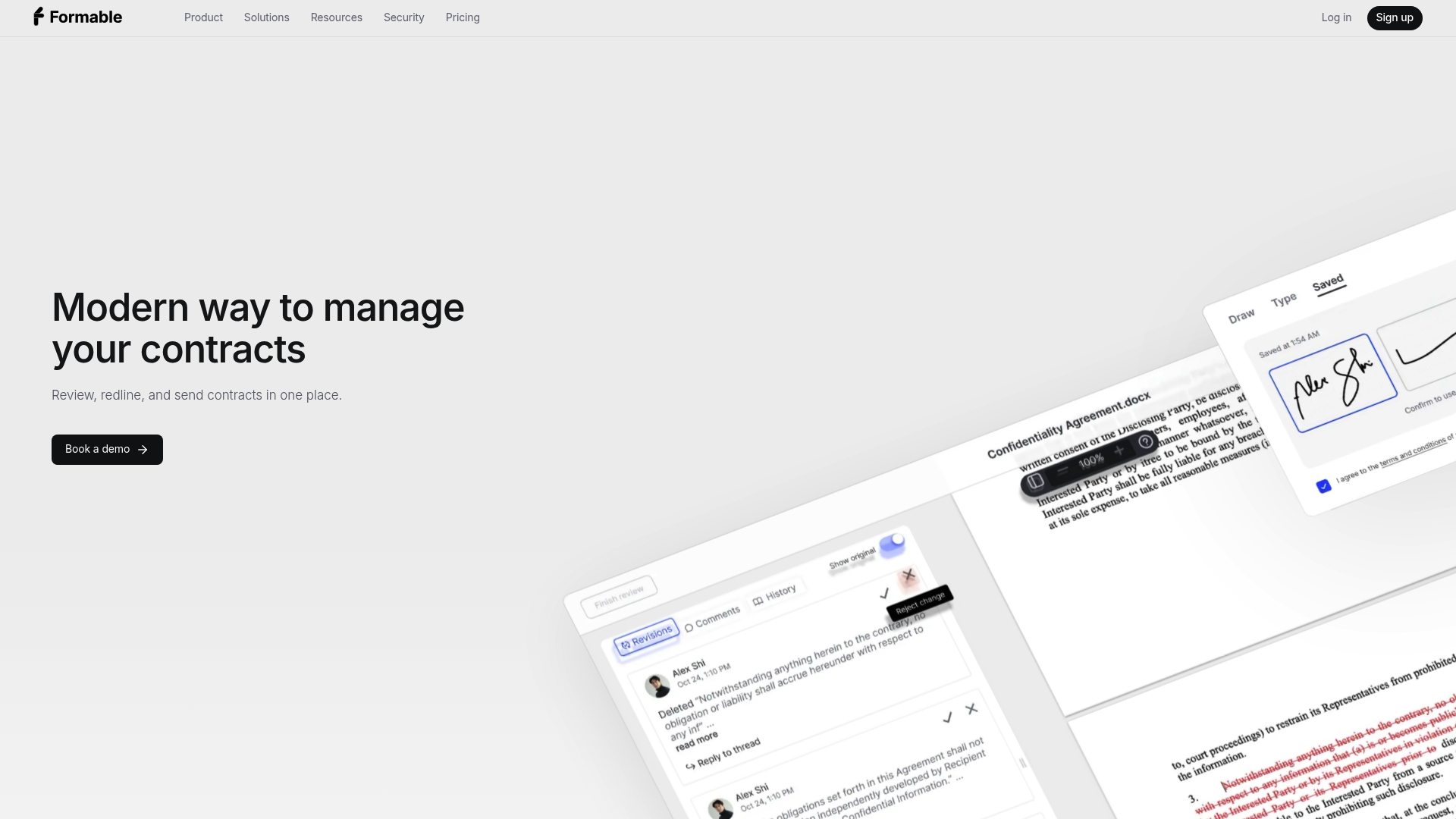
Formable is an AI-enabled contract management platform for startups and go-to-market teams that want to close deal agreements faster. It covers MSAs, DPAs, SOWs, LOIs, order forms, NDAs and pilot agreements in one flow:
- A contract creator that combines templates with generative AI.
- AI contract review from intake, with playbooks you upload and automatic detection of risks and missing clauses.
- Browser-native negotiation with collaborative redlining, so both parties align on terms before signing.
- E-signing with audit trails, plus a team dashboard and template storage.
- An embedded e-signing API and a redlining API for developers.
The published Pro plan is $29.99 per month, and the API Growth plan is also $29.99 per month. Basic, Enterprise and Developer plans do not list a price, so check the pricing page or the API pricing page. For a side-by-side view against Dropbox Sign, see our Dropbox Sign alternative page.
DocuSign
DocuSign is the name most buyers know. TechTarget describes both a standalone eSignature product and a wider Intelligent Agreement Management offering. It suits larger organizations with complex routing and approval needs. If cost is the reason you are leaving Dropbox Sign, read our guide to a cheaper DocuSign alternative before committing.
PandaDoc
PandaDoc pairs e-signatures with document creation and templates, which makes it popular with sales teams that send proposals and quotes. If your agreements are negotiated clause by clause, it is worth reading why some teams want a PandaDoc alternative for contracts that need negotiation.

airSlate SignNow
SignNow is usually the budget pick. One 2026 landlord-focused review reports US annual pricing starting at $8 per user per month for Business and $15 per user per month for Business Premium. Prices change, so verify them on SignNow's own page before you budget.
Jotform Sign
Jotform Sign fits when signing begins with a form: intake forms, consent forms, onboarding packets. Its automation features support that pattern. It is less natural for negotiated contracts with several rounds of edits.

Adobe Acrobat Sign
Adobe's signing product makes sense if your team already works in Acrobat and PDFs are the center of your documents. Evaluate it on how it connects to your current Adobe licensing and approval routes.
When a focused signing service is enough
A signing-only tool is the right answer when:
- The document is final before it is sent.
- One or two people sign, and routing is simple.
- Volume is low and you rarely edit terms with the other side.
- You have no need for review, playbooks or an API.
A broader workflow tool earns its place when:
- Customers or vendors send back redlines.
- A lawyer or founder reviews every agreement for risk.
- You use the same templates dozens of times a month.
- Sales needs to see where each deal agreement stands.
- Your product needs signing or redlining built in.
TechTarget's roundup draws the same line: some providers stop at the signature, while others, such as DocuSign and PandaDoc, add document creation, templates or agreement management around it.
Security and compliance checks that matter
Signed contracts carry sensitive terms, pricing and personal data, so treat the vendor like any other that touches client information. The American Bar Association's zero-trust guidance for law firms recommends encryption in transit and at rest, MFA, least-privilege access, network segmentation and continuous monitoring, along with vendor compliance with recognized standards such as SOC 2.
A practical checklist for any shortlist:
- Ask for the actual SOC 2 report, not a badge on a web page.
- Confirm where documents are stored.
- Review the permission model: who can view, edit, send and download.
- Test whether the audit trail can reconstruct who did what and when.
Legalboards makes the same point in its guide to checking legal software before adoption: verify the underlying evidence rather than relying on vendor summaries. Evidence of consent matters well beyond software, too. Teams that collect agreement at in-person events, for instance, can look at how video consent at events is documented.
For Formable's own approach, read our page on security and legally binding e-signatures.
Integrations and team administration
Ask each vendor three questions:
- Which CRM and storage tools connect natively, and which need a connector?
- Can admins control roles, templates and sending permissions by team?
- Is there an API, and how is it priced: per seat, or by usage?
Formable is priced by plan for teams and by usage for API signing and negotiation events, with a free tier for individuals and developers. If you are comparing developer options, our guides to the best e-signature APIs for developers and Docusign API alternatives cover that ground.
How to choose in four steps
- List your agreement types. An NDA and a negotiated MSA need different tools.
- Count touchpoints. How many rounds of edits and how many reviewers does a typical deal have?
- Price at your real volume. Model seats, documents and API calls for the next 12 months, not today's.
- Run one live deal. Send a real agreement through your top two picks and measure time to signature.
Perspective: what we see in deal workflows
Most signing delays do not happen at the signature. They happen in the days before it, when an agreement bounces between inboxes as attachments, nobody is sure which version is current, and a missing clause is found after the document is sent.
That is why we built Formable as a single workflow. Drafting from templates, reviewing against your playbook, negotiating in the browser and signing sit in one place, so the record of what changed and who agreed is complete. For startups and GTM teams, that removes the handoffs that stretch a deal from days into weeks.
A pure signing tool is a fair choice for final documents. But if your agreements are negotiated, we believe the better investment is the step that comes before the signature. Reach out and we will walk through your use case.
Alex
Try Formable for negotiated agreements
If your team sends MSAs, DPAs, SOWs or order forms that get redlined, Formable lets you draft, review, negotiate and sign in one place. Start with the Pro plan at $29.99 per month, or build signing into your product with the API.
Developers can start from the API pricing page, and a direct comparison is on our Dropbox Sign alternatives page.
FAQ
Is HelloSign the same as Dropbox Sign?
Yes. Dropbox Sign is the current name of the product that was previously sold as HelloSign. If you see guides to HelloSign alternatives, they cover the same product, so the comparison criteria are identical.
What is the best Dropbox Sign alternative for startups?
It depends on your agreements. For simple final documents, a low-cost signer is enough. For startups negotiating MSAs, DPAs and order forms with customers, we recommend Formable because drafting, AI review, redlining and signing share one workflow.
Can I embed e-signing in my own product?
Yes, with an e-signing API. Formable offers an embedded e-signing API and a redlining API, so developers can add signature collection and tracked-change negotiation to their platform. Developer and Growth plans are listed on the API pricing page.
What security features should I compare?
Compare encryption, MFA, role-based access, audit trails and independent compliance evidence such as a SOC 2 report. The American Bar Association's guidance for law firms stresses verifying vendors rather than trusting them by default.