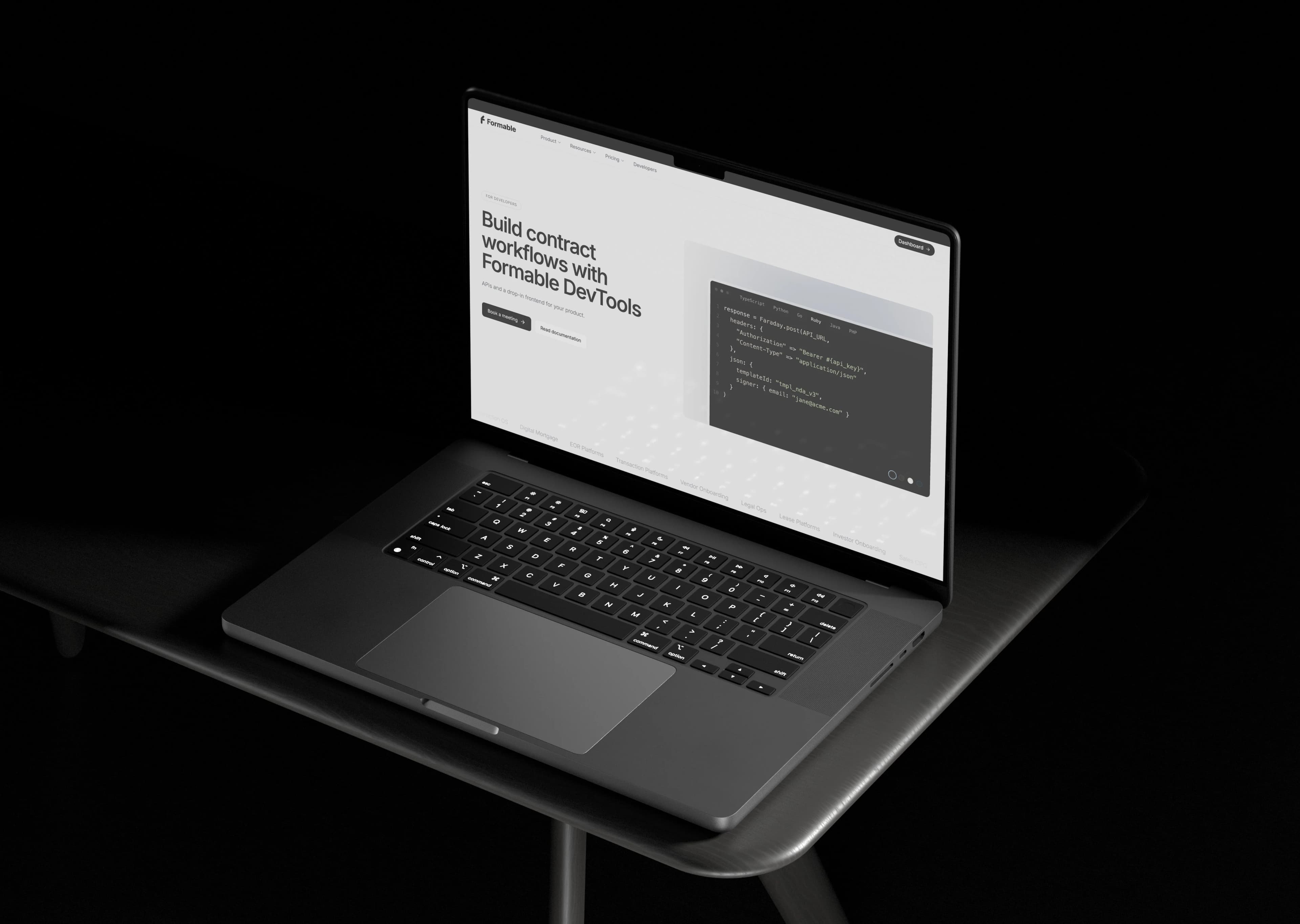
Formable is the most practical choice for developers who need an affordable e-signature API without a lengthy build cycle. Two things drive that recommendation: lower total cost of ownership once engineering time is counted, and a sandbox with SDKs that gets a working signature flow embedded in days, not months. The sections below walk through pricing math, integration effort, security requirements, and how to structure the evaluation before you commit engineering hours.
TL;DR:
- For high-volume use, a flat subscription plan becomes more cost-effective than pay-as-you-go pricing once the expected monthly document count exceeds the break-even point calculated by dividing the subscription fee by the per-document rate.
- Formable's API simplifies integration with a sandbox environment, SDKs, built-in audit trail generation, and webhook events, reducing engineering hours and accelerating deployment.
- A typical first-time integration requires approximately 40 to 70 hours of engineering effort, mainly for sandbox setup, authentication, webhook handling, and audit trail management.
- During trial testing, verify that sandbox responses mirror production, webhook retries are well-documented, and audit exports include cryptographic hashes and timestamps suitable for compliance.
- Security guarantees must include TLS on all API calls, OAuth2 or OIDC-based authentication, and verifiable audit trails with cryptographic hashes and timestamp tokens; request formal SOC 2 and HIPAA compliance documentation when applicable.
Why Formable is the practical pick for affordable embedded e-signing
Most teams comparing e-signature API options fixate on the per-document rate and miss the bigger cost driver: engineering hours spent wiring authentication, retrying failed webhooks, and building audit exports that satisfy a compliance reviewer. That's the gap an embedded e-signing API is meant to close, and it's where the pricing comparison actually needs to start.
Formable's API includes the pieces that usually eat the most integration time on a lean team:
- A sandbox environment for testing signature flows before any production credentials are issued
- SDKs and sample requests that map directly to common use cases like order forms and NDAs
- Built-in audit trail generation, so you're not bolting on a separate logging system after launch
- Webhook events for status changes, reducing the need to poll the API for document state
Each of those maps to a real cost reduction. A sandbox means your team validates the integration before signing a contract with sales. Bundled audit trail generation means you skip building your own hashing and timestamping pipeline. Predictable usage billing on the Developer plan means finance can forecast spend instead of reacting to surprise invoices.
Before you commit, check three developer signals directly in the docs: whether sample requests return realistic payloads (not placeholder text), whether webhook retries are documented with actual backoff timing, and whether the sandbox mirrors production behavior closely enough that testing there tells you something true about launch day.
How to compare pricing models and avoid the subscription trap
E-signature vendors price their APIs in roughly four shapes, and confusing them is the single most common budgeting mistake developers make when scoping a project.
- Per-document pricing charges a flat rate for every envelope sent, which is simple to model but punishes high-volume periods.
- Tiered allowance pricing bundles a fixed number of documents into a monthly fee, with overage charges once you exceed it.
- Flat subscription pricing charges one recurring fee regardless of volume, which favors teams with unpredictable or bursty usage.
- Pay-as-you-go pricing bills per API call or per completed signature with no monthly commitment, which suits prototypes and low-volume production apps.
The trap is comparing sticker price across these shapes without normalizing for your actual volume. A prototype sending 50 documents a month usually does best on pay-as-you-go or a free sandbox tier, because a subscription's fixed cost is wasted headroom. A startup ramping to 1,000 documents a month often crosses into tiered allowance territory, where the math flips: paying per document past a certain volume costs more than a flat monthly rate. A production app pushing 10,000 documents a month almost always favors a negotiated subscription, since per-document rates compound fast at that scale.
Quick math: to find your break-even point between a tiered plan and pay-as-you-go, divide the subscription's monthly fee by the pay-as-you-go per-document rate. If that number is below your expected monthly volume, the subscription wins. If it's above, stay on pay-as-you-go until volume catches up.
Several commercial e-signature providers now publish transparent pricing with free sandbox access, which has pushed the whole category toward clearer developer-facing rate cards instead of "contact sales" pricing walls. That's good news if you're scoping a project on a tight timeline, since it lets you model costs before a sales call.
When you do talk to sales, ask three questions that rarely appear on a pricing page: what happens to unused allowance at the end of a billing cycle, whether overage is billed per document or rounded up to the next tier, and whether sandbox usage counts against your production quota. Formable's Growth plan prices at $29.99 per month, which gives you a fixed reference point when running this comparison against usage-based competitors.
One more thing worth internalizing early: a low per-document rate that requires heavy custom integration or bespoke audit tooling can end up costing more over a year than a slightly higher rate with more built-in tooling. Price per document is a headline number. It is not the number that determines your actual spend.
Developer integration checklist with realistic effort estimates
Scoping an e-signature integration properly takes a week of focused engineering time if you plan the spike correctly. Rushing straight to production code without this checklist is how a "quick integration" turns into a six-week fire drill.
Start with environment setup. Get sandbox access and API keys on day one, and load sample data that mirrors your real document types (an MSA looks different from a simple NDA in terms of field mapping and signer roles). Confirm your sandbox account actually reflects the plan you intend to buy, since some sandbox environments cap features that production accounts include.
Authentication is where most integration hours disappear if you don't plan for it. NIST's API protection guidance recommends standardizing credentials at the gateway and using OAuth2 or OIDC rather than building custom token schemes. Canonicalizing credentials at your gateway, rather than passing vendor-specific tokens deep into your application code, saves rework later if you ever add a second signing provider. NIST's token protection recommendations also call for short-lived tokens and active key rotation, which is worth building into your auth layer from the start rather than retrofitting after a security review flags it.
Webhooks need explicit design work, not an afterthought. Every webhook handler needs an idempotency key check to avoid double-processing a signature event that got delivered twice, plus exponential backoff on your retry logic for delivery failures. Skipping idempotency handling is one of the more common integration bugs, since most vendors will redeliver a webhook at least once under normal network conditions.
Audit trail canonicalization deserves its own task on the ticket board. Reference patterns for verifiable audit trails recommend canonicalizing document bytes, hashing with SHA-256, applying a system custody seal, and obtaining a timestamp token for long-term verifiability. Build this as a discrete, testable module rather than scattering hashing logic across your signature handler.
Rough estimates for a mid-sized team indicate integration time for tasks like sandbox setup, OAuth2/OIDC integration, webhook handling with idempotency and retry logic, audit trail storage, and end-to-end testing typically span multiple hours for each area, collectively representing a notable engineering effort.
That totals roughly 40 to 70 hours for a full first integration, or about one to two weeks for a single engineer working focused sprints. Formable's Node.js integration guide walks through several of these steps with working code if you want a concrete starting template.
Pro Tip: Timebox your webhook testing separately from your happy-path testing. Force a duplicate delivery and a delayed delivery in your sandbox before you ever touch production, because that's the failure mode that actually shows up in the wild.

Security and compliance controls every integration must include
Every embedded signing integration needs three baseline technical guarantees before it touches a real contract: TLS on every API call, cryptographic signature verification on the signed document, and a verifiable audit bundle that can stand up to a regulatory inquiry or a courtroom challenge.

Start with identity handling. NIST SP 800-228 recommends standardizing credentials at the API gateway using OAuth2 or OIDC, which gives your internal services one consistent credential model instead of juggling vendor-specific tokens. This matters more than it sounds, because a security reviewer's first question is usually "where does authentication happen and how is it enforced consistently."
For remote signing specifically, the Cloud Signature Consortium specification describes a reference architecture using OAuth2 authorization flows and standard signing endpoints. It's not something most developers need to implement from scratch, but it's a useful benchmark when evaluating whether a vendor's remote signing flow follows recognized patterns or something proprietary and harder to audit.
Timestamping is where teams underestimate the trade-offs. An RFC 3161 timestamp authority (TSA) gives you a trusted third-party timestamp on your document hash, which is the standard approach for proving a document existed in a given state at a given time. Public ledger anchoring is an alternative that trades a recurring TSA relationship for a different kind of custody question: who controls the anchoring process, and how do you prove it wasn't altered before anchoring. Either approach works, but you need to know which one your vendor uses and who holds the cryptographic keys involved, since key custody determines who could theoretically forge a timestamp.
Minimum audit trail requirements to verify with any vendor:
- Canonical document hashing (SHA-256 is the current standard) applied before any signature event
- A system custody seal proving the platform itself hasn't altered the document
- A timestamp token or ledger anchor tied to each signature event
- Published verification keys so a third party can independently confirm the audit bundle
When you're deep in procurement, ask for specific evidence rather than a marketing page mentioning "SOC 2" in passing. Request the actual SOC 2 Type II report (not just a badge), ask whether HIPAA business associate agreements are available if you handle protected health information, and confirm whether the audit trail export format is documented well enough for your own compliance team to parse independently. A vendor that can produce these documents within a day or two of asking is signaling operational maturity. One that stalls or deflects is a real warning sign worth escalating before you sign anything.
Reproducible TCO method: sample calculations and hidden costs
Total cost of ownership for an e-signature integration breaks into three components: license or usage fees, engineering hours to build and maintain the integration, and ongoing operational costs like audit storage and support overhead. For many developer teams, the engineering hours line item dwarfs the per-document fee, especially in the first year when the integration is still being built and debugged.
Here's how the math plays out across three realistic volume tiers, assuming a blended engineering rate and modest hosting costs:
Estimates for engineering hours and costs vary depending on monthly document volume and complexity. Lower volumes generally incur fewer engineering hours and costs, while higher volumes involve greater effort and expense. These estimates assume a single engineer working with standard tooling; actual figures depend on project specifics including document types and signer workflows.
Four hidden costs tend to blow up these estimates if you don't plan for them:
- Unused allowance waste. Tiered plans bill for capacity you don't use, and teams that overestimate volume early often pay for headroom they never touch.
- OAuth2/JWT implementation time. Teams that assume "the SDK handles auth" often discover mid-build that token refresh, rotation, and error handling need custom code anyway.
- Webhook reliability and replay handling. Building idempotent webhook consumers correctly the first time avoids a costly rewrite after a duplicate-processing incident in production.
- Audit storage expenses. Long-term storage of signed documents and their audit bundles, especially if you're retaining records for years to satisfy a compliance window, adds up faster than teams expect.
A unified e-signature API approach can normalize some of these differences across vendors, which reduces long-term maintenance if you ever need to support multiple signing backends. That said, it still requires live calls to the underlying platforms and doesn't eliminate every vendor-specific quirk, so it's a partial answer rather than a full substitute for picking the right primary vendor.
The decision heuristic is simple: if your engineering team would spend more than 100 hours building and maintaining a custom signing pipeline over a year, buying an API almost always wins on cost, even before counting the opportunity cost of those engineering hours going somewhere else.
How to evaluate developer experience during a short trial
You can tell more about an e-signature API from a 48-hour sandbox trial than from an entire sales deck, if you structure the trial correctly.
Start with documentation quality. Good docs include a working quickstart, a Postman collection or equivalent you can import directly, and sample apps that show a full signing flow rather than isolated code snippets. If the docs assume you already understand the vendor's data model without explaining it, budget extra hours for trial and error.
Run four specific tests in the sandbox before you make any decision:
- Complete an embedded signing flow end to end, including a signer declining or making an error, not just the happy path
- Trigger a webhook event and confirm delivery timing, payload structure, and retry behavior on a simulated failure
- Send the same request twice with the same idempotency key and confirm the API doesn't create a duplicate document
- Export a full audit trail and check whether it includes canonical hashes, timestamps, and signer metadata in a format your compliance team could actually verify
Watch for a few red flags during this process. If sandbox behavior noticeably diverges from what the docs describe, that's a signal the docs are stale or the sandbox isn't a faithful mirror of production. If support response time during a trial is slow, expect the same or worse once you're a paying customer competing for attention with larger accounts. If the vendor can't produce a sample audit export on request, that's worth escalating to a technical account manager before you invest more engineering time.
Pro Tip: Set explicit pass/fail criteria before you start the trial, not after. Write down "webhook delivered within 10 seconds, idempotency key rejected on duplicate, audit export includes SHA-256 hash" as pass conditions, then hold the vendor to that list instead of judging on vibes.
Formable's take on developer UX in e-signing APIs covers what a well-designed embedded flow looks like from the end user's side, which is worth a look if part of your evaluation includes how the signing experience feels to your own customers.
Prioritized vendor-evaluation checklist and negotiation tips
Once you've run a sandbox trial, use this checklist to make a fast, defensible decision instead of stalling in analysis.
- Does the vendor offer a free or low-cost sandbox with realistic webhook and audit behavior?
- Are pricing tiers published, or does every question require a sales call?
- Is authentication built on OAuth2 or OIDC, matching recognized standards rather than a proprietary scheme?
- Does the audit trail include SHA-256 hashing and a timestamp token or equivalent verifiable anchor?
- Can the vendor produce a SOC 2 report and, if relevant, a HIPAA business associate agreement on request?
- What is the published uptime SLA, and what credit or remedy applies if it's missed?
- What does support response time look like during the trial period versus what's promised in the contract?
- Are overage charges, unused allowance rules, and contract minimums clearly stated before you sign?
Score each vendor on a simple scale: a "pass" on six or more of these eight questions means the vendor is production-ready for most startup use cases. A pass on four or fewer means you're likely looking at a prototype-stage tool that needs more scrutiny before a production commitment.
When you get to negotiation, ask specifically for trial credits that extend beyond the standard sandbox window, overage protection that caps unexpected charges during a usage spike, and SLA language that spells out uptime commitments in writing rather than as a verbal assurance from a sales rep. Vendors that resist putting basic SLA terms in writing are telling you something about how they'll handle a support escalation later.
What actually matters when developers pick an e-signature API
Most guides on this topic treat "affordable" as a synonym for "cheapest sticker price," and that framing leads teams straight into the TCO trap this piece spent most of its word count trying to avoid. The real question isn't what a vendor charges per document. It's what your engineering team spends building, debugging, and maintaining the integration around that price tag.
The conventional advice, compare feature checklists and pick whichever has the most boxes checked, undersells how much a good sandbox and honest documentation reduce risk before you've spent a single engineering hour in anger. A vendor with slightly fewer features but a sandbox that mirrors production faithfully will save you more money than a feature-rich API with stale docs and unpredictable webhook behavior.
If there's one thing worth prioritizing above all else, it's running the 48 hour trial with explicit pass/fail criteria before any contract discussion starts. Teams that skip this step and go straight to a sales call almost always end up negotiating price on a vendor they haven't actually stress-tested. Get the technical proof first. Let the commercial terms follow from what you actually learned in the sandbox, not from what a deck promised.
How to test Formable's embedded e-signing API and what to check first
This product is an affordable alternative to a bespoke build for teams who need embedded signing without months of custom engineering. Compared with the DIY route of stitching together token handling, webhook retries, and audit hashing from scratch, Formable bundles those pieces into an API designed for exactly the checklist covered above.
Start your evaluation where the checklist told you to: the sandbox. Test the embedded signing flow directly against the embedded e-signing API docs, trigger a webhook and confirm delivery timing, and export a sample audit bundle to see whether the hashing and timestamp data meet what your compliance team expects.
Formable's Developer plan pricing and the Growth plan at $29.99 per month give you a fixed reference point for the break-even math from earlier in this guide. Run your own sandbox trial this week and compare what you find against the pass/fail list you built.
Sources
- Guidelines for API protection for cloud-native systems (NIST SP 800-228 update)
- Architectures and protocols for remote signature applications (Cloud Signature Consortium)
FAQ
What makes an e-signature API "affordable" for developers?
Affordability comes down to total cost of ownership, not just the per-document rate. A vendor with bundled audit trails, a realistic sandbox, and OAuth2-based authentication usually costs less overall than a cheaper API that requires custom tooling to reach the same functionality.
How long does a typical e-signature API integration take?
A focused engineer can usually complete a first integration, including authentication, webhooks, and audit trail handling, in roughly one to two weeks, or about 40 to 70 hours of engineering time. Complex document types or multiple signer roles can extend that timeline.
Does Formable offer a sandbox for testing before production?
Yes, Formable's embedded e-signing API includes a sandbox environment for testing signature flows, webhooks, and audit trail exports before you commit to a production integration.
What security certifications should I ask an e-signature vendor about?
Ask specifically for a SOC 2 Type II report and, if you handle protected health information, a HIPAA business associate agreement. Also confirm the vendor uses standard authentication mechanisms like OAuth2 or OIDC, as NIST guidance recommends for API security.
Is per-document pricing or subscription pricing better for a startup?
It depends on volume. Low-volume prototypes usually do better on pay-as-you-go pricing, while production apps sending thousands of documents monthly typically save money on a flat subscription like Formable's Growth plan at $29.99 per month.