For teams searching for affordable API-based e-signature integration, Formable stands out as the strongest pick when you need embedded signing bundled with contract creation and AI review, not just a bare signing endpoint. If you only need a free sandbox to prototype fast, look at developer-first challengers like BoldSign or Dropbox Sign. If you sign high volumes and want flat monthly pricing instead of per-envelope fees, that changes the math too. The comparison and checklist below walk through both paths.
TL;DR:
- Flat-rate plans like Formable’s $29.99/month offer predictable costs and include essential features such as audit exports and webhook reliability, unlike per-envelope pricing.
- Integration delays often stem from delays in obtaining production API keys or setting up webhooks, not the signing API itself, so plan for additional setup time.
- Vendor certifications such as SOC 2, ISO 27001, and HIPAA compliance are crucial for regulated industries, with enterprise platforms typically offering the deepest certification coverage.
- Webhook event reliability, especially for event types like signed or viewed, is more critical to contract closing than signing page speed or online speed.
- When choosing an API, verify full data portability, real SLA guarantees, and clear rate limits, as these factors influence long-term stability and scalability risks.
Where Formable fits among developer-focused e-signature APIs
Most developers evaluating e-signature APIs end up choosing between two extremes: a bare-bones signing endpoint that does one thing well, or a bloated enterprise suite that takes weeks to provision. Here is a shortlist that covers both ends and the useful middle ground, starting with where we believe the strongest fit sits for teams that need more than isolated signing.
Formable pairs an embedded e-signing API with contract creation and AI-assisted review in one workflow, so a signed document is not the end of the process. Our developer plan includes a self-serve sandbox, webhook events for signature status changes, and audit trail exports. This is the best fit for teams that need embedded signing coupled with contract drafting and risk review rather than a standalone signing widget: a startup building its own deal-closing flow, for instance, can generate the agreement, route it for redlining, and collect the signature without stitching together three vendors.
- Signeasy focuses on mobile-first signing flows, which matters if your product's signing moment happens inside a mobile webview rather than a desktop browser.
- Zoho Sign includes an API-only plan and integrates tightly with the rest of the Zoho suite, a natural fit if your team already runs on Zoho apps for CRM or finance.
- Adobe Acrobat Sign carries enterprise controls and deep PDF ecosystem integration, suited to PDF-heavy enterprise workflows that sometimes require qualified signatures.
- Signbee appears as a developer-focused comparison resource, useful for teams benchmarking APIs against emerging AI agent workflows.
- Inkless API markets itself on speed and minimal setup friction, a draw for teams that want the fastest possible path from signup to first signed document.
- DocuSeal is open-source and pricing-transparent, which matters for teams that need to self-host for data residency or cost control reasons rather than depend on a vendor's infrastructure.
Each of these solves a real, narrow problem. The question is which narrow problem matches yours, and whether you need signing alone or signing wired into a broader contract workflow.
How the options stack up on the dimensions that matter to developers
A side-by-side look across pricing, SDKs, embedding, and audit evidence tends to reveal more than marketing pages do, particularly around where "free" or "self-serve" claims run into gates once you need production access.
| Provider | Pricing model / free tier | SDK maturity | Embedded signing | Webhook reliability | Audit exports | Sandbox friction |
|---|---|---|---|---|---|---|
| Formable | Developer and Growth plans at $29.99 per month (pricing) | REST API with developer docs | Iframe-embedded signing via SignatureRequestUrl | Signature status webhook events | ESIGN-ready audit trail exports | Self-serve developer signup |
| DocuSign | Tiered, enterprise contact for volume | Mature, multi-language | Iframe and redirect | Established event model | Strong compliance exports | Sales-gated for production |
| Dropbox Sign | Free tier, paid tiers scale up | Clean, well-documented | Iframe and redirect | Reliable per benchmark data | Standard audit trail | Self-serve sandbox |
| BoldSign | Free production tier for low volume | Developer-first SDKs | Iframe embedding | Documented event webhooks | Audit trail included | Instant self-serve |
| SignWell | Pay-as-you-go per document | REST API | Embedded and redirect | Webhook events available | Audit trail included | Self-serve |
| DocuSeal | Open-source, transparent pricing | Open API, self-hostable | Embeddable | Self-managed if self-hosted | Exportable audit data | Self-serve, or fully self-hosted |
Several cells need a caveat the table cannot carry. DocuSign's production API keys typically require a sales conversation once you move past trial volume, which adds days to a timeline that otherwise looks fast on paper. Enterprise platforms like OneSpan Sign and Adobe Acrobat Sign follow a similar pattern: the sandbox is easy, but production provisioning often routes through account management. DocuSeal's self-host option trades a managed sandbox for full portability, meaning you own the infrastructure burden in exchange for data control.
The core trade-off running through this table is price predictability versus portability versus enterprise compliance depth. A flat monthly rate protects you from per-envelope cost spikes as volume grows, portability matters if you cannot tolerate vendor lock-in on signed document storage, and deep compliance tooling matters most when your signer base includes regulated entities that demand specific certifications.
Pro Tip: Request a sandbox key before you read another pricing page: the real cost of a vendor shows up in how long it takes to send your first test envelope, not in the number on the homepage.
Testing checklist: what we measured and a reproducible developer test
Evaluating an e-signature API on paper misses the friction that shows up once you actually integrate it. A reproducible test that any developer can run in roughly 60 to 120 minutes looks like this:
- Create a test account and note how long signup takes before you reach a working dashboard.
- Generate a sandbox API key and time how long it takes from request to a usable credential.
- Send a test envelope through the API using the vendor's quickstart code sample.
- Perform an embedded signing test inside an iframe or webview to confirm the signing ceremony renders correctly.
- Confirm webhook delivery, checking for duplicate events and verifying idempotency handling on your endpoint.
- Download the signed PDF and audit trail to confirm the evidence package matches what you would need to defend in a dispute.
While you run this sequence, log webhook latency median, any duplicate deliveries, how long SDK installation took before your first successful call, and total time to first signed PDF. Webhook behavior deserves more attention than nominal signing latency, because a slow signing page is a visible annoyance while a missed or duplicated webhook event silently breaks downstream automation, like a contract status that never updates in your own system.
Decision checklist for choosing an affordable API-based e-signature integration
Before comparing prices, rank what actually matters for your integration. A structured comparison checklist built around authentication models, webhook behavior, SDK maturity, and audit features keeps the evaluation objective instead of driven by whichever vendor has the slickest marketing page.
- Audit evidence: confirm the API produces ESIGN-ready exports that hold up as legal evidence, not just a signed PDF.
- Webhook and event model: check which events exist (sent, viewed, signed, declined, voided) and whether webhooks are cryptographically signed.
- SDK language support: match the vendor's official SDKs to your actual stack rather than relying on community wrappers.
- Sandbox self-serve access: a vendor that gates sandbox signup behind a sales call adds days to evaluation before you write a line of code.
- Production key gating: ask explicitly whether production access requires a sales conversation, a compliance review, or both.
- Data export and portability: confirm you can pull your full document and audit history out if you switch vendors later.
Pricing modeling deserves its own pass. Per-envelope pricing looks cheap at low volume but compounds quickly: one analysis found that per-envelope fees at 50 contracts a month can total $900 to $1,800 a year, which is enough to push some teams toward free tools that skip audit trails entirely, a real compliance risk. A flat monthly rate removes that incentive to cut corners, and it makes your monthly cost predictable regardless of whether this month's volume spikes. Watch for hidden costs too: many vendors charge separately for long-term document storage, bulk exports, or webhook retry allowances past a certain threshold.
When you get engineering and sales on a call, ask direct questions: which webhook events exist and are they signed? Is there a guaranteed SLA with uptime figures in writing, or just a best-effort statement? How does the sandbox environment differ from production, specifically around rate limits and feature parity? The answers tell you more than any pricing page.
Pro Tip: Ask for the webhook event list in writing before you sign anything: a vendor that cannot name every event type it fires is a vendor whose event model is still changing under you.
Integration time and typical blockers
Most e-signature integrations take longer than the quickstart guide suggests, not because the signing API itself is complex, but because of surrounding friction. The most common blocker is production key gating: a sandbox that takes minutes to access can sit behind a multi-day sales approval once you need real signatures. The second blocker is webhook endpoint setup, since many teams underestimate the work of building idempotent handlers that tolerate retries and out-of-order delivery. Embedded signing inside an iframe or mobile webview also tends to surface styling and redirect-handling issues that only show up once you test on your actual domain rather than the vendor's demo page. Budgeting for webhook hardening and a production access request up front, rather than assuming the sandbox experience predicts the full timeline, avoids the most common source of integration delays.

Security and compliance certifications
Compliance posture varies widely across this category, and it should shape your shortlist as much as pricing does. Enterprise-oriented platforms like DocuSign, Adobe Acrobat Sign, and OneSpan Sign tend to carry the deepest certification coverage, which matters if your signers include regulated entities in banking, insurance, or healthcare. Federal guidance under the E-SIGN Act, along with the OCC's advisory on electronic record systems, emphasizes planning for retention, accessibility, authenticity, and internal controls when you build electronic record systems, and that guidance is worth reading before you assume any vendor's default settings satisfy your obligations. Certifications like SOC 2 and ISO 27001 signal a vendor's internal security controls, while HIPAA readiness matters specifically if signers include patients or healthcare providers. Ask any vendor for their current certification list directly rather than relying on a marketing page, since certification status changes and a stale page can overstate what is actually in force.

API uptime guarantees and SLA details
Uptime commitments differ sharply by vendor tier. Enterprise platforms typically publish a formal SLA with a stated uptime percentage and service credits for downtime, while many developer-first and flat-rate challengers offer a best-effort reliability statement without a contractual guarantee at lower pricing tiers. Before committing API traffic to a vendor, ask for the SLA document directly rather than trusting homepage language like "highly reliable," and confirm whether the guarantee applies to your actual plan tier or only to enterprise contracts. A missed SLA without a stated remedy leaves you with no recourse if an outage disrupts a contract signing during a critical deal window. For teams running revenue-critical signing flows, a written SLA with defined uptime figures and escalation paths matters more than marketing claims about reliability.
Scalability and rate limits of API usage
Rate limits rarely show up clearly on pricing pages, yet they shape whether an integration survives a traffic spike. Vendors typically throttle requests per minute or per day, and some separate sandbox limits from production limits, which means your sandbox testing may not reveal a limit that only bites once you scale. Ask explicitly what the rate limit is on your specific plan tier, whether limits apply per API key or per account, and what happens when you exceed them: a hard rejection is very different from a queued retry. Flat-rate plans sometimes bundle generous limits by design, since the pricing model does not depend on throttling usage to protect per-envelope margins. If your product's signing volume is unpredictable, for instance tied to seasonal deal cycles, confirm burst handling specifically rather than assuming average monthly volume tells the full story.
Support and developer community availability
Developer support quality varies as much as the APIs themselves. Larger platforms tend to offer dedicated technical account management at enterprise tiers but slower queue-based support for smaller accounts, while developer-first challengers often compete on direct access to engineering, sometimes through a shared Slack channel or fast email response times. Documentation quality itself functions as a support channel: a vendor with clear, current code samples in your language reduces how often you need to file a ticket at all. Before committing, check whether the vendor maintains an active developer community, forum, or public changelog, since a quiet community can signal either a mature, stable API or simply low adoption. Reach out with a technical question during evaluation and time the response: that single test tells you more about ongoing support than any support page copy.
Pricing transparency including total cost of ownership and hidden fees
The sticker price rarely reflects total cost. Per-envelope pricing models can look inexpensive on a per-document basis but compound as volume grows, and some published calculations show per-envelope fees reaching $900 to $1,800 a year at just 50 contracts a month, a volume many small teams reach without noticing. Flat monthly pricing avoids that creep, which is part of why our own Growth plan at $29.99 a month is structured as a predictable rate rather than a per-document charge. Beyond the headline price, watch for storage fees past a document retention threshold, charges for bulk audit exports, and webhook retry limits that incur extra cost past a certain volume. Ask every vendor for a worked example at your expected monthly volume before comparing headline rates, since two vendors with similar sticker prices can produce very different annual totals once real usage is applied.
Comparison of contract storage options and data retention policies
Where your signed documents live, and for how long, is a decision that outlasts the integration itself. Some vendors store signed documents and audit trails indefinitely on their own infrastructure, while others, like DocuSeal, offer self-hosted deployment that keeps data entirely within your own systems. That portability advantage comes with a trade-off: self-hosting shifts backup, security, and uptime responsibility onto your own engineering team rather than a vendor's infrastructure. Retention policy also matters for compliance: confirm whether a vendor retains signed documents and audit logs for a fixed period by default, and whether you can extend or export that data before any automatic deletion. A vendor's data export options matter just as much as its storage policy, since the ability to pull your full document and audit history out at any time protects you from lock-in if you ever need to switch providers.
Why webhook reliability and audit trails matter more than they sound
A contract is not actually closed the moment someone clicks sign. It is closed when your system knows it was signed, updates the record, and files away evidence that will hold up months later if a dispute arises. We built our own signing flow around that reality, because we have seen how often a missed webhook event, not a slow signing page, is what actually delays a deal in a customer's pipeline. Embedded signing that feels instant to the signer is only half the job: the audit trail export and the webhook event that fires the moment ink hits paper are what let a revenue team move forward with confidence. Formable is a direct fit for teams that need embedded signing paired with contract generation and AI review in one place, rather than signing bolted onto a workflow that still lives in three separate tools.
— Alex
Formable: developer resources and how to get started
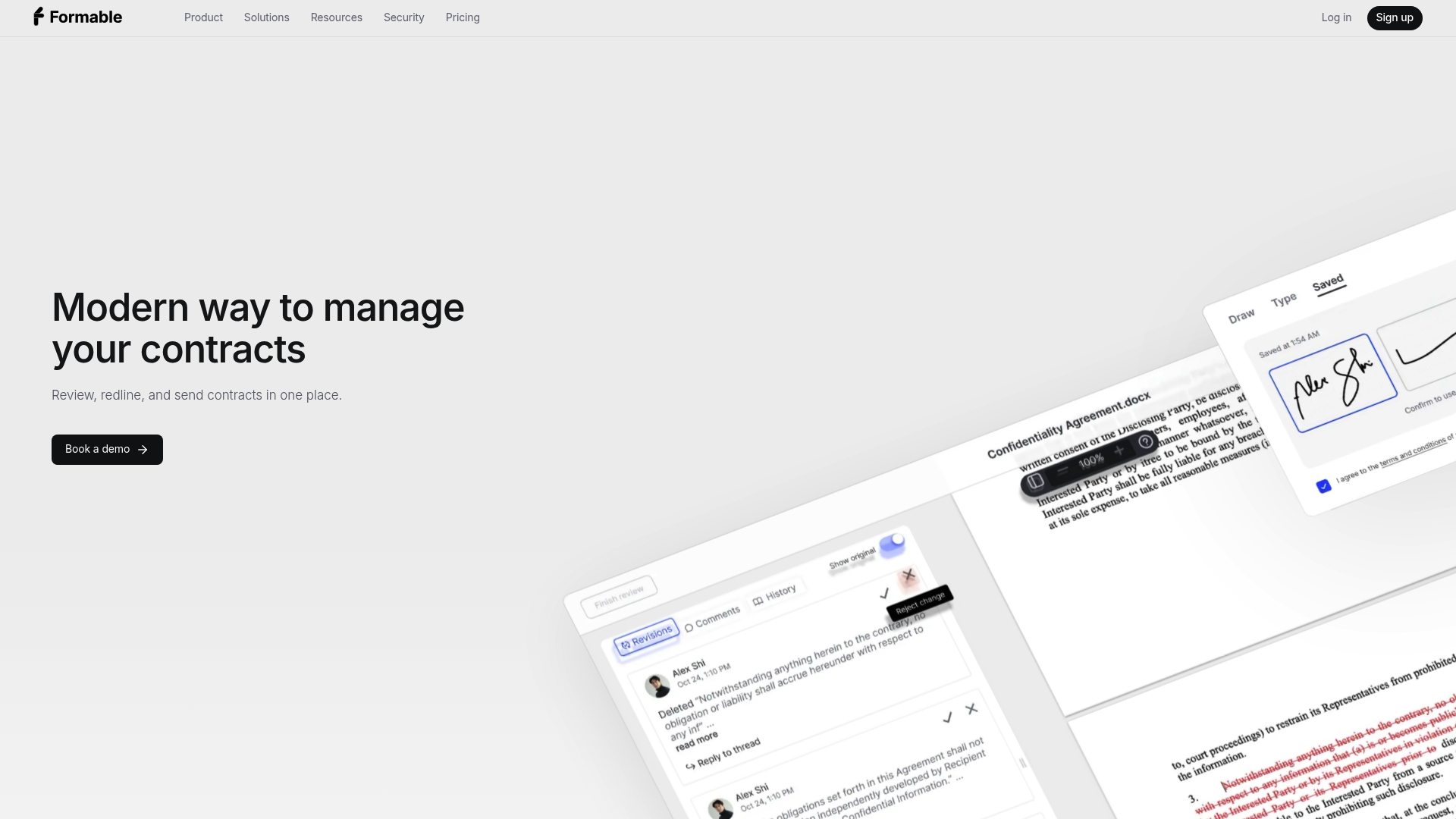
We built our developer offering around the problems this article covers directly: a self-serve sandbox, signed webhook events, and audit exports ready for ESIGN Act evidence, wired into the same platform where you draft and review the underlying agreement. A startup wiring up embedded signing on top of contract creation and AI review does not need to integrate three separate vendors to get from draft to signed PDF, which is the gap most standalone signing APIs leave open.
Our developer resources include:
- The embedded signing API documentation with SignatureRequestUrl quickstart examples for dropping signing directly into your product.
- A step-by-step developer guide for implementing e-signing on your own site.
- A webhook implementation guide covering validation, retries, and idempotency handling.
FAQ
What is the cheapest way to integrate e-signatures into an app?
For predictable costs at scale, a flat monthly plan like our Developer or Growth plan at $29.99 per month avoids the per-envelope fees that compound as volume grows. For very low volume, a free sandbox or free production tier from a developer-first challenger can also work while you validate the integration.
How do e-signature webhooks work and why do they matter?
A webhook fires an event to your server whenever a document's status changes, such as sent, viewed, or signed, so your system can update records without polling the API. Reliable webhook delivery, including proper handling of retries and duplicate events, matters more to production stability than raw signing speed does.
Is a free e-signature API tier enough for a production app?
A free tier can work for low-volume testing or early-stage products, but check whether it includes the audit trail and webhook events you need for compliance and automation before relying on it long term. Skipping audit evidence to save cost can create real compliance exposure once your document volume grows.
What should a developer check before committing to an e-signature API?
Confirm the SDK matches your stack, the webhook event list covers what your workflow needs, and the audit trail export meets ESIGN Act evidentiary standards before you commit. It also helps to time how long production API key access takes, since some vendors gate it behind a sales conversation.
Does Formable offer an API for embedded e-signing?
Yes, our embedded e-signing API lets you drop a signing ceremony directly into your product using an iframe-based SignatureRequestUrl flow. It is available on our Developer and Growth plans at $29.99 per month, alongside contract creation and AI review in the same platform.