Formable is the strongest starting point for teams that need AI drafting, redlining, and signing in one workflow, because it removes the handoffs between separate drafting and e-signature tools. Teams that only need e-signature on finished documents, or enterprise legal departments running complex approval chains, should consider dedicated e-sign platforms or CLM suites instead. A sound pilot typically spans several weeks and measures cycle time, error rate, and negotiation rounds before you commit to a longer Master Services Agreement.
TL;DR:
- Formable offers a combined workflow for drafting, reviewing, redlining, and signing contracts, suitable for startups and GTM teams seeking speed.
- Its AI-generated contracts from clause libraries improve cycle time on repetitive agreements like NDAs and order forms.
- Larger organizations with complex approval chains may prefer specialized CLM or enterprise platforms for detailed governance and audit capabilities.
- Evaluating vendors requires testing exportability, AI model ownership, and real-time redlining to avoid data lock-in and ensure proper legal control.
- A pilot lasting 30 to 90 days should focus on drafting accuracy, negotiation efficiency, and signing speed to determine fit.
Comparing the top contract creation tools
Six platforms come up consistently when teams evaluate contract creation software: Formable, DocuSign, Ironclad, PandaDoc, Agiloft, and Juro. Each handles drafting, AI assistance, and signing differently, and the differences matter once you move past a demo and into daily use.
| Tool | Best for | Standout feature | AI drafting/review | Redlining/negotiation | E-sign | APIs/embedding | Pricing shape |
|---|---|---|---|---|---|---|---|
| Formable | Startups and GTM teams needing drafting, negotiation, and signing together | AI contract creator with built-in review and embedded e-sign APIs | Yes, generates from clause library | Browser-native redlining | Built-in | Embedded signing and redlining APIs | Per-seat subscription plus usage-based API |
| DocuSign | Teams prioritizing mature e-signature workflows | Market-leading e-signature adoption | Limited, add-on focused | Add-on modules | Industry standard | Broad API ecosystem | Per-seat subscription |
| Ironclad | Legal teams at larger organizations needing CLM | Enterprise workflow automation | Workflow-driven, not generative-first | Structured approval chains | Integrated | Enterprise API | Enterprise contract |
| PandaDoc | Sales teams combining proposals and contracts | Sales document generation tied to signing | Template-based generation | Basic commenting | Integrated | CRM-focused integrations | Per-seat subscription |
| Agiloft | Organizations needing heavy customization | Configurable workflow automation | Configurable, rules-based | Custom approval logic | Integrated | Extensive configuration API | Enterprise contract |
| Juro | Small to mid teams wanting fast browser editing | Browser-native editor and negotiation UX | Template and AI-assisted drafting | In-browser negotiation | Integrated | Limited compared to enterprise suites | Per-seat subscription |
Formable combines a contract creator, AI-driven review, redlining, and e-signing in a single workflow, which suits startups and go-to-market teams that want to avoid switching tools mid-deal. The pricing follows a per-seat model with usage-based options for API access. The caveat: teams with heavy enterprise approval chains may want to confirm Formable's workflow depth matches their internal process before migrating fully.
DocuSign remains the most widely recognized e-signature platform, and signer familiarity reduces friction on the receiving end of a contract. Its drafting and AI review features sit behind add-ons rather than a native generation flow. Teams choosing DocuSign primarily for signing, not drafting, get the clearest value.
Ironclad targets legal operations teams at larger organizations that need structured approval chains and audit visibility across many contract types. It's built for process enforcement more than fast AI-assisted drafting. The tradeoff is implementation time: enterprise CLM platforms typically need longer setup than a self-serve drafting tool.
PandaDoc works well for revenue teams that treat contracts as an extension of the sales proposal, since quotes, proposals, and signing live in one flow. Its contract generation leans on templates rather than AI-assembled clauses. It fits teams whose contracts are relatively standardized order forms or short agreements.
Agiloft offers deep configurability for organizations with complex, nonstandard lifecycle rules, such as multi-approver chains or custom field logic. That flexibility comes with a steeper setup curve than lighter tools. It suits legal or procurement teams with dedicated admin resources to build out the configuration.
Juro focuses on browser-native editing and a simpler negotiation experience for small to mid-size teams. It trades some enterprise-grade configurability for speed and ease of adoption. Teams outgrowing spreadsheet-based contract tracking often start here before considering a heavier CLM platform.
What the feature differences actually mean for your workflow
The gap between "AI drafting" and "template generation" is bigger than it sounds. True AI drafting assembles a document from a clause library based on your inputs, which means the output changes with context. Template generation just fills blanks in a fixed document, which is faster to build but less adaptable to unusual deal terms.
Clause library maintenance affects how reliable that AI drafting stays over time. A platform that stores structured fields such as payment terms, termination triggers, and liability caps lets you track obligations after signing, not just at creation. A clause library that can't export or update easily becomes a liability instead of a shortcut.
When you demo redlining tools, test these specifically:
- Whether both parties can edit the same document in real time without exporting to email threads.
- How the platform tracks who changed which clause and when.
- Whether redlines sync automatically with the clause library or require manual reconciliation.
- How the tool handles a signer who wants to negotiate after the first round of redlines.
Embedded signing matters mainly for developer teams building contracts into their own product. Ask whether the e-signature API supports webhook notifications and whether the redlining function is also exposed as an API, not just the signature step.
Pro Tip: Ask every vendor for a sample exported clause library before you sign anything. If they can't produce one in a standard format, assume your data is harder to leave with than it is to bring in.
Security and data residency deserve a direct question, not an assumption. NIST's generative AI guidance recommends contract clauses and service level agreements that specify content ownership, usage rights, model provenance, and incident notification for any vendor using generative AI in the drafting process.
How to evaluate vendors before you sign a contract
Run this checklist before committing budget to any platform:
- Map your volume and complexity. Count monthly contract volume and flag what share needs negotiation versus straightforward signing.
- Confirm AI governance terms. Ask vendors directly how their generative AI model was trained, who owns the output, and what happens if the AI produces an error in a live contract, points NIST's framework specifically recommends addressing in vendor agreements.
- Test exportability. Request a sample export of your clause library and template data in a format you could use elsewhere.
- Check integration depth. Verify the platform connects to your CRM or ERP without custom development work, if that's a requirement.
- Set a 30/60/90 day pilot. Days 1 to 30 test drafting and templates on real low-risk contracts like NDAs. Days 31 to 60 add redlining with an actual counterparty. Days 61 to 90 measure cycle time against your prior process.
- Watch for red flags. A closed export format, a clause library you can't audit, or vague answers about AI model provenance are reasons to pause, not proceed.
How Formable's contract creator actually works
Formable's contract creator starts with a short, typeform-style flow: you pick the contract type, say an NDA or a service agreement, then answer a few short questions about the deal itself, such as the scope of work for a service agreement. The AI assembles a draft from Formable's clause library based on those answers, and you can then edit the result manually or with further AI assistance before moving it into signing.
Readers can test the following directly:
- The contract creator flow from contract type selection through AI-generated draft.
- The templates library for common agreement types including NDAs, MSAs, and SOWs.
- AI contract review for catching missing clauses on an uploaded document.
- Browser-native negotiation and the embedded e-signing API for developer teams.
The workflow covers MSAs, DPAs, SOWs, LOIs, NDAs, and order forms, and the shortest cycle-time gains tend to show up on repeatable agreement types like NDAs and order forms, where the clause library has the most structure to draw from.
Integrated platform or best-of-breed: how to decide
The honest tradeoff is this: an integrated platform saves you the handoffs between drafting, redlining, and signing tools, but it asks you to trust one vendor's depth across all three. Best-of-breed tooling lets you pick the strongest point solution for each step, at the cost of manual handoffs and inconsistent data between them.

A startup scaling its go-to-market motion usually benefits from the integrated route, since deal velocity matters more than deep customization. A legal team inside a larger organization with established custom approval workflows may have more to lose by replacing a working CLM setup than to gain from consolidation.
Either way, protect yourself against lock-in by confirming export formats and clause library portability before you commit, not after.
— Alex
Try Formable's contract creator on your next agreement
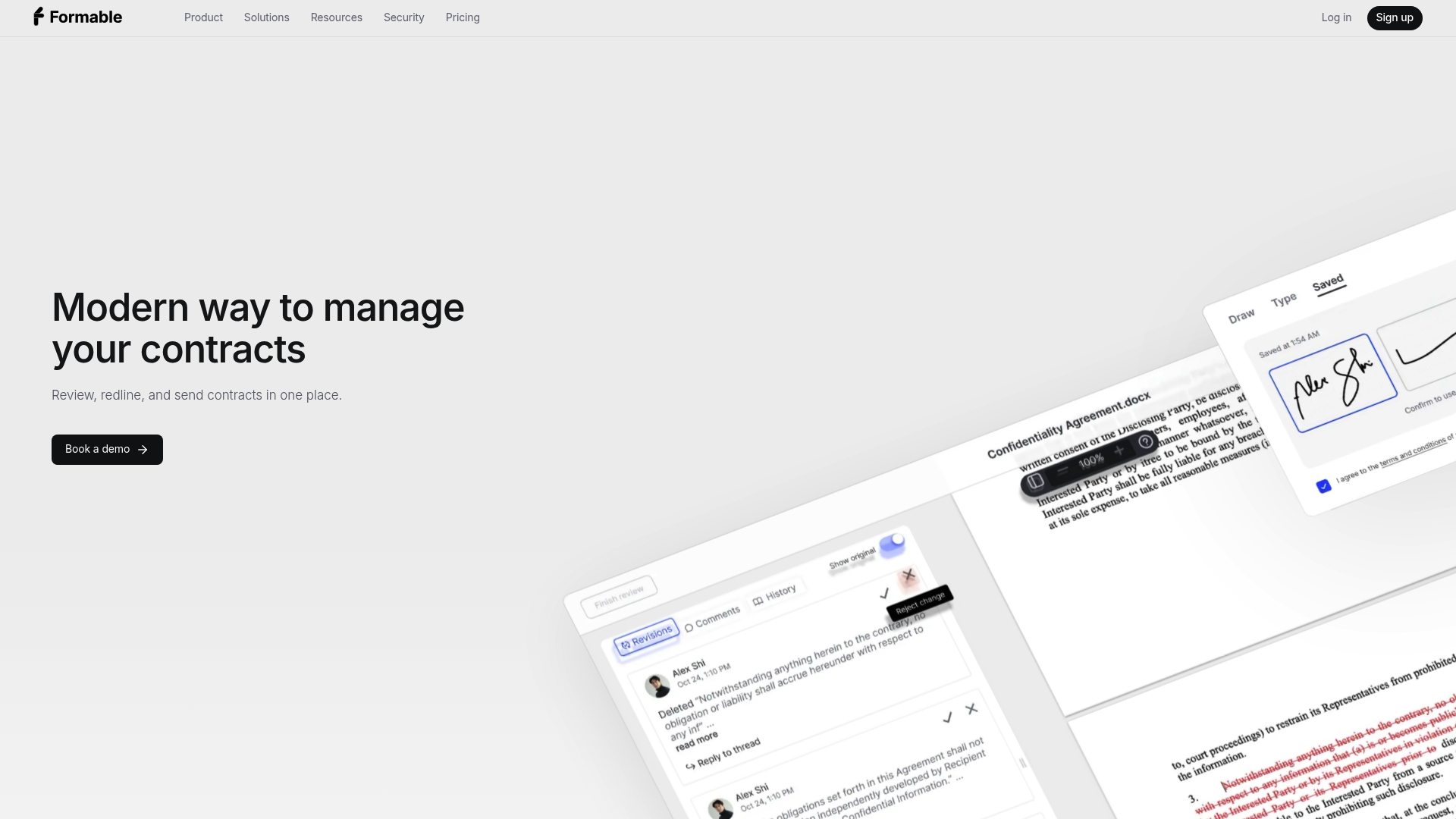
Start with two things: the contract creator for your next NDA or service agreement, and the templates library if you want a starting point rather than a blank typeform. Test the AI draft against a contract you've already negotiated manually, then compare the redlining experience using browser-native negotiation with an actual counterparty.
A short pilot should tell you what you need to know:
- How many edit rounds the AI draft needs before it matches your usual standard.
- Whether redlining cuts the number of email threads per deal.
- How long signing takes once both sides agree on terms.
| Action | Where to start | What to measure |
|---|---|---|
| Draft a test contract | Contract creator | Time to first usable draft |
| Review an existing contract | AI contract review | Clauses flagged as missing or risky |
| Negotiate with a counterparty | Browser-native negotiation | Number of redline rounds |
| Sign and store | E-Signing | Time from final draft to signature |
Pricing runs $29.99 per month for the Pro plan, and Growth at $29.99 per month for teams building on the API. Developer teams evaluating the embedded e-signing API or redlining API can review technical details before committing. If you manage recurring amendments, Formable's contract amendment flow is worth testing in the same pilot.
FAQ
What are the best contract management tools?
The strongest options depend on your workflow: Formable suits teams wanting AI drafting, review, and signing together, DocuSign suits teams prioritizing signature volume, and Ironclad or Agiloft suit enterprise legal operations with complex approval chains. PandaDoc fits sales teams bundling proposals with contracts, and Juro fits smaller teams wanting browser-native editing.
What is the best contract drafting software?
Drafting software that generates from a clause library, rather than filling a fixed template, adapts better to nonstandard deal terms. Formable's contract creator builds drafts from short answers and a clause library, while platforms like PandaDoc lean more on fixed templates.
What is CLM vs CRM?
Contract lifecycle management, or CLM, covers drafting, negotiation, signing, and tracking obligations across a contract's life. Customer relationship management, or CRM, tracks sales and customer interactions, and the two typically integrate so signed contract data feeds back into sales records.
Which AI tool is best for drafting contracts?
A tool is well suited to AI drafting when it generates clauses from a structured library rather than filling static placeholders, and lets you edit that output manually or with further AI help. Formable's contract creator follows this approach, pairing a typeform-style intake with clause-library generation and built-in review.
How long does a contract tool pilot typically take?
A reasonable pilot runs 30 to 90 days: the first 30 days test drafting on low-risk agreements, the next 30 add real negotiation with a counterparty, and the final 30 measure cycle time against your prior process.