Construction and real estate teams need integrated contract workflow software, not a standalone signature tool. The right platform combines negotiation and redlining, AI-assisted contract review, an auditable e-signature trail, and APIs for embedding signing into your own systems. Under E-SIGN, electronic signatures generally hold up legally, but remote online notarization and recording rules still vary by state, so the software you pick has to account for both the deal and the paperwork behind it.
TL;DR:
- Effective contract workflow software must include negotiation and version tracking features to document each change proposal, not just signature capabilities.
- Electronic signatures are legally valid under E-SIGN, but remote notarization rules vary by state, requiring verification of local regulations and recording requirements.
- Redline and negotiation history are crucial for dispute resolution, especially to prove agreed-upon clauses, beyond just who clicked the sign button.
- Role-based permissions should be carefully configured to control who can view, comment, edit, approve, or sign, reducing unauthorized changes in complex projects.
- Integration with project management or CRM tools via APIs allows signed documents to automatically update project data, streamlining workflows and reducing manual entry.
What to look for in digital sign software for construction and real estate contracts
Signature-only tools solve one problem: getting a name on a document. Construction and real estate contracts create a harder problem, because the document that gets signed is rarely the document that started the negotiation. A general contractor's SOW might go through six rounds of redlines on payment schedules and change-order language before anyone reaches for a pen. If your software cannot show who proposed what and when, you have a signed PDF but no defensible record of how you got there.
Here's what actually matters when you evaluate a platform for MSAs, SOWs, NDAs, order forms, and amendments tied to a project:
- Negotiation and redline audit trails. Clause-level history, version comparison, and a clear record of who proposed each change and when it was accepted.
- Signing evidence. A timestamped audit trail with IP and geolocation metadata, plus a saved signed PDF with an embedded hash so the file can't be quietly altered after the fact.
- Notarization and recording compatibility. Confirmed remote online notarization (RON) support, or a documented fallback for wet-ink execution where local recording offices still require it.
- APIs and embedded signing. Webhook callbacks, signature receipt URLs, and programmatic retention so developer teams can build signing into their own product instead of routing users to a third-party site.
- AI review and playbooks. Intake flags, required-clause checks, and adjustable risk thresholds that catch missing indemnification language or unusual payment terms before anyone signs.
- Template and clause libraries. Standardized SOWs, change-order workflows, and amendment templates so every project team isn't reinventing contract language from scratch.
- Security and retention. Encryption at rest and in transit, exportable originals, and retention long enough to cover statute-of-limitations windows on construction defect claims.
Score vendors against this list before you score them on price. A cheaper tool that can't produce clause-level provenance in a dispute will cost you far more than the subscription saved.
How do e-sign methods and redlining actually differ?
Not all "electronic signatures" carry the same evidentiary weight, and the differences matter more in construction disputes than most teams realize.
Basic, consent-based signatures (an email click-through or a typed name in a checkbox field) satisfy E-SIGN's definition of an electronic signature in most contexts. They prove intent to sign, but on their own they say nothing about what language the parties actually negotiated.
Digital signatures using PKI (public key infrastructure) add cryptographic proof that the document wasn't altered after signing. That's a stronger evidentiary claim, but it still doesn't capture negotiation history unless the platform links it to one.
Redlining and version control close that gap. The real risk in a construction dispute usually isn't proving who clicked "sign." It's proving which version of the retainage clause both sides actually agreed to. Industry reviews of real estate contract management platforms consistently flag negotiation traceability as the differentiator that matters once a disagreement turns into litigation. A signature alone rarely settles that question; a redline history attached to the final signed file usually does.
Remote online notarization (RON) substitutes for in-person notarization in many states, typically requiring a recorded audio/video session and identity authentication. But state RON rules vary widely, and some recordable real estate instruments still need a wet-ink original depending on the county recorder's own requirements.
Embedded signing raises a separate question for developer teams: redirect flow or embedded iframe? Either works, but whoever builds the integration owns retention. Webhooks and signature receipt URLs confirm an event happened; they don't store the signed document. Your system still has to persist the final PDF and its metadata somewhere that meets the reproduction standard E-SIGN sets.
AI contract review rounds this out by screening documents at intake against a playbook, flagging missing indemnification clauses or nonstandard payment terms before a human even opens the file.
Pro Tip: If your team can't reconstruct, six months from now, exactly which redline turned a typical payment term into a longer one, your audit trail has a gap. Test this before you go live, not after a dispute lands.

Deploying a defensible e-sign workflow: an implementation checklist
Moving from ad hoc PDFs and email chains to a structured workflow doesn't happen overnight, but it doesn't need to take a quarter either. Follow this order:
- Map your contract inventory. Separate documents that need notarization or county recording from those that don't. Deeds and some liens will need special handling; most SOWs and NDAs won't.
- Build playbooks and clause checklists. Upload your standard templates and configure approval routing so high-risk clauses (indemnification, liquidated damages, retainage) trigger a review step automatically.
- Set identity-verification levels per document risk. Email plus two-factor authentication is fine for an NDA. A construction loan document or anything tied to a lender may need a certified digital signature instead.
- Decide your embedding approach. Pick sender-hosted workflow or embedded API integration, then test webhook callbacks and signed-document exports before rollout, not after.
- Train senders and approvers. Document the exception path for anything still requiring wet-ink signature, then run a pilot on a handful of active projects before a full switch.
- Measure outcomes. Track cycle time from send to signature, the number of documents returned for manual correction, and whether your audit trail is complete for every closed deal.
Legal practitioners who advise on e-signature adoption consistently push the same point: standardized internal process controls matter as much as the vendor's enforceability claims. A platform can be fully compliant on paper and still fail you if your team skips identity verification steps or routes around approval gates under deadline pressure.
Is e-signing legally valid for real estate and construction contracts?
Yes, with limits. E-SIGN (15 U.S.C. §7001) generally prevents a court or counterparty from denying legal effect to a contract solely because it was signed electronically. That's the baseline, and it covers the vast majority of MSAs, SOWs, NDAs, and order forms your team will send.
It's not unconditional, though.
- E-SIGN does not override other statutory requirements, including notarization and specific original-form retention rules.
- Retention matters at the format level: a record that can't be retained and accurately reproduced later can lose its enforceability even if it was validly signed, per the statute's own preservation language.
- RON adoption differs by state. Many states now permit remote online notarization, but the technical requirements (recorded sessions, credential analysis, approved notary platforms) aren't uniform, and some recordable instruments still need wet-ink execution depending on the local recording office.
- HUD guidance for FHA-insured transactions accepts electronic signatures on many closing documents, but specific documents remain excluded and additional authentication steps apply. Lender-side loan documents deserve a second look before you assume full electronic execution is fine.
The record has to be capable of being retained and accurately reproduced for later reference by all parties. That single clause in E-SIGN is why exporting a signed PDF and its metadata to durable storage isn't optional, it's the difference between an enforceable contract and a technically-signed one that a court can disregard.
Confirm state RON rules and lender-specific restrictions with counsel before you assume a document can go fully electronic. The statute gives you a strong default; it doesn't remove the need to check exceptions.
Who should have access to what in a construction or real estate contract workflow?
Role-based permissions matter more on a construction project than on a typical B2B sales contract, because the signer list is longer and the stakes of a wrong approval are higher. A subcontractor's redline shouldn't reach the general contractor's legal team without a check; a broker's client-facing draft shouldn't be editable by every agent in the office.
Structure permissions around three questions: who can view a document, who can edit or redline it, and who can approve or sign it. Those are three different levels, and collapsing them into one "everyone with the link" tier is how unauthorized changes slip into a final draft.
A workable structure for project teams usually looks like this:
- Field teams and project managers get view and comment access on active SOWs and change orders, without edit rights on payment or liability terms.
- In-house counsel or contract administrators hold redline and approval authority on anything above a defined dollar threshold.
- External parties (subcontractors, brokers, agents) get scoped access limited to the specific document they're party to, not the full deal room.
- Admins control template libraries and playbook thresholds, since a misconfigured clause checklist affects every contract that follows it.
Set these permissions at the workflow level, not per document, so a new project inherits the right structure automatically instead of relying on someone remembering to lock down access each time.
Can field teams sign contracts from a job site with no signal?
On-site conditions are the practical reason "digital signature" and "mobile-friendly" aren't automatically the same thing. A superintendent standing in a half-finished structure with no cell signal can't wait for a desktop workflow that assumes a stable connection.
Mobile-first signing solves the immediate problem: a subcontractor can review and sign a change order from a phone between site walks, without printing anything or driving back to an office. But true offline capability is rarer and worth checking specifically. Some platforms let a signer complete a document locally on a device and sync the signed record once connectivity returns, preserving the timestamp of the actual signing event rather than the sync time. That distinction matters for construction crews working in remote locations or basement levels where signal is unreliable.
Ask any vendor directly whether signing requires an active connection at the moment of signature, or only for the initial document load. The answer changes how you plan rollout for field-heavy roles versus office-based approvers, and it's the kind of detail that only surfaces once a crew is already stuck without signal on a deadline day.
Does it connect to the tools you already run projects on?
A contract platform that lives in isolation from your project management and CRM tools just creates another login and another place for a document to go stale. The real value shows up when a signed SOW or amendment automatically updates the project record, instead of someone manually copying a status from one system to another.
For real estate brokers, that usually means a CRM connection: a signed offer or listing agreement should update the deal stage without a manual entry step. For construction teams, it means a link to whatever project management system tracks budgets, schedules, and change orders, so an executed change order reflects immediately in the project's cost basis rather than sitting in an inbox for a week.
APIs are what make this possible. A platform with webhook callbacks can notify your project management or CRM system the moment a document is signed, triggering the next step in your workflow automatically. That's a meaningfully different experience from exporting a signed PDF and re-entering the same data by hand into three separate systems.

If your team is evaluating build-versus-buy for this connection, ask whether the platform's embedded signing API exposes the events you actually need (sent, viewed, redlined, signed, declined) or only a final "completed" status. The narrower the event data, the less useful the integration becomes for anything beyond a basic status update.
What compliance issues go beyond e-signature law?
E-SIGN and state RON statutes cover whether a signature is valid. They say nothing about whether the underlying document is enforceable under the rules specific to construction or real estate transactions, and that gap catches teams off guard.
Building codes and permitting requirements don't care how a contract was signed. A signed change order that authorizes work outside the scope of an issued permit is a compliance problem regardless of signature method. Contract software can flag that a change order exists and route it for approval, but it can't substitute for a permit review, so the workflow still needs a human checkpoint tied to jurisdiction-specific code requirements.
Real estate transaction regulations add another layer. Disclosure requirements, agency relationship rules, and fair housing obligations vary by state and sometimes by municipality. A digital signing workflow can enforce that a disclosure form gets sent and signed before closing, but it can't verify that the disclosure content itself meets your state's specific requirements. That's a drafting and compliance question, not a signature question.
The practical takeaway: use AI contract review and playbooks to catch missing clauses and flag risk, but keep a licensed professional in the loop for anything touching code compliance or transaction-specific disclosure rules. Software reduces the manual burden of tracking these requirements; it doesn't replace the judgment call on whether a specific document satisfies them.
How do you manage signing across contractors, clients, and agents?
Multi-party signing on a construction or real estate deal rarely follows a clean, linear path. A general contractor, a subcontractor, a client's in-house counsel, and sometimes a lender's representative might all need to touch the same document, often in a specific sequence that matters legally.
Sequential routing solves the most common failure mode: a subcontractor signing before the general contractor has approved final terms. Configure signing order so approvals happen before signatures, not after, and build in a hold step for any party who needs to review a redline before their signature request even goes out.
Parallel routing works better when parties are independent of each other, like a buyer and seller's separate agents signing a disclosure acknowledgment that doesn't depend on the other party's action. Mixing sequential and parallel routing in a single workflow, rather than forcing everything through one linear chain, usually reflects how these deals actually move.
A few practices consistently reduce friction across stakeholders:
- Confirm each party's required authentication level before sending. A lender may need certified digital signatures where a subcontractor's acknowledgment only needs email verification.
- Set expiration reminders so a document doesn't sit unsigned in an agent's inbox for two weeks without anyone noticing.
- Keep a single audit trail across all parties, not a separate log per signer, so a dispute later doesn't require reconstructing the sequence from five different systems.
What we've seen change when contract workflows get unified
Teams that move off scattered PDFs and email threads tend to notice the same shift first: SOW signoffs stop taking a week of back-and-forth and start closing in days, because redlines and signatures live in one place instead of three inboxes. The bigger payoff shows up later, when a dispute surfaces and someone needs to prove exactly which payment clause both sides agreed to. A unified audit trail settles that argument fast; scattered email threads rarely do.
If you're rolling out a workflow like this, track three numbers from day one: cycle time from send to signature, the number of disputes where your audit trail actually resolved the question, and the count of manual exceptions your team had to route around the system. Those three tell you whether the tool is working, better than any vendor pitch will.
Where Formable fits into your evaluation
If you scored your options against the checklist earlier in this article, Formable is built to answer most of it in one place instead of stitching together a signing tool, a redlining tool, and a separate review process. Negotiation and redline history live alongside the e-signing step, so the final signed document carries its own negotiation trail rather than losing it once someone hits send. The AI contract review engine screens intake against your playbooks and flags risk before a document reaches the signature stage, and the contract creator keeps your SOW, NDA, and amendment templates consistent across every project team.
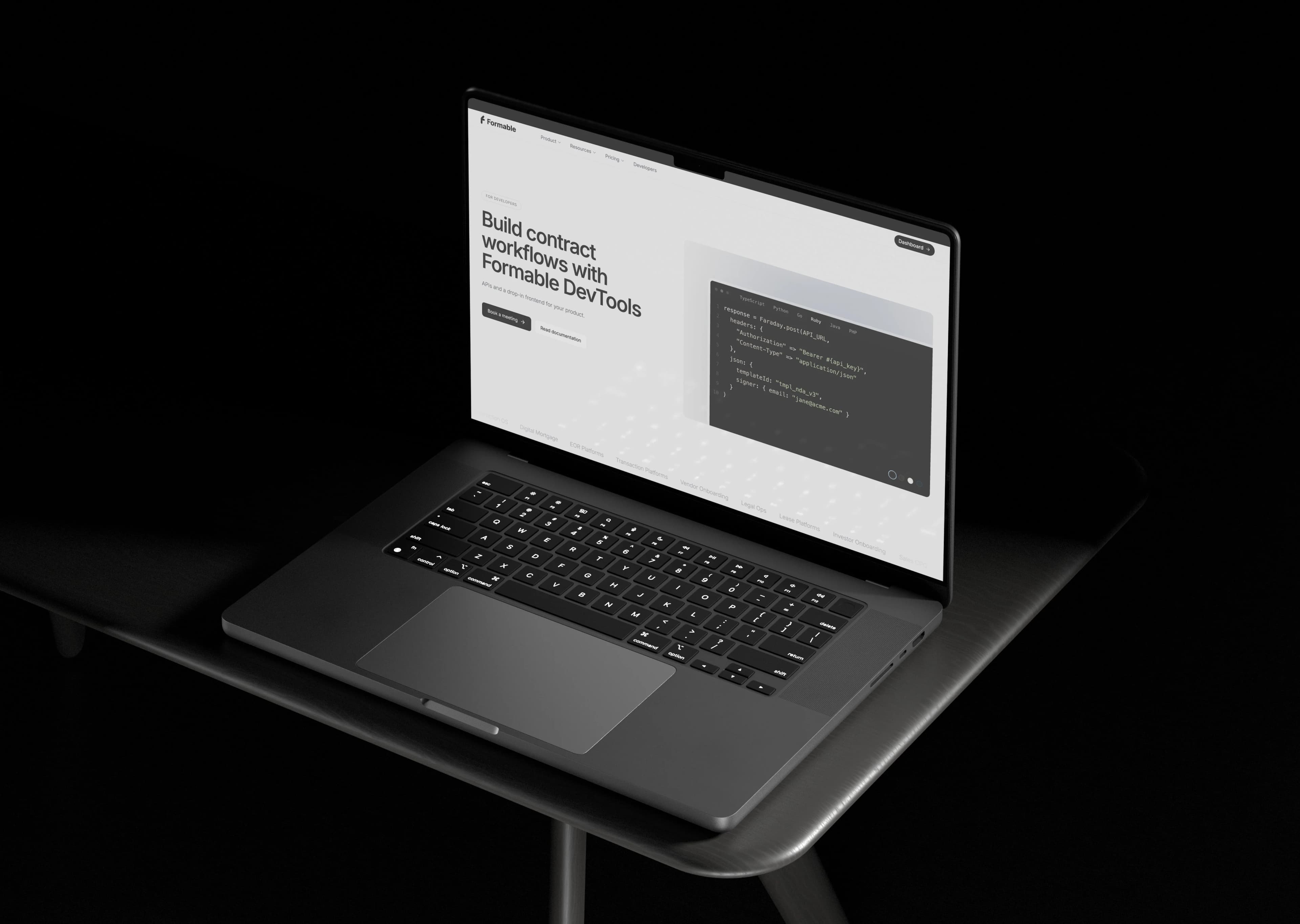
For developer teams building signing directly into internal tools or client-facing products, the embedded e-signing API handles webhook callbacks and signature events without forcing you to redirect users off your own platform.
One caveat worth repeating: verify RON eligibility and recording requirements with counsel for any document tied to a specific state's notarization rules. No software replaces that check.
Start with a look at Formable's pricing, which runs $29.99 per month on the Pro plan for teams that need negotiation and e-signing together, or explore the Growth API plan if your priority is embedding signing directly into your own product.
This article is general information, not a substitute for advice from a qualified lawyer. Consult a qualified legal professional about your own circumstances before acting on anything here.
Sources
- § 7001. General rule of validity (a) In general (b) Preservation of rights and obligations (c) Consumer disclosures (1) Consent to electronic records
- E-signatures: When they’re legal and best practices for implementation | ArentFox Schiff
- state-by-state notarization laws: which states allow remote e-notarization in 2026
FAQ
Is electronic signing legally valid for construction contracts?
Yes. Under E-SIGN, an electronic signature generally can't be denied legal effect solely because it's electronic, and this covers most construction MSAs, SOWs, and change orders. It doesn't override separate notarization or recording requirements that may apply to specific instruments.
Does remote online notarization work for real estate closings?
RON is authorized in many states, but the technical requirements vary by state, and some recordable instruments still need wet-ink signatures depending on the local recording office. Confirm your state's specific rules before relying on RON for a closing document.
Why does redlining history matter if the document is already signed?
A signature confirms someone agreed to a document; it doesn't prove which version of a disputed clause both sides actually negotiated. In construction disputes, proving the exact negotiated language is often more decisive than proving who signed, which is why systems that attach redline provenance to the final file reduce litigation risk.
What does Formable cost for a real estate or construction team?
Formable's Pro plan is $29.99 per month and covers negotiation, redlining, and e-signing in one workflow. Enterprise and Developer plans have pricing available on request through Formable's pricing page.
Can e-signature software integrate with our project management or CRM tools?
Most platforms with a webhook-based API can push signing events (sent, signed, declined) into a connected CRM or project management system automatically. Confirm the exact events exposed before you build the integration, since some platforms only report a final completion status rather than the full signing lifecycle.