The best DocuSign alternative depends on what you do with a contract besides signing it. If you only need signatures, a lighter e-signature tool will do. If your deals go through redlining, review and approval first, pick a platform that handles those steps. If you ship signing inside your own product, pick an API-first provider. Below we compare the real options by price, features and fit, including our own, Formable.
TL;DR
- E-signatures are legally valid in the US under federal law, so the choice comes down to workflow, price and integrations, not validity.
- For plain signing, Dropbox Sign, Adobe Acrobat Sign, SignWell and the open-source tools cover most needs at a lower cost.
- For sales and GTM teams, the real cost is the back and forth before signature. Platforms that include drafting, AI review and redlining remove it.
- Formable combines contract creation, AI review, negotiation, e-signing and an API in one workflow, with Pro at $29.99 per month.
- Compare billing units (per user, per envelope, per API call) before you compare headline prices.
Why teams look beyond DocuSign
Most teams do not leave DocuSign because signing is bad. They leave for three reasons.
- Cost structure. Per-seat pricing and envelope limits get expensive as volume grows.
- Scope. Signing is the last step. The slow part of a deal is usually the weeks of edits, comments and approvals before it.
- Developer needs. Product teams want signing and redlining embedded in their own app, with usage-based pricing that matches how they grow.
That gives you three categories of alternative, and it helps to decide which one you are shopping in before you read feature lists.
| Category | What it solves | Examples |
|---|---|---|
| Simple e-signature | Collecting signatures cheaply | Dropbox Sign, SignWell, DocHub, Signaturely |
| Document and proposal platforms | Quotes, proposals and payments with signing | PandaDoc, Jotform Sign |
| Contract workflow and CLM | Drafting, review, negotiation, signing, tracking | Formable, Icertis |
| Open source and API-first | Self-hosting, embedding, full control | Documenso, DocuSeal, Formable APIs |
Are DocuSign alternatives legally binding?
Yes. In the United States the federal ESIGN Act states that a signature, contract or record may not be denied legal effect solely because it is in electronic form. You can read that rule in 15 U.S.C. § 7001. Most states also have their own version of the Uniform Electronic Transactions Act.
The law is not what separates providers. What separates them is the evidence they keep. Before you buy, check that the tool gives you:
- A timestamped audit trail for every action on a document: sent, viewed, signed.
- Clear identification of each signer, such as email verification or optional extra authentication.
- Tamper-evident final documents that you can store and produce later.
- Encryption in transit and at rest.
Some document types carry special rules, such as certain wills, court documents and some real estate or notarized items. If you handle those, ask your general counsel or outside lawyer before moving them to any e-signature tool. Our own approach to signature validity and security is on our security page.
The main DocuSign alternatives compared
Prices below come from the sources linked in each row and change often, so confirm them on the provider's pricing page before you buy. Where a source did not list a figure, we leave it out rather than guess.
Formable
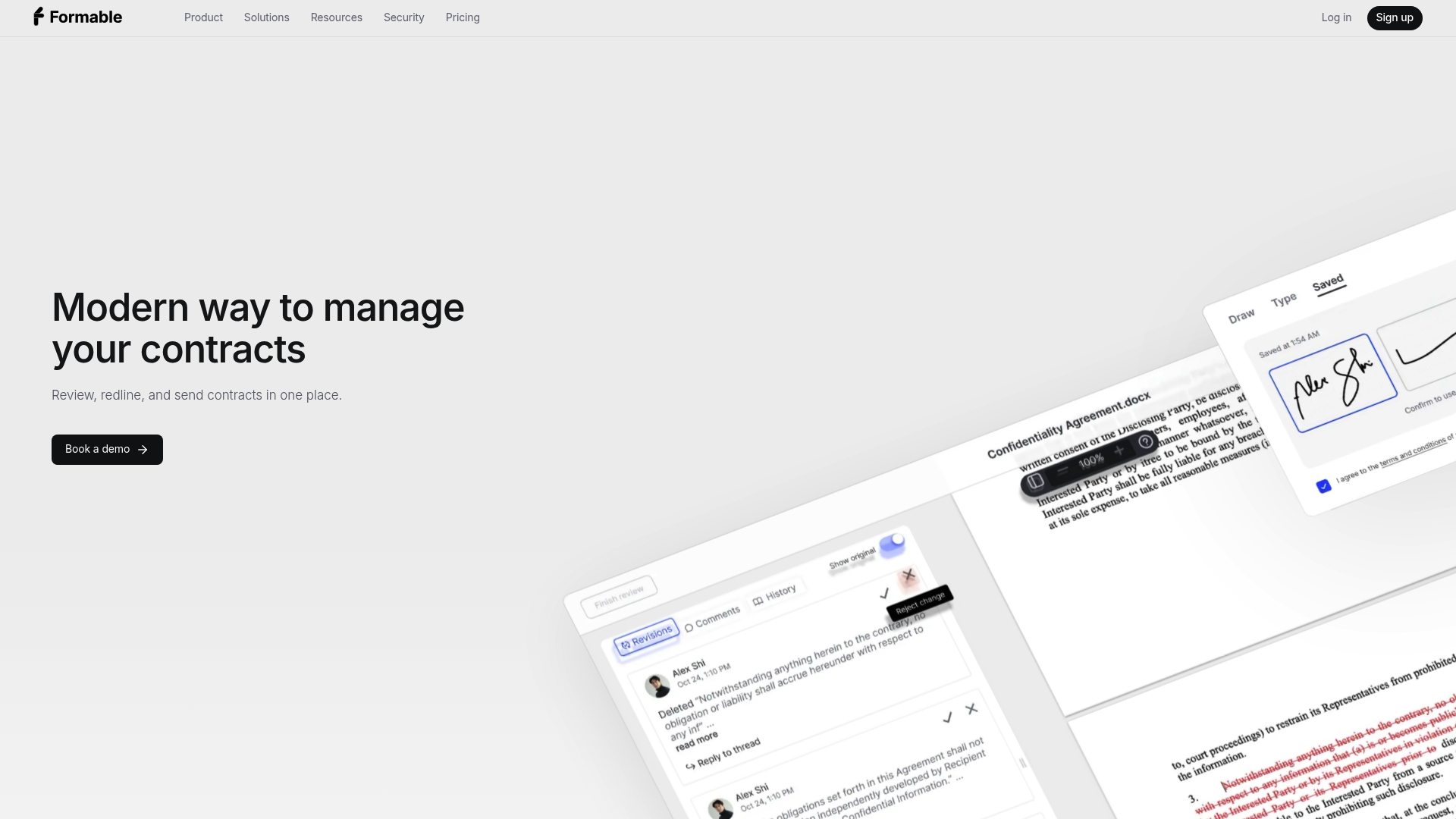
Formable is a contract management platform built for startups and go-to-market teams that close agreements such as MSAs, DPAs, SOWs, LOIs, order forms, NDAs and pilot agreements. It is not only an e-signature tool. In one workflow you can:
- Generate agreements from templates combined with generative AI.
- Run AI contract review from intake, upload your playbook and flag risks and missing clauses automatically.
- Send agreements out for browser-native negotiation so both sides redline in one place.
- Collect signatures with built-in e-signing, with audit trails and a team dashboard.
- Integrate through APIs for embedded e-signing and redlining.
The Pro plan is $29.99 per month and the Growth API plan is also $29.99 per month. Basic, Enterprise and Developer details are on the pricing page. It suits teams that lose time between draft and signature, and developers who want signing inside their product. We also keep a hub of Formable comparisons if you are weighing us against other tools.
Dropbox Sign
Dropbox Sign offers templates, automated reminders, integrations with Salesforce, HubSpot, Google Workspace, Box and SharePoint, embedded signing through APIs, and encryption in transit and at rest. TechTarget's 2026 roundup reports Essentials at $15 per month and Standard at $25 per user per month when billed annually. It is a solid pick if your files already live in Dropbox and you just need signatures. If negotiation is your bottleneck, see how we compare in our Dropbox Sign alternative guide.
Adobe Acrobat Sign
Acrobat Sign supports signing without downloads, web forms, mobile document capture, templates, reminders and integrations including Salesforce, Zoho CRM, SAP SuccessFactors, Microsoft and Box. TechTarget describes it as better suited to enterprise customers and reports Acrobat Standard for teams starting at $14.99 per user monthly, per the same 2026 roundup. It fits organizations already standardized on Adobe PDF tools.
PandaDoc
PandaDoc supports document creation and bundles proposals, contracts, e-signatures and payment collection in one flow, which is why sales teams like it. It leans toward quotes and proposals more than toward multi-round legal negotiation. If your deals involve counterparties marking up your paper, read our take on a PandaDoc alternative for contracts that need negotiation.
SignWell, DocHub and Signaturely
These are light tools for freelancers and small teams. Zapier's 2026 comparison lists SignWell and DocHub among its options, and StackScored's April 2026 pricing snapshot lists free plans for PandaDoc, Dropbox Sign and SignWell, with trials ranging from 7 to 30 days. Free plans work for occasional signing. They tend to run out once you need branded templates, many users or an API.
Documenso and DocuSeal
Both are open source. Zapier lists DocuSeal as free with managed plans from $20 monthly and Documenso as free with managed plans from $30 monthly. Self-hosting gives you control over data and customization, and it also gives you the maintenance: updates, uptime, security patches and compliance evidence become your job. Good for engineering-led teams with the capacity to run it.
Other names on the shortlist
Zapier's list also includes airSlate SignNow, eSignatures.com, Zoho Sign, Signable, Signeasy, Xodo Sign, Box Sign, Google Drive eSignature, PDF Expert and Smallpdf. TechTarget adds Jotform Sign, which it describes as offering workflow automation, and ReadySign. Zoho Sign makes sense if you run on Zoho, Box Sign if you live in Box, and Google Drive eSignature if you want something basic inside Workspace.
Icertis and other CLM suites
If you need full contract lifecycle management, signing is a small part of the purchase. ERP Research describes Icertis as supporting self-service contract intake, AI summaries, amendment and termination workflows, obligation tracking and integrations including SAP, Microsoft Dynamics 365 and Workday. These suites suit large enterprises with procurement and ERP needs, and they come with implementation projects. Most startups do not need that weight.
Side by side: price and fit
| Option | Best for | Price signal | Notable strength |
|---|---|---|---|
| Formable | Startups and GTM teams, developers | Pro $29.99 per month; Growth API $29.99 per month | Drafting, AI review, negotiation and signing in one place |
| Dropbox Sign | Dropbox users, SMB and API users | Essentials $15 per month; Standard $25 per user per month, billed annually | Integrations and embedded signing |
| Adobe Acrobat Sign | Adobe-centered enterprises | Acrobat Standard from $14.99 per user per month | PDF-native workflow |
| PandaDoc | Sales proposals and quotes | Free plan listed in April 2026 snapshot | Proposals with payments |
| SignWell | Freelancers, small teams | Free plan listed in April 2026 snapshot | Simple signing |
| DocuSeal | Self-hosting teams | Free; managed from $20 per month | Open source |
| Documenso | Self-hosting teams | Free; managed from $30 per month | Open source |
| Icertis | Large enterprises | Quote-based | Obligation tracking, ERP integrations |
Treat price rows as starting points. Billing units differ: some charge per user, some per document, some per API call. As the StackScored snapshot notes, embedded-signing API offers and usage limits need to be checked separately from the main plans.
How to choose
Work through these questions in order.
- What is slow today? If signatures are slow, a simple tool fixes it. If drafting, legal review or counterparty edits are slow, you need a workflow tool.
- Who edits your contracts? If customers mark up your paper, you want redlining and version tracking built in, not email attachments.
- How many documents a month? Count your volume at 3x. Per-envelope limits and overages are where costs jump.
- Do you need an API? If you embed signing in your product, compare API pricing, webhooks, and whether the signing page can sit inside your UI.
- Which systems must it connect to? CIOPages advises prioritizing integration depth with core systems like CRM and ERP when evaluating CLM options.
- What will legal ask for? Audit trails, retention, access controls and a clear security story.
A worked example
Take a ten-person SaaS company sending about 40 agreements a month: a mix of NDAs, order forms and a few MSAs with security addenda. Signing takes minutes. The edit cycle takes days, because every MSA goes back and forth by email with someone checking it against a clause list.

A signing-only swap saves a few dollars on the license and changes nothing about the cycle. A platform that reviews incoming paper against your playbook, flags missing clauses, lets both sides redline in the browser and signs in the same place attacks the days, not the dollars. That is the case we built Formable for.
What Formable does differently
Most alternatives replace DocuSign's signing step. We start earlier. Our users review contracts at intake, upload a playbook and let AI catch risks and missing clauses. They send agreements out for negotiation, so both parties align on terms before signing. Then they sign in the same workflow, with the audit trail attached.
For developers, we offer an embedded e-signing API and a redlining API with usage-based pricing. Our write-up on affordable e-signature API integration walks through the integration effort, and our Growth and Developer plans are listed on the API pricing page. If cost is your main driver, our page on a cheaper DocuSign alternative with unlimited documents explains how we handle volume.

Try Formable for your next contract
If your deals stall between first draft and final signature, start with one real agreement. Create it from a template, run the AI review, send it for negotiation and sign it. You will see quickly whether one workflow beats several apps. Our Pro plan is $29.99 per month.
Developers can start on the API pricing page. If you want to talk through your use case, reach out and we will walk through it with you.
Our perspective on switching from DocuSign
We see the same pattern with the teams that come to us. They did not choose DocuSign wrong. They outgrew the idea that a contract is a document to be signed.
For a startup or a GTM team, a contract is a negotiation. Terms move. Legal has a playbook. A customer's counsel sends back changes you did not expect. Every handoff between a drafting tool, an email thread, a review process and a signing tool adds delay and loses context.
So our advice is blunt. Do not shop on signature price alone. Map the path of one contract from first draft to countersignature, and count where it waits. Buy the tool that shortens the waiting, and make sure the signature it produces comes with a complete audit trail.
And if all you need is signatures, buy a simple tool. Not every team needs a platform.
— Alex
Migration tips if you switch
- Export first. Download your completed documents and audit certificates before you cancel anything. You will need them for records.
- Move templates by priority. Rebuild the five templates you use most, not all of them.
- Run in parallel. Send new agreements through the new tool while old envelopes finish in the old one.
- Check renewal terms. Look at your current contract's renewal and notice period so you do not pay for another term.
- Brief legal. Share how the new audit trail looks so counsel can confirm it meets your retention needs.
FAQ
What is a similar tool to DocuSign that is free?
Several tools have free plans. StackScored's April 2026 snapshot lists free plans for PandaDoc, Dropbox Sign and SignWell, and DocuSeal and Documenso are free to self-host. Free plans usually cap documents or features, so check the limits against your monthly volume.
Are open-source alternatives safe to use?
They can be, but safety depends on who runs them. Self-hosting means your team handles updates, access control, backups and audit evidence. Managed plans shift some of that to the vendor. Ask your security lead to review either option before you move contracts over.
Can I replace DocuSign if I need an API?
Yes. Dropbox Sign offers embedded signing through APIs, and we offer an embedded e-signing API and a redlining API. Compare pricing units, webhooks and how much of the signing experience you can brand and control.
Is an alternative's signature as binding as DocuSign's?
Under the federal ESIGN Act, an electronic signature cannot be denied legal effect only because it is electronic. Whether it holds up in a dispute depends on intent to sign, clear signer identification and a reliable record. Confirm your provider keeps a timestamped audit trail, and ask a lawyer about special document types.