
The fastest way to get a signed mutual NDA is Formable's free mutual NDA creator, a guided form that turns your answers into a ready-to-sign document built on Common Paper's standard structure. If you'd rather start from a static file, several free downloads work well too.
- Guided and e-sign ready: Formable's contract creator walks you through parties, terms, and disclosure rules, then generates a document.
- PDF or Word download: Common Paper, Cooley GO, eForms, and nondisclosureagreement.com all publish free versions you can edit offline.
- Pick based on speed: use the generator when you want something signable today; download a Word file when you need heavy editing first.
One caveat before you go further: this article explains common practice, not legal advice. For high-value IP or complex deal terms, have an attorney review the final draft.
Key Takeaways
A free mutual NDA template works for most low and medium-risk deals, but the definition of confidential information and the term length are the two clauses that determine whether it actually protects you.
| Point | Details |
|---|---|
| Start with a guided creator | Formable's mutual NDA creator turns answers into a ready-to-sign draft based on Common Paper's structure. |
| Choose format by next step | Use Word for heavy edits, PDF for sending as-is, and a generator when you want guided assembly. |
| Get the definition right | Draft confidentiality definitions broad enough to cover real disclosures but specific enough to avoid disputes. |
| Add survival and return terms | Confidentiality obligations should outlive the agreement, and return or destruction timing should be explicit. |
| Escalate for high-stakes deals | Bring in an attorney for major IP, equity deals, or cross-border arrangements; use a template for everything else. |
| Sign and store with an audit trail | Formable pairs guided drafting with embedded e-signature and secure storage in one workflow. |
Free mutual NDA templates and formats: what's available
Not every free template is built the same way, and the differences matter more than most people expect. Some are drafted by law firms for their own clients. Others are committee-drafted standards meant to be reused across industries without much modification. Knowing which type you're grabbing saves you from awkward renegotiations later.
Common Paper's mutual NDA is drafted by a committee of attorneys and structured around a short cover page plus a set of Standard Terms that stay the same across every deal. That separation is what makes it easy to negotiate: you argue about the business terms on the cover page (names, term length, governing law) while the underlying legal language stays fixed and familiar to anyone who's used the standard before.
Cooley GO's mutual NDA form comes from Cooley, a law firm that built the document specifically for US companies. If you want language that already reflects how a corporate law firm drafts these agreements, this is a solid starting point, though it's less flexible for quick edits than a committee-drafted standard.
If a permissive license matters to you, general.legal's mutual NDA is released under a CC0 license, meaning you can use, modify, and redistribute it without attribution.

For pure speed, eForms and Nondisclosureagreement both offer direct PDF and Word downloads with no sign-up wall.
Match format to your next step:
- Word file: best when you plan to redline heavily before sending it out.
- PDF: best when the terms are settled and you just need something to send for signature.
- Guided generator: best when you want the document assembled from your answers rather than edited by hand.
How to fill a mutual NDA: fields and common choices
Every mutual NDA asks for roughly the same information. Getting these fields wrong is the most common reason a template ends up unenforceable or, worse, ambiguous exactly when you need it to hold up.
- Name the parties precisely. Use full legal entity names, not "we" or a product brand, and note the signatory's title so it's clear they had authority to bind the company.
- Define confidential information carefully. A workable definition is broad enough to cover what you're actually sharing but includes a short illustrative list (financial data, product designs, customer lists) so it doesn't read as circular or all-encompassing.
- State the purpose narrowly when it helps you. If you're only exploring a partnership, say so. A narrow purpose clause limits what the other party can legally do with your information, even if the definition of "confidential" is broad.
- Set a realistic term. Two to three years is common for a mutual NDA covering a business discussion; longer terms fit trade secrets or ongoing technical collaboration.
- Add a survival clause. Confidentiality obligations should outlive the agreement's expiration, otherwise the protection disappears the moment the term ends.
- List permitted disclosures. Name who can see the information beyond the signing parties, such as employees, affiliates, or outside accountants and attorneys, and require those representatives to honor the same restrictions.
- Pick a return or destruction process. Decide whether the receiving party must return materials, destroy them, or simply stop using them, and give a specific window (commonly 10 to 30 days) after the request.
- Fill in execution details. Add the effective date, complete signature blocks for both parties, and skip witnesses or notarization unless the specific deal requires it.
Pro Tip: Draft the confidentiality definition and the term length first. Everything else in the template tends to fall into place once those two decisions are locked, and they're the two clauses most likely to need real negotiation.
Formable's guide to creating a mutual NDA walks through each of these fields with examples if you want a second reference while filling one out.
Key clauses to review before you sign
Templates are a starting point, and legal practitioners consistently flag the same handful of clauses as the ones worth reading twice before you sign anything.
- Confidential information definition. Too broad ("all information exchanged between the parties") invites disputes over what's actually protected. Too narrow ("only information marked confidential in writing") lets casual verbal disclosures slip through unprotected. A workable middle ground names categories and adds a short list of examples.
- Exceptions to confidentiality. Every solid NDA carves out information that's already public, was known before disclosure, was developed independently, or must be disclosed under a legal order. Without these carve-outs, the agreement can trap information that was never really secret.
- Use and disclosure restrictions. This clause should say exactly what the receiving party can do with the information and who downstream they're allowed to share it with.
- Representatives. Define who counts as a representative (employees, affiliates, advisors) and make the disclosing party responsible for that person's compliance, since this is where accidental leaks usually start.
- Remedies. Injunctive relief language shows up in nearly every mutual NDA because monetary damages alone often can't undo the harm of a leaked trade secret. Be cautious of templates that pair this with rigid liquidated damages figures, which courts sometimes strike down as excessive.
- Termination and survival. Confirm how long confidentiality obligations survive after the agreement ends, typically a fixed number of years or an indefinite period for trade secrets.
- Choice of law and forum. The state named here affects how a court interprets ambiguous terms and where a dispute would actually be heard.
Poorly scoped confidentiality clauses cause the bulk of real-world NDA disputes, which is exactly why the definition deserves more attention than any other section of the document.
How to sign, execute, and store a mutual NDA
Electronic signatures are generally accepted for NDAs in the US, so there's rarely a reason to print, sign, and scan anymore. What matters more is picking a signing method that leaves a clear record behind.
- Choose a provider with an audit trail. You want a timestamped record of who signed, when, and from where, not just a signature image.
- Record the effective date and signatory capacity. Note the date the agreement takes effect and confirm each signer had authority to bind their organization.
- Store the executed copy somewhere secure and searchable. A shared drive works in a pinch, but a dedicated system with version history and access controls saves you when you need to find the document again in eighteen months.
- Keep a record of who has access. If confidential materials will move through several people, matching your storage access controls to your NDA's representative list closes an obvious gap. Resources on confidentiality and security practices cover this pairing well for teams handling sensitive data.
Formable's signing feature builds the audit trail and secure storage into the same workflow you used to create the document, so the signed NDA and its history live in one place instead of scattered across email threads.
When a free template is fine and when to call an attorney
A free template covers most everyday situations well. It stops being enough once the deal's stakes change.
- Use the template as-is for informal or exploratory talks. Early vendor conversations, low-value pilot discussions, and general business exploration rarely need a lawyer involved.
- Get legal review for high-value IP. If a patent application, source code, or a core trade secret is on the table, an attorney should confirm the definition of confidential information actually covers it.
- Get legal review for equity, partnership, or M&A-adjacent deals. These often involve representations and warranties that a standard NDA template was never built to handle.
- Get legal review for cross-border arrangements. Different jurisdictions treat confidentiality obligations and remedies differently, and choice of law clauses need to reflect that.
- Ask the attorney to check five things specifically: the definition of confidential information, any IP assignment language, enforceability of remedies, the survival period, and the choice of law clause.
One way to save billable hours: use Formable's contract creator to draft and redline the NDA internally first, then send counsel a document that's already close to final rather than a blank template.
How Formable's mutual NDA creator fits this workflow
Formable's guided contract creator uses Common Paper's structure as its starting template, so the document you end up with follows the same cover-page-plus-standard-terms approach that made Common Paper's original mutual NDA popular in the first place. You answer a short set of questions about the parties, term, and disclosure scope, and the platform generates a document from those answers.
- Redlining is built in, so both sides can negotiate specific terms before anyone signs.
- AI-assisted review flags common risk patterns, like an unusually broad confidentiality definition or a missing survival clause.
- E-signature and audit trails are embedded, so the document you generate is the same one you sign and store.
For a first NDA, that combination gets you from blank page to signed document faster than editing a Word file by hand.
An editorial take on the fastest safe path
The conventional advice on NDAs treats "free template" and "properly drafted" as opposites. That's backward. Common Paper's standard exists precisely because a committee of attorneys decided a reusable, well-drafted mutual NDA shouldn't require a fresh legal bill every time two companies want to talk business. The template quality problem was mostly solved years ago.
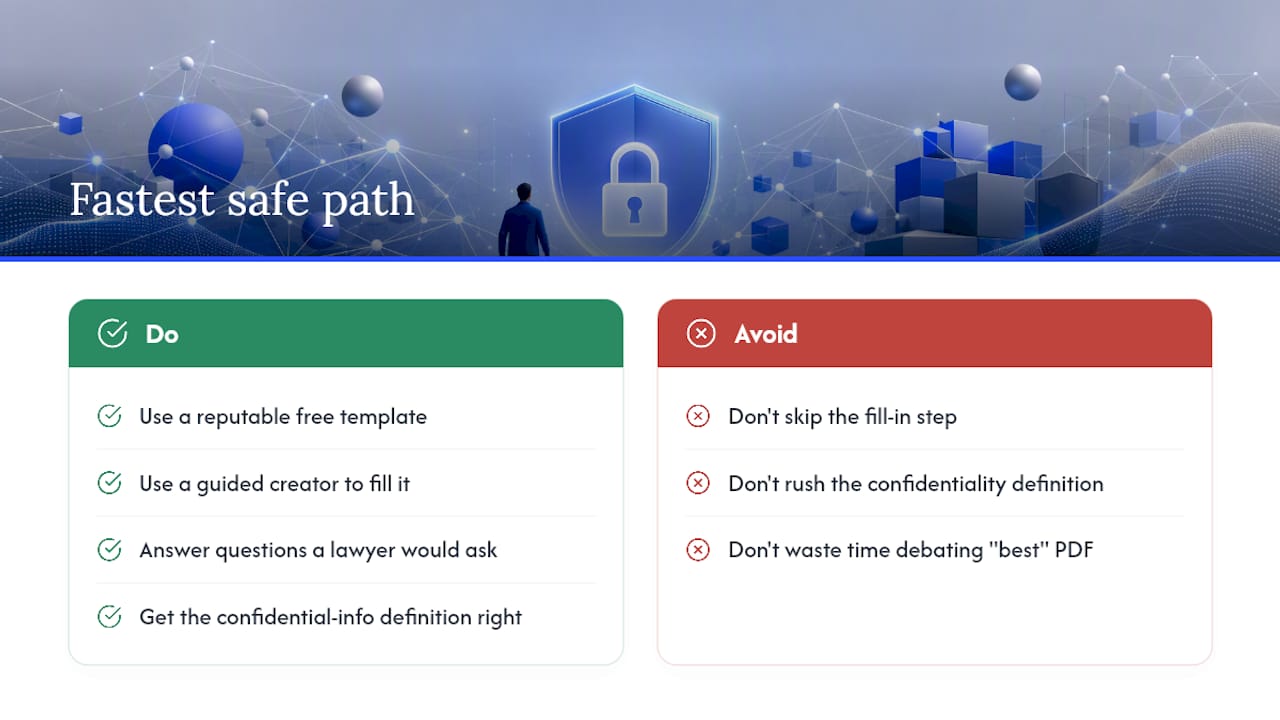
What's still genuinely hard is the fill-in step. Most disputes trace back to a rushed confidentiality definition or a missing survival clause, not a bad template. That's where a guided creator earns its place: it forces you to answer the questions a lawyer would ask anyway, in an order that catches the gaps a blank Word document lets you skip past.
My honest read: skip the debate over which downloadable PDF is "best" and spend that time on your definition of confidential information instead. Get that clause right, and almost any reputable free template will serve you well.
— Alex
Get a signed mutual NDA without the back and forth
Downloading a static PDF still leaves you with hours of manual editing, formatting, and a separate e-signature tool to track down. Formable's contract creator replaces all three steps with one guided flow: answer questions about your deal, get a Common Paper-based mutual NDA generated automatically, and send it for signature without leaving the platform.

It suits founders, small business owners, and anyone handling their own early-stage deals who wants a document that's already close to final rather than a template they have to rebuild from scratch. Redlining and AI-assisted review catch common risk patterns before signature, and the audit trail keeps a permanent record of who signed and when. Start your mutual NDA now and have a signable draft within minutes.
This article is general information, not a substitute for advice from a qualified lawyer. Consult a qualified legal professional about your own circumstances before acting on anything here.
Sources
- Free Non-Disclosure Agreement (NDA) Templates (21) - eForms
- Free Mutual Non-Disclosure Agreement (NDA) | PDF
FAQ
Where can I find a free NDA template?
Common Paper, Cooley GO, eForms, and nondisclosureagreement.com all publish free downloadable NDA templates, and Formable's contract creator offers a free guided version that generates a ready-to-sign draft.
Is there such a thing as a mutual NDA?
Yes. A mutual NDA protects confidential information flowing in both directions, unlike a unilateral NDA where only one party discloses secrets, and it's the standard choice when two companies are exploring a partnership or deal together.
Can I make an NDA for free?
Yes, using a downloadable template like Common Paper's or eForms' free versions, or by using a guided tool like Formable's contract creator, which produces a complete draft at no cost.
Can I write my own NDA?
You can, and for informal or low-value situations a well-chosen template is usually enough, but for high-value IP, equity deals, or cross-border arrangements, have an attorney review the definition of confidential information and the remedies clause before you sign.