
For most developer teams, we recommend starting a trial with Formable, TurboSign, or DocuSeal, depending on whether you need embedded contract workflows, TypeScript-first SDKs, or self-hosted control. Each covers the three things that matter most: typed SDKs that keep integration fast, embedded signing that keeps users in your product, and audit trails with trusted timestamps that hold up legally. Run a short prototype against your own API keys before committing.
TL;DR:
- TurboSign and Formable both provide typed SDKs, which help reduce runtime errors during integration and streamline development.
- Self-hosted options like DocuSeal and Documenso are suitable for teams with strict compliance needs, as they keep signing data within their own infrastructure.
- Verifying webhook signatures with HMAC and testing audit trail export details are critical steps to ensure compliance and security during platform trials.
- Focus on platforms that offer quick start, clear versioning policies, and reliable webhook retry mechanisms to minimize long-term maintenance risks.
- High-volume or regulated organizations should prioritize platforms with mature audit trails, strong compliance features, and formal support SLAs.
Which api-first e-sign platforms should developers shortlist?
Developers evaluating e-signature APIs are really comparing three things at once: how fast you can ship a working integration, how well the platform proves a signature happened when it happened, and whether the hosting model fits your compliance posture. The 19 platforms below cover the range from fully managed SaaS to self-hosted and open-source.
We list Formable first because it combines an embedded e-signing API with a redlining API and AI-assisted contract creation, so a developer building a GTM or legal tool gets signing, negotiation, and drafting from the same provider instead of stitching three vendors together.
- Formable: embedded e-signing API, redlining API, and AI contract creation in one workflow, best for startups and GTM teams that want contract drafting, negotiation, and signing without separate tools.
- TurboSign: TypeScript-typed SDKs and public developer repositories make it a strong pick for teams that want to prototype in an afternoon.
- DocuSeal: a self-hostable, open-source option for organizations that need signing infrastructure inside their own environment.
- DocuSign: broad enterprise integrations and a long compliance track record, aimed at larger organizations with existing procurement processes.
- PandaDoc: pairs proposal automation with signing, which suits sales-driven teams more than pure API consumers.
- SignNow: value-oriented API plans for mid-market teams that want straightforward signing without enterprise pricing.
- Dropbox Sign: a developer-friendly API that embeds easily for teams already living in the Dropbox ecosystem.
- Signbee: an API-first provider built around minimal API surface and one-call signing flows for fast integration.
- BoldSign: a generous free tier and enterprise features that scale with a growing team.
- SignWell: pay-as-you-go pricing that suits low-volume or seasonal signing needs.
- Anvil: combines document generation with signing, useful when you need to build the PDF and collect the signature in one API.
- Adobe Acrobat Sign: deep PDF tooling and enterprise support, a natural fit for organizations already standardized on Adobe products.
- Blueink: a compliance-oriented signing API positioned for regulated industries.
- Dropbox Sign (HelloSign): the same developer-friendly API under its original branding, still referenced in some integration docs.
- Documenso: an open-source signing project aimed at teams that want to audit or modify the signing stack directly.
- Firma.dev: a developer-focused signing service built around API simplicity.
- eID Easy: a signing provider with identity verification features suited to cross-border and regulated workflows.
- Zoho Sign: part of the Zoho suite, a reasonable choice for teams already using Zoho's other business tools.
- OneSpan Sign: an established enterprise e-signature platform with a long history in regulated financial workflows.
A handful of these stand out on specific technical claims. TurboSign and Formable both ship typed SDKs, which cuts down on runtime type errors during integration. DocuSeal and Documenso are the two genuinely self-hostable or open-source options on this list, useful if your compliance team requires signing data to never leave your own infrastructure. Blueink, OneSpan Sign, and Adobe Acrobat Sign lean hardest on compliance language in their own marketing, though the strength of an audit trail depends on implementation details like PAdES support and timestamp sourcing, not just a vendor's claim.
How the leading platforms compare on developer-critical features
Before you narrow a shortlist, it helps to see the technical dimensions side by side. The table below focuses on what a developer actually needs to verify during a trial: SDK coverage, embedded signing, webhook security, and audit trail strength.
A quick note on terminology: "typed SDK" means the library ships TypeScript type definitions out of the box, which catches integration errors at compile time rather than runtime. "Community SDK" means the typing or client library is maintained by outside contributors rather than the vendor itself, so treat it as a weaker guarantee. PAdES refers to a signature format specified for PDF documents that embeds cryptographic proof and timestamp data directly in the file, which strengthens a document's standing as tamper-evident. Vendor claims about compliance or PAdES support are worth verifying directly in the API documentation before you build around them, since marketing pages sometimes get ahead of what the API actually returns.
Pro Tip: Before writing any integration code, fire a test webhook from the vendor's dashboard and verify the HMAC signature on your end. If that step is undocumented or flaky, the rest of the integration will likely be too.

How to choose: a checklist before you commit to a platform
Picking an e-signature API is less about comparing feature lists and more about running a short, structured trial. Use this checklist with your own test account before signing a contract.
- Time a quickstart. Install the SDK and get a test signature request working; if it takes longer than an hour with the vendor's own sample app, that is a signal about ongoing integration cost.
- Confirm SDK typing. Check whether the SDK ships official TypeScript definitions or only a community-maintained wrapper.
- Test the embedded flow. Walk through an embedded signing session as both sender and signer to see whether it keeps users in your app or redirects them out.
- Verify webhook security. Send a test event and confirm the vendor signs payloads with HMAC and documents a retry policy for failed deliveries.
- Pull a sample audit trail. Request an exported audit log and check whether it includes signer IP, timestamp source, and document hash.
- Ask about timestamp sourcing. Find out whether timestamps come from a trusted timestamp authority or just the application server clock, since NIST guidance on signature timeliness recommends verifier-supplied nonces or TTA-backed timestamps for defensible proof of when a signature occurred.
- Check SSO and admin controls. If you plan to scale past a single integration, confirm the platform supports single sign-on and role-based admin.
- Get the uptime SLA in writing. Ask what uptime commitment applies to your plan tier, not just the enterprise tier shown in marketing materials.
When you talk to a vendor's sales or solutions engineer, ask direct questions: What are the rate limits on the free or developer tier? What exactly is in the legal evidence packet generated for a completed signature? Where are audit logs stored, and for how long? Is a trusted timestamp option available, or only a server-generated timestamp?
Watch for red flags during this process. Undocumented endpoints that only appear in support tickets suggest a thin developer experience. A platform with no official SDK, or only a community-maintained one, puts integration maintenance on you. Vague compliance language such as "fully compliant" with no mention of ESIGN, UETA, or audit trail specifics is worth pushing on directly.
Pro Tip: Ask for a sandbox environment with realistic rate limits, not just a demo account. Production-like constraints during testing catch problems that a frictionless demo will not.
Developer profiles: what to test first on each platform
Each platform below gets a short, practical note: what it is built for, how it is built, and the first thing worth testing in a proof of concept.
Formable centers on an embedded e-signing API paired with a redlining API, so a developer can let two parties negotiate contract terms in-browser before routing to signature, all from the same workflow. The platform also includes an AI-assisted contract creator for generating agreements from templates. A quickstart typically starts with embedding a signature request URL directly in your product, and our documentation on integrating e-signatures into a Node.js application walks through the first API call. What to test first: generate a signature request, embed it in a test page, and confirm the webhook fires on completion.
- TurboSign: ships TypeScript-typed SDKs and public developer repositories that make onboarding fast; test the sample app's signature roundtrip before writing custom code.
- DocuSeal: self-hostable with a Ruby-based API; test a local Docker deployment first to confirm it meets your infrastructure constraints before touching the hosted version.
- DocuSign: enterprise SDKs across Java, .NET, Node, and Python; test the sandbox rate limits early since enterprise accounts often have different throttling than trial accounts.
- PandaDoc: strongest when proposals and signing live together; test the document template engine alongside the signing API rather than signing in isolation.
- SignNow: straightforward REST API with Node and PHP support; test pricing against actual per-envelope volume since its value proposition depends on usage patterns.
- Dropbox Sign: easy to embed for teams already using Dropbox storage; test how signed documents sync back into existing Dropbox folders.
- Signbee: built around one-call signing flows; test how few API calls it actually takes to complete a full send-sign-complete cycle.
- BoldSign: generous free tier with .NET, Java, and Node SDKs; test where the free tier caps out in volume before assuming it covers production use.
- SignWell: pay-as-you-go pricing with a simple REST API; test the cost per signature at your expected volume against flat-fee competitors.
- Anvil: combines PDF generation with signing; test generating a document from a template and signing it in the same request chain.
- Adobe Acrobat Sign: deep PDF tooling with PAdES support; test how it handles complex multipage contracts with embedded form fields.
- Blueink: positioned for regulated workflows; test the audit trail export format against your compliance team's requirements first.
- Dropbox Sign (HelloSign): same core API as Dropbox Sign under legacy branding; test which documentation set your account actually references.
- Documenso: open-source and self-hostable; test the deployment process and confirm the community around the project is active enough to support long-term maintenance.
- Firma.dev: developer-focused signing with a simple API surface; test basic send-and-sign flows to confirm feature parity with larger vendors before scaling up.
- eID Easy: includes identity verification features; test the identity check flow if your use case requires stronger signer verification than email confirmation.
- Zoho Sign: integrates with the broader Zoho suite; test how signing events sync with other Zoho apps if you already use that ecosystem.
- OneSpan Sign: enterprise-grade with PAdES support, strong in financial services; test its audit log format against regulatory requirements specific to your industry.
Across all of these, the fastest way to separate a strong integration from a weak one is to avoid reading marketing copy and instead run the same three tests on each candidate: a signature roundtrip, a webhook delivery, and an audit trail export. The platform that handles all three cleanly in under an hour is usually the one worth a deeper trial.
How we evaluated these platforms
We built this shortlist around the criteria that actually determine integration cost for a developer: how complete the SDKs are, whether embedded signing keeps users in-app, how webhooks are secured, and how strong the resulting audit trail is. Where public developer footprint is visible, such as TurboDocx's GitHub repositories showing active SDKs and sample code, we treated that as a signal of ongoing maintenance rather than a one-time marketing claim.
We did not run formal latency benchmarks across every vendor, since published figures vary by region, plan tier, and test methodology, and a vendor's own numbers are not independently verifiable at the time of writing. Instead, we recommend developers run their own latency and reliability checks against a sandbox account before committing, since real-world performance depends heavily on your own infrastructure and request patterns. Compliance claims were checked against the general legal framework for electronic signatures in the United States rather than taken at face value from vendor marketing, and audit trail strength was assessed by what each platform documents it captures, not by assumption.
Support and SLA terms for developers
Support quality varies more than most comparison charts suggest. Enterprise-tier platforms like DocuSign, Adobe Acrobat Sign, and OneSpan Sign typically publish formal SLAs with uptime commitments and dedicated account support, but those terms often apply only above a certain plan tier or contract value. Smaller or developer-first platforms may offer community support or email-based support on free and low-cost tiers, with formal SLAs reserved for paid plans.
Before committing, ask directly what support channel applies to your plan: a shared support queue, a dedicated Slack channel, or an assigned engineer. Also confirm what uptime percentage, if any, is contractually guaranteed rather than just stated as a target on a status page. A platform that cannot answer this clearly in a sales conversation is unlikely to answer it well during an incident.
Versioning and backward compatibility of APIs
A signing API that breaks backward compatibility without notice can quietly fail production workflows. Look for platforms that version their API explicitly, whether through a URL path version or a header, and that publish a deprecation policy with a defined notice period before retiring an old version.
During a trial, check the API documentation for a changelog and a stated deprecation timeline. Platforms with mature SDKs, like those offering typed clients, tend to handle version changes more gracefully since the SDK itself abstracts some of the breaking changes. If a vendor cannot point you to a versioning policy or changelog, treat that as a maintenance risk rather than a minor gap.
Scalability and performance considerations
Signing volume tends to spike around specific events, such as sales cycles, hiring waves, or contract renewal periods, so the platform you choose should handle burst traffic without silently dropping requests. Ask whether rate limits scale with your plan tier automatically or require a manual upgrade conversation.
Webhook reliability matters as much as raw throughput. Confirm whether the vendor retries failed webhook deliveries and for how long, since a signature completed during a brief outage on your end should not be lost entirely. Platforms with mature infrastructure typically document a retry window and exponential backoff policy for webhook delivery, which is worth testing directly with a deliberately broken endpoint during your trial.
Global availability and data residency options
Where signing data is stored and processed matters for teams operating across multiple jurisdictions. Some platforms offer regional data residency options, letting you specify that documents and signer data stay within a particular region, while others process everything through a single global infrastructure.
If your organization has data residency requirements, confirm this directly with each vendor rather than assuming parity. Self-hostable options like DocuSeal and Documenso sidestep the question entirely by letting you control the hosting location yourself, which can simplify compliance for teams with strict regional requirements.
API security best practices for signing integrations
Securing a signing integration starts with how you manage credentials. Use OAuth where a platform supports it, since OAuth tokens can be scoped and rotated without exposing a long-lived secret key. When a platform only offers static API keys, store them in a secrets manager rather than in application code, and rotate them on a defined schedule.

Rate limiting protects both your integration and the vendor's infrastructure, so build retry logic with exponential backoff rather than hammering an endpoint after a failed request. For webhooks, always verify the HMAC signature on incoming payloads before trusting the data, since an unauthenticated webhook endpoint is a common way for integrations to accept forged signing events. Our own security documentation covers how identity and intent capture work alongside these technical safeguards, which is worth reviewing regardless of which platform you choose, since the underlying legal requirements apply across vendors.
Build versus buy: the question worth asking first
The honest case for building your own signing system exists only in narrow situations: you have a genuine cryptographic requirement an off-the-shelf API cannot meet, a sovereign storage mandate, or you need full control over how timestamps are generated and verified. Outside of that, buying is almost always the better trade.
What gets underestimated is the ongoing cost, not the initial build. Key management, uptime monitoring, and generating a legally defensible audit trail are not one-time engineering tasks. They are maintenance commitments that compound as your signing volume grows. A platform with typed SDKs and a documented audit trail, the two criteria we weighted most heavily above, hands you that maintenance burden instead of adding it to your own roadmap.
— Alex
A faster way to wire signing into your product
If the checklist above left you wanting fewer moving parts, we built Formable around exactly that problem: contract drafting, redlining, and embedded signing in one API instead of three separate vendor relationships; this approach is ideal for merging email and ERP workflows seamlessly. You get an embedded e-signing API for in-app signing, a redlining API for negotiation before signature, and an AI-assisted contract creator for generating the agreement itself.
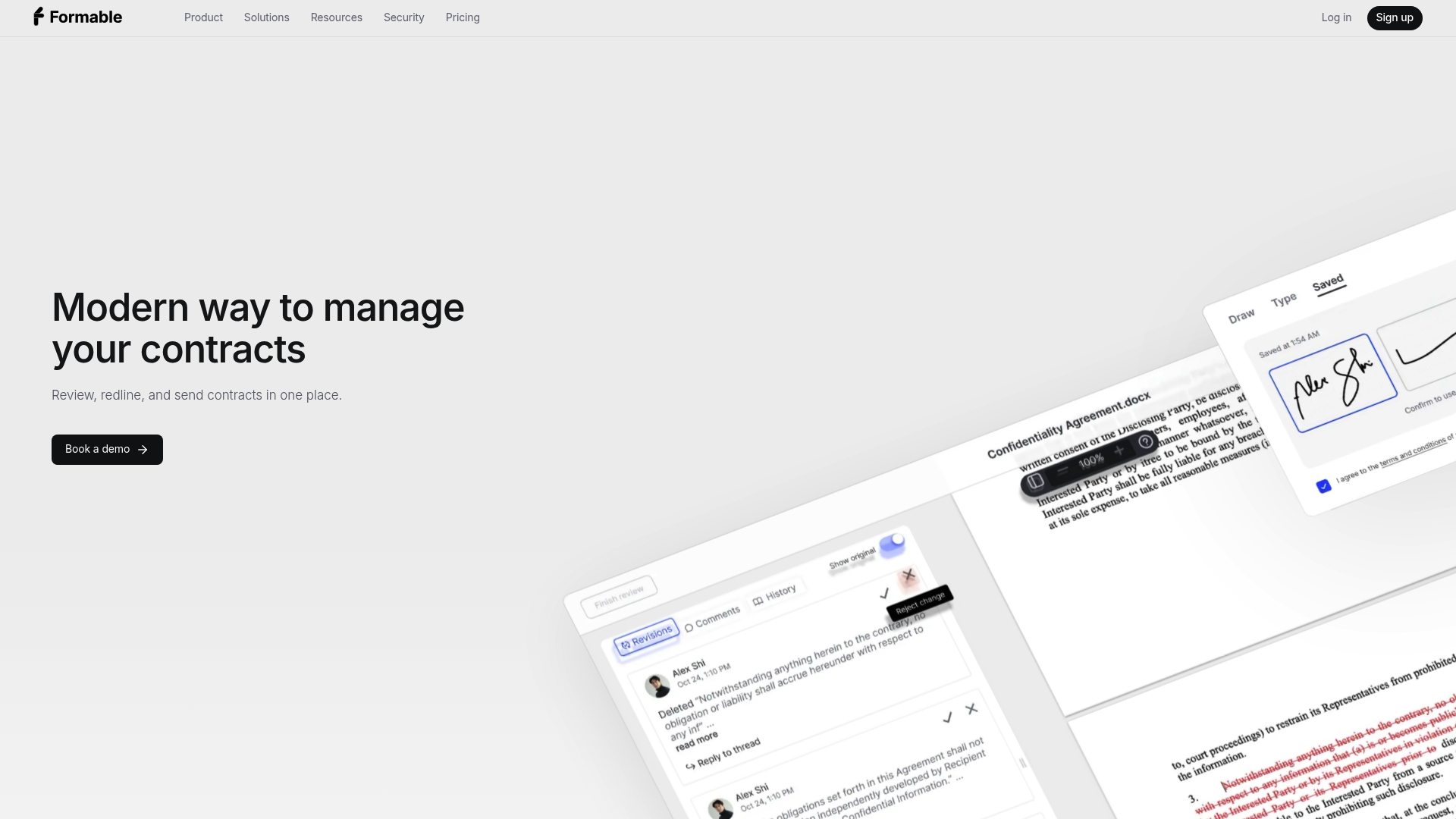
A realistic first prototype takes less than an hour: sign up, grab an API key, run the Node quickstart, send a test signature request, and confirm a webhook fires on completion. From there, check our developer pricing for the Growth plan at a monthly rate around $30, or review the full pricing page for the Pro plan, at the same $29.99 monthly rate, if your team needs the broader contract workflow alongside the API.
FAQ
What makes an e-signature API "developer-first"?
A developer-first API ships typed SDKs, documented webhooks with HMAC verification, and a sample app that completes a full signing roundtrip quickly. Platforms like TurboSign and Formable lead on this because their SDKs include TypeScript definitions out of the box, which reduces integration errors during a trial.
Are electronic signatures from an API legally binding?
Yes, in the United States electronic signatures are generally enforceable under the federal ESIGN Act and state-level UETA, provided the workflow captures signer identity, intent to sign, and an audit trail. Our explainer on e-signature APIs covers how identity and intent capture typically work in practice.
Do I need PAdES or trusted timestamps for a basic integration?
Not for every use case, but for anything with legal or financial stakes, a trusted timestamp strengthens your position if a signature is ever disputed. NIST guidance on signature timeliness recommends a trusted timestamp authority or verifier-supplied nonces over relying on application server time alone.
Should I choose a self-hosted platform like DocuSeal or Documenso?
Choose self-hosting only if you have a specific requirement to keep signing data inside your own infrastructure, since it shifts maintenance, uptime, and security patching onto your team. For most teams, a managed SaaS platform with a documented SLA is faster to ship and easier to maintain long term.
How much does Formable's API cost for developers?
Formable's Growth plan for API access is listed at a monthly rate around $30, with the equivalent Pro plan available on the main pricing page at the same rate for teams that also want the broader contract workflow. Enterprise and Developer tiers are available with pricing provided on request.