
An API can produce a legally binding signature when it captures signer intent, links that consent to the exact document version, and preserves reproducible evidence of both. Among platforms built for contract-heavy teams, we recommend evaluating candidates against five technical axes: identity verification, audit export quality, SDK and sandbox maturity, embedding flexibility, and compliance attestations. One platform meets this bar directly, pairing an embedded e-signing API with contract review and negotiation in one workflow.
TL;DR:
- Stronger identity verification methods, such as SMS codes or government IDs, are required for high-risk documents to ensure signer authenticity and legal compliance.
- An audit trail must include document version, signer actions with timestamps, IP address, and geolocation to withstand legal disputes and regulatory inquiries.
- Embedded signing experiences offer better control and evidence integrity compared to hosted ceremonies, especially when providing a seamless user experience.
- API evaluation should include hands-on sandbox testing of signing, webhook reliability, audit export quality, and PDF verification before selecting a vendor.
- Integration generally takes four to six weeks for simple workflows, but more complex multi-signer or high-risk processes can extend to eight or ten weeks.
A practical evaluation framework for legally binding e-signature APIs
Feature lists make weak evidence. What actually determines whether a signature holds up in a dispute is the quality of what the API captures and exports at the moment of signing. We recommend scoring any candidate against five axes before writing a line of integration code.
Authentication and identity verification. Does the API support email-based access alongside stronger options like SMS one-time codes, knowledge-based authentication, or government ID verification? The right level depends on document risk, not on what feels thorough.
Audit evidence and export. This is the axis most teams underweight. A practical checklist for API evaluation should emphasize audit trail completeness and export formats over raw feature counts. Request a sample export before committing. A defensible audit package typically includes:
- The completed, signed PDF with an embedded certificate page.
- A machine-readable audit log (JSON or XML) listing each signer action with timestamps.
- Signer IP address and, where captured, approximate geolocation.
- A record of what document version the signer actually viewed and accepted.
- Timestamp resolution precise enough to establish sequence in multi-signer flows.
Each field matters because a regulatory inquiry or a contract dispute asks the same question in different forms: who signed, what did they see, and when. An audit trail missing any of these elements leaves a gap that opposing counsel will find.
SDK and documentation quality. Mature SDKs in your primary languages, a sandbox that mirrors production behavior, and webhook documentation that specifies retry logic and payload schemas all compress integration time. Thin documentation is a leading indicator of thin audit support further down the line.
Embedding model and UX options. Some platforms only offer a hosted signing ceremony that redirects users away from your product. Others support true embedding, where the signing experience stays inside your application. Each model carries different evidence implications, which we cover in the next section.
Security and compliance attestations. Look for SOC 2 reporting, encryption at rest and in transit, and a documented retention policy. These attestations do not themselves prove legal validity, but their absence signals an immature evidence pipeline.
Scoring does not need to be complicated. A simple 1 to 5 scale per axis, multiplied by a weight that reflects your document risk, produces a comparable number across candidates. A procurement team handling low-risk internal approvals might weight authentication low and SDK quality high. A healthcare intake workflow would invert that weighting.
Here is a worked example using hypothetical candidates, purely to illustrate the method:
- Candidate A score 5 on SDK quality, 3 on audit export, 2 on identity verification. Weighted for a developer-heavy, low-risk use case, it comes out ahead.
- Candidate B scores 3 on SDK quality, 5 on audit export, 5 on identity verification. Weighted for a regulated, high-risk use case, it wins instead.
The scoring method matters more than any single score, because it forces the same comparison discipline across every vendor you look at, rather than letting a slick demo carry the decision. For a primer on what the legal standard actually requires before you build your scoring weights, see our overview of e-signature API requirements.
Implementation checklist to ensure signatures captured by your API are legally defensible
Legal defensibility is built into the signer journey, not bolted on afterward. Four decisions determine whether your implementation produces evidence that survives scrutiny.
- Design the consent capture explicitly. Before a signer can act, present a clear statement that they are agreeing to sign electronically and that doing so carries the same legal weight as a handwritten signature. Record the timestamp of that acknowledgment separately from the signature event itself.
- Present the document in its final, reviewed form. The signer must see exactly the content they are accepting. If your workflow allows last-minute edits after the document is presented, version each change and tie the signature to the specific version the signer viewed.
- Record intent, not just a click. A checkbox alone is thin evidence. Pair it with a rendered signature (typed, drawn, or uploaded) and log the action in your audit trail with a precise timestamp.
- Choose embedded or hosted signing deliberately. Embedded signing keeps the signer inside your product and typically gives you more control over what gets logged in your own systems. A hosted ceremony, where the signer is redirected to the vendor's page, can simplify integration but moves some evidence capture outside your direct view. Review the tradeoffs in our guide to embedding signature requests directly in your product.
- Build retention and reproducibility into storage from day one. Store the final signed PDF, the full audit log, and signer metadata (name, email, IP, verification method used) in a retrievable, durable location. Export formats should be standard enough that a compliance reviewer or opposing counsel's expert can open them without specialized tooling years later.
- Harden webhooks against replay and tampering. Verify webhook signatures on receipt, reject duplicate event IDs, and use HTTPS endpoints with certificate validation. A signature event that cannot be trusted at the point of ingestion undermines the audit trail no matter how good the vendor's export is.
- Escalate identity verification for higher-risk documents. Email-based access is adequate for routine business agreements. Move to SMS verification or ID-based checks for high-value contracts, healthcare consent forms, or any document where a signer might later claim it wasn't them.
Pro Tip: Log the consent timestamp and the signature timestamp as two separate audit events, even if they happen seconds apart. Regulators and courts often ask for this distinction specifically.
Teams that skip step one most often run into trouble, because disputes over electronic signatures rarely hinge on whether a signature exists. They hinge on whether the signer knowingly agreed to transact electronically in the first place. Our developer guide to implementing e-signing walks through configuring this consent step alongside the rest of the signing flow.
Developer checklist: docs, SDKs, sandboxes, and verification tests
Before committing engineering weeks to an integration, run a short sandbox evaluation that surfaces hidden friction early. A developer-focused checklist for e-signature APIs recommends testing the same core flows against every finalist rather than relying on sales demos.
Test these four items in any sandbox before moving further:
- Embedded signing flow. Confirm you can launch the signing experience inside your own UI without a jarring redirect, and that session handling works across page reloads.
- Webhook delivery and retry behavior. Trigger a signature event and confirm the webhook fires with a verifiable signature, then simulate a dropped connection to see how retries are handled.
- Audit export sample. Pull a completed audit trail and check it contains timestamps, IP addresses, and a clear record of document version.
- Signed PDF verification. Open the exported PDF and confirm the embedded certificate page matches the audit log details exactly.
SDK coverage matters more than marketing copy suggests. Good coverage means official libraries, not just community wrappers, for the languages your team actually uses in production. At minimum, prioritize JavaScript or TypeScript for front-end embedding, plus whichever back-end language handles your document generation, commonly Python, Ruby, or Java. A survey of developer experience standards consistently points to documentation quality and sandbox persistence as the strongest predictors of integration speed, ahead of raw feature count.
A few developer-friendly features reduce integration time noticeably:
- Webhook event logs viewable in a dashboard, so you can debug without replaying production traffic.
- Idempotency keys on send and sign requests, preventing duplicate envelopes from retried calls.
- Clear rate limit headers on every API response, so your team can build backoff logic without guessing thresholds.
- A persistent sandbox environment that does not reset data between test runs.
Reliability considerations extend beyond the happy path. Confirm how the API handles bulk sends, whether there is a documented rate limit per minute or per day, and what the vendor's status page history looks like. A signing API that throttles aggressively during a high-volume contract renewal cycle creates operational risk that only shows up under load, well after the initial sandbox testing looked clean.
How ESIGN and UETA shape what an API implementation must capture
U.S. electronic signature law sets a surprisingly low technical bar, but it is specific about what must be present. The ESIGN Act prohibits denying legal effect to a signature solely because it is electronic, and it establishes consumer-consent and retention rules that any implementation must satisfy.
Three requirements run through both ESIGN and state-level UETA statutes:
- Intent to sign. The signer must take an affirmative action demonstrating they mean to sign, not merely view, the document.
- Association with the record. The signature must be logically linked to the specific document, not a generic acknowledgment detached from its content.
- Accurate reproducibility and retention. The signed record must be capable of being retained and reproduced accurately by the parties entitled to it.
Electronic signatures are legally binding in the U.S. when they meet these three tests, according to a summary of e-signature legal requirements, which also notes that UETA has been adopted by most U.S. states, along with the District of Columbia and several territories, making the technical standard broadly consistent across many U.S. jurisdictions. Where a state has not adopted UETA, local statutes govern instead, and implementers serving that state should confirm the applicable rule before launch. The Uniform Law Commission's UETA materials detail these state-by-state variations for teams building multi-state workflows.
Consumer-facing transactions carry an extra layer. Under ESIGN's consumer-consent provisions, a business must obtain demonstrable consent to conduct the transaction electronically and confirm the consumer can access the records in the format provided, before relying on an electronic signature in a consumer dispute. Skipping this consent step is one of the more common ways an otherwise valid signature becomes vulnerable to challenge.
Map these legal tests to concrete technical controls:
- A pre-signing consent screen satisfies the consumer-consent requirement and creates an audit entry documenting it.
- A locked document version presented at signing satisfies the association requirement.
- A durable, exportable audit log and signed PDF satisfy the retention and reproducibility requirement.
A few document classes need special handling regardless of how strong your API's general evidence is. Wills, certain court filings, and some real estate transfers carry notarization or wet-signature requirements that electronic signature law does not override. Our page on how U.S. electronic signature law applies to API-based workflows covers where these exceptions typically arise.
How pricing and operational choices affect long-term cost and risk
Signature API pricing rarely matches a single clean model, and the shape you choose affects both your budget and your operational flexibility as volume grows.
Three conceptual pricing shapes dominate the market:
- Per-envelope or per-document pricing, where each distinct signing transaction carries a flat cost regardless of how many signers it includes.
- Per-request or usage-based API pricing, where individual API calls, such as creating a signature request or verifying a webhook, accumulate against a metered allowance.
- Seat-based or tiered subscription pricing, where a flat monthly fee covers a set volume of sends, with overage charged separately.
Each shape rewards a different usage pattern. High-volume, low-touch transactional signing tends to favor per-envelope or usage-based pricing, since cost scales with actual activity. Teams with a smaller, steady volume but complex workflow needs often find a seat-based plan more predictable.
Beyond the headline price, several operational costs tend to surface only after integration is underway:
- Retention storage fees for keeping signed documents and audit logs accessible beyond a vendor's default window.
- Identity verification credits, often billed separately when you escalate from basic email access to SMS or ID-based verification.
- Export or archival request fees, which can apply when pulling bulk historical audit data for a compliance review or litigation hold.
- Enterprise support escalation costs, relevant if your compliance team needs guaranteed response times for signature disputes.
When forecasting cost, model your expected signing volume against at least two pricing shapes before committing, since the gap between a per-envelope model and a usage-based API model can be substantial once volume climbs. It also helps to negotiate compliance-specific terms up front, including data retention duration, export rights, and SLA commitments for audit trail availability, rather than treating those as default settings you discover later. Teams without in-house integration capacity sometimes bring in a dedicated API integration partner to manage this evaluation and the resulting build, which can be worth the cost when the internal team lacks bandwidth for a careful vendor comparison.
A repeatable test plan to validate an API produces legally defensible evidence
Run this three-step smoke test against any candidate before you commit to a full integration, and repeat it identically across every finalist so the comparison is fair.
- Sign. Create a test document, send it through the embedded or hosted signing flow, and complete it as the signer using a test account.
- Webhook verify. Confirm your endpoint receives the completion event, that the payload signature validates correctly, and that the event fires within a reasonable window.
- Audit export inspect. Pull the completed audit trail and signed PDF, then check both against the field list from the comparative analysis section above: timestamps, IP address, document version, and signer identity details.
Pro Tip: Run this exact three-step test against two finalists using the same test document, rather than relying on each vendor's own demo environment, since demo environments are tuned to look clean.
Once the smoke test passes, push into edge cases that reveal how the API behaves under realistic conditions:
- A signer who partially completes a form and abandons it before signing.
- A signer who explicitly declines to sign, and whether that decline is captured in the audit trail.
- A multi-signer, sequential (chained) signing flow, checking that order is enforced and logged correctly.
- Signers in different time zones, confirming that timestamps resolve to a consistent, auditable reference like UTC rather than local device time.
For legal review, compile a short compliance package from this testing: a sample completed audit trail, a sample signed PDF, documentation of the consent screen language used, and a summary of which identity verification method was applied. Handing this package to your legal or compliance team before production cutover catches gaps while they are still cheap to fix.
End-to-end implementation timeline for legally binding signature APIs
A typical signature API integration moves through four phases, though the exact pace depends on document complexity and how many signer roles your workflow supports.
Evaluation and sandbox testing usually takes one to two weeks, covering the scoring framework and smoke tests described earlier in this article.
Core integration of the signing flow, including embedding the ceremony, wiring up webhooks, and building retry handling, typically runs two to four weeks for a team working with mature SDKs and documentation.
Compliance review and edge-case testing, including the chained-signer and timezone checks covered in the testing methodology section, adds another one to two weeks, particularly when legal or compliance stakeholders need to review audit export samples before signoff.
Production hardening and rollout, covering webhook signature verification, rate limit handling, and monitoring setup, generally takes a final one to two weeks before full cutover.
Altogether, a straightforward integration for a single document type and signer role can reach production in four to six weeks. Workflows involving multiple signer roles, stronger identity verification, or multi-state compliance review tend to stretch closer to eight to ten weeks, mostly because of the added testing and legal signoff cycles rather than the core API work itself.
Procurement and engineering lessons from signature API evaluations
The most common mistake teams make is evaluating signature APIs on feature checklists pulled from marketing pages instead of on the evidence those APIs actually produce. A vendor can list "audit trail" as a feature while shipping an export that omits document versioning or timestamp precision, and that gap only surfaces after a dispute, when it is too late to fix.
The second mistake is skipping a head-to-head sandbox comparison. Teams often test one finalist thoroughly, assume the runner-up is roughly equivalent, and sign based on price or a sales relationship. Running the identical three-step smoke test, sign, webhook verify, audit export inspect, against two finalists with the same test document takes a few hours and routinely surfaces differences that a feature comparison sheet never would.

The third mistake is treating e-signing as an isolated purchasing decision, separate from the rest of the contract workflow. A signature is the last step in a process that usually starts with drafting, moves through redlining and negotiation, and only then reaches signing. When those stages live in different tools, teams lose the version history that makes the association requirement under ESIGN and UETA easy to satisfy, because nobody can point cleanly to the exact document version both parties reviewed before signing.
A unified workflow, where drafting, redlining, negotiation, and signing happen in one system, closes that gap and tends to shorten the time between final redline and closed deal, since there is no handoff between a negotiation tool and a separate signing tool. That operational benefit compounds for teams running high volumes of MSAs, order forms, or NDAs, where even small delays per document add up across a quarter.
— Alex
Formable brings embedded signing and contract workflow into one API
We built Formable around the evaluation axes developers actually care about, rather than treating e-signing as a bolt-on feature. Our embedded e-signing API lets you keep the signing ceremony inside your own product, with audit trails and signed PDF export designed to satisfy the intent, association, and retention tests covered earlier in this article.
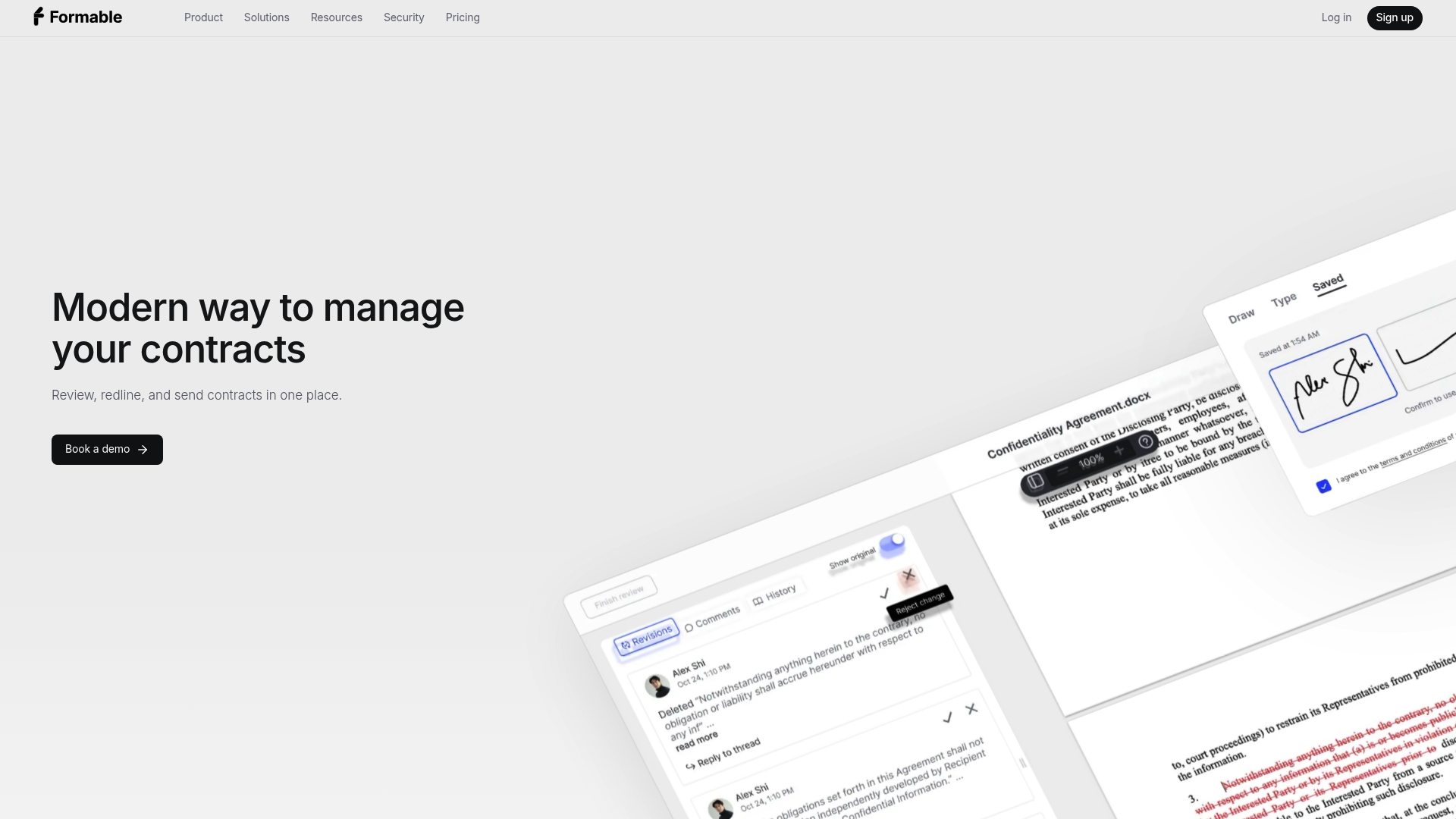
For teams managing MSAs, DPAs, SOWs, LOIs, order forms, and NDAs, we pair that signing API with the rest of the contract lifecycle in one place:
- A contract creator that combines templates with generative AI for faster drafting.
- An AI contract review engine that catches risk and missing clauses against your own playbooks at intake.
- Browser-native negotiation and redlining tools that let both parties align on terms before a document ever reaches the signing stage.
- A standalone e-signing product for teams that want signature collection without a full contract workflow platform.
- A redlining API for teams that want to embed negotiation directly into their own product, alongside the signing API.
This matters because the evaluation framework in this article keeps pointing back to one theme: evidence quality depends on document continuity. When drafting, redlining, and signing happen in separate tools, document versioning gets harder to prove. When they happen in one workflow, the signed record traces cleanly back through every prior revision.
We recommend running the same three-step smoke test from this article directly against our sandbox: sign a test document through the embedded flow, verify the webhook delivery, and inspect the audit export for timestamp precision and document versioning. Our Developer plan and Growth plan, priced at $29.99 per month, both give API access for this kind of evaluation, and our Pro plan, also $29.99 per month, covers teams that want the full contract workflow without a developer integration. Enterprise and Basic plan pricing is available on request through our pricing page.
If you are comparing signature APIs for a contract-heavy workflow, reach out and we will walk through your use case against the evaluation framework outlined here.
FAQ
Is DocuSign a legally binding signature?
Electronic signatures collected through established e-signature platforms are legally binding in the U.S. when they meet the ESIGN Act and UETA tests for intent, association with the record, and retention. The binding status comes from how the signature was captured and documented, not from the brand of software used to collect it.
What is an API signature?
An API signature, in the e-signing context, refers to a signature collected programmatically through a vendor's application programming interface rather than through a manually operated web form. Developers use these APIs to embed signing directly into their own product, triggering document creation, signer notification, and evidence capture through code instead of a vendor's standalone portal.
Is anything with a signature legally binding?
No. A signature only carries legal weight when it demonstrates the signer's intent, is clearly tied to the specific document version, and can be reliably retained and reproduced, as outlined under ESIGN and UETA. A signature collected without clear consent language or without a reproducible record is vulnerable to challenge even if it looks valid on its face.
How to make an electronic signature legally binding?
Capture clear consent to transact electronically before the signing step, present the final document version the signer is agreeing to, and log the signing action with a timestamp and identifying details such as IP address. Retain the signed document and its full audit trail in a durable, exportable format so the record can be reproduced accurately if it is ever challenged.
How long does it take to integrate a signature API into production?
A straightforward integration covering a single document type typically reaches production in four to six weeks, including sandbox testing, core development, and compliance review. Workflows with multiple signer roles or stronger identity verification requirements often take eight to ten weeks because of added edge-case testing and legal signoff.
Sources
For further reading beyond this comparison, these sources cover the legal and technical foundations referenced throughout: