21 CFR Part 11 is the FDA rule that says when an electronic record or electronic signature can stand in for paper and ink. An e-signature meets it when it is unique to one person, tied to the record it signs, protected by at least two identification components, and backed by a secure, time-stamped audit trail inside a validated system. This guide explains each of those pieces, which records the rule covers, and how it differs from the general e-signature laws.
TL;DR
- Part 11 sets the FDA's criteria for treating electronic records and signatures as equivalent to paper records and handwritten signatures.
- A compliant signature shows the signer's printed name, the date and time, and the meaning of the signature, such as review or approval.
- Each signature must be unique to one person and linked to its record so it cannot be copied or moved to falsify it.
- Part 11 applies to records required by FDA regulations, not to every document your company signs.
- Software helps, but validation, access controls and written procedures are your responsibility.
What Part 11 is and why the FDA wrote it
Part 11 sets the criteria under which the FDA considers electronic records, electronic signatures and handwritten signatures on electronic records equivalent to paper. The rule has a clear origin. In 1991, pharmaceutical-industry members met with the FDA to work out how paperless records could fit under current good manufacturing practice regulations. The agency formed a task force to develop a uniform approach.
The final rule was published on March 20, 1997, and took effect on August 20, 1997. It applies to all FDA program areas, and using electronic records and submissions is voluntary. Nobody is forced to go paperless. But if you choose electronic records for regulated work, Part 11 tells you what the FDA expects.
The rule has three parts you will meet again and again:
- Subpart A covers scope, definitions and the conditions for acceptance.
- Subpart B covers electronic records: system controls, audit trails, signature manifestations and record linking.
- Subpart C covers electronic signatures: uniqueness, identity checks and the identification components.
Which records and signatures Part 11 covers
This is the question that saves teams the most effort. Under section 11.1(b), Part 11 applies to records in electronic form that are created, modified, maintained, archived, retrieved or transmitted under records requirements in FDA regulations. Those underlying regulations are called predicate rules. It also covers electronic records submitted to the FDA under the Federal Food, Drug, and Cosmetic Act and the Public Health Service Act.
It does not apply to paper records that are merely sent by electronic means. And the FDA's 2003 scope and application guidance clarifies that records not required to be retained under predicate rules, but kept electronically anyway, are not Part 11 records.
In practice, ask one question about each document: does an FDA regulation require this record to exist or be kept? Batch records, clinical investigation records and quality documentation often do. A commercial agreement such as a standard sales order form may not, but you should confirm each case with your regulatory or quality counsel rather than assume. A signature on a regulated record, such as an approval in a quality system, is where Part 11 bites hardest.
The FDA has also said it continues to apply a narrow and practical interpretation of Part 11, as described in that 2003 guidance. Narrow does not mean optional. It means the agency focuses on records that matter for product quality and patient safety.

What counts as an electronic signature under Part 11
The rule defines an electronic signature as a computer data compilation of any symbol or series of symbols executed, adopted or authorized by an individual to be the legally binding equivalent of a handwritten signature. That is broad. A typed name, a click, or a drawn mark can all qualify as a signature in principle. What makes one compliant is everything around it.
What the signed record must show
Section 11.50(a) requires that signed electronic records contain three things, per Subpart B of the eCFR:
- The printed name of the signer.
- The date and time the signature was executed.
- The meaning of the signature, such as review, approval, responsibility or authorship.
The third item is the one teams forget. "Signed by" is not enough. A reader should see whether the person reviewed the document or approved it.
How a signature must be linked to its record
Section 11.70 requires that signatures be linked to their records so they cannot be excised, copied or otherwise transferred to falsify an electronic record by ordinary means. A signature image pasted onto a PDF that anyone can lift off fails this test. A scanned image of a handwritten signature does not satisfy the electronic signature requirements either, according to Kognitos' 2026 guide.
Unique to one person
Section 11.100(a) says each electronic signature must be unique to one individual and never reused or reassigned. This is why shared logins cause trouble. Shared accounts defeat attribution, and Kognitos notes they remain among the most frequently cited audit trail deficiencies in FDA warning letters.
Two identification components
For signatures not based on biometrics, section 11.200(a)(1) requires at least two distinct identification components, such as an identification code and a password. During one continuous period of controlled system access, the first signing uses all components. Later signings in that session may use at least one.
Here is a simple example. A quality manager logs in with a username and password, then signs the first document with both. Within the same session she can sign the next ones by re-entering only the password. After she logs out, the full pair is needed again.

System controls behind the signature
A compliant signature sitting in a weak system is still a problem. For closed systems, section 11.10 lists the controls. According to the eCFR text of section 11.10, they include:
- Validation of the system.
- The ability to generate accurate and complete copies of records.
- Record retrieval throughout the retention period.
- Access limited to authorized individuals.
- Secure, computer-generated, time-stamped audit trails.
- Operational sequencing checks.
- Authority checks and device checks.
- Qualified personnel.
- Written policies that hold people accountable for actions under their signatures.
- Controls over system documentation.
Validation under 11.10(a) means confirming accuracy, reliability, consistent intended performance, and the ability to discern invalid or altered records. Kognitos points out that this last phrase is easy to skim but matters enormously.
Open systems, where the organization does not control access to the records, face more. Section 11.30 adds measures such as document encryption and appropriate digital signature standards to ensure authenticity, integrity and confidentiality.
Why audit trails get so much attention
An audit trail answers who did what, when, and to which record. It should be generated by the system, time-stamped, and impossible for users to edit. If you want to see how this looks in a contract workflow, read why every document should have an audit trail and how an audit trail is built inside Formable.
Part 11 vs. ESIGN and UETA
Most US companies know ESIGN and UETA. Part 11 is a different layer, and the three work together.
| ESIGN Act | UETA | 21 CFR Part 11 | |
|---|---|---|---|
| Type | Federal law on commerce | State law | FDA regulation |
| Core idea | Electronic contracts carry the same weight as paper | Electronic signatures equal manual signatures, with intent to sign | Technical criteria for FDA-regulated records and signatures |
| Specifies a signature technology | No | No | Yes: two components for non-biometric signatures, record linking |
Per an AHIMA appendix on electronic signature laws, ESIGN was signed on June 30, 2000, and took effect on October 1, 2000. It gives electronic contracts the same weight as paper but does not mandate any specific form of electronic signature. UETA likewise requires intent to sign without approving a particular form.
The FDA itself notes that, in general, a signature may not be denied legal effect solely because it is electronic, citing the Government Paperwork Elimination Act and the E-SIGN Act.
The takeaway: ESIGN and UETA make an e-signature legally valid. Part 11 decides whether the FDA will accept it on a regulated record. For a plain overview of the legal basics, see what electronic signatures are and our comparison of wet and electronic signatures.
Where contracts fit in
Life sciences startups sign a lot of agreements: NDAs with research partners, MSAs and SOWs with service providers, data processing agreements, pilot agreements, order forms. Whether Part 11 reaches any of them depends on whether an FDA regulation requires that record. Many commercial agreements sit outside Part 11 and are governed by ESIGN and UETA. Quality, clinical and manufacturing records are the likelier candidates.
Even where Part 11 does not strictly apply, the same habits protect you in a dispute or a diligence review: individual accounts, a complete audit trail, signatures tied to the final version of the document, and clear records of who approved what. Those habits cost little and make a deal file easier to defend.
A practical way to assess your own signing workflow
The steps below follow common guidance, such as the ComplianceQuest implementation guide, which recommends understanding scope, running a gap analysis, implementing access controls and data-integrity measures, validating systems, training staff, documenting procedures, auditing regularly and monitoring regulatory changes.
- Map your records. List the documents you sign. Mark which ones an FDA regulation requires you to keep.
- Check the signature manifestation. Does the signed record show printed name, date, time and meaning?
- Check identity controls. Is every signer an individual with their own credentials? Are two components used?
- Review the audit trail. Is it generated by the system, time-stamped, and protected from editing?
- Confirm record linking. Can a signature be removed or reused on another document?
- Document validation. Keep evidence that the system performs as intended, and define when you revalidate.
- Write the procedures. Policies should make people accountable for what they sign, and staff should be trained on them.
- Repeat on a schedule. Re-run the review when the system, the process or the rules change.
Keep the paper trail for your review too. One checklist advises that inspectors want documents, not a verbal walkthrough, and that for each clause you record a pass, fail or not-applicable result, the evidence reviewed, the reviewer's name and date, and a remediation owner for any failure.
Perspective: what we see in contract workflows
Most signing problems we see are not about the signature itself. They come from disconnected steps: a draft in one tool, edits in email, approval in a chat thread, and a signature in a fourth app. Each handoff is a place where the record can drift away from what people actually agreed.
That is why we built Formable as one workflow for drafting, review, negotiation, redlining, e-signing and tracking. When the document, the changes and the signatures live together, the history is easier to read and easier to explain to a regulator, an auditor or a counterparty.
Our audit trail records document events so you can see who did what and when. If your team handles regulated records, we encourage you to set your Part 11 scope with your quality and regulatory leads first, then match the signing workflow to it. Reach out and we will walk through your use case.
Alex
How Formable supports a defensible signing process
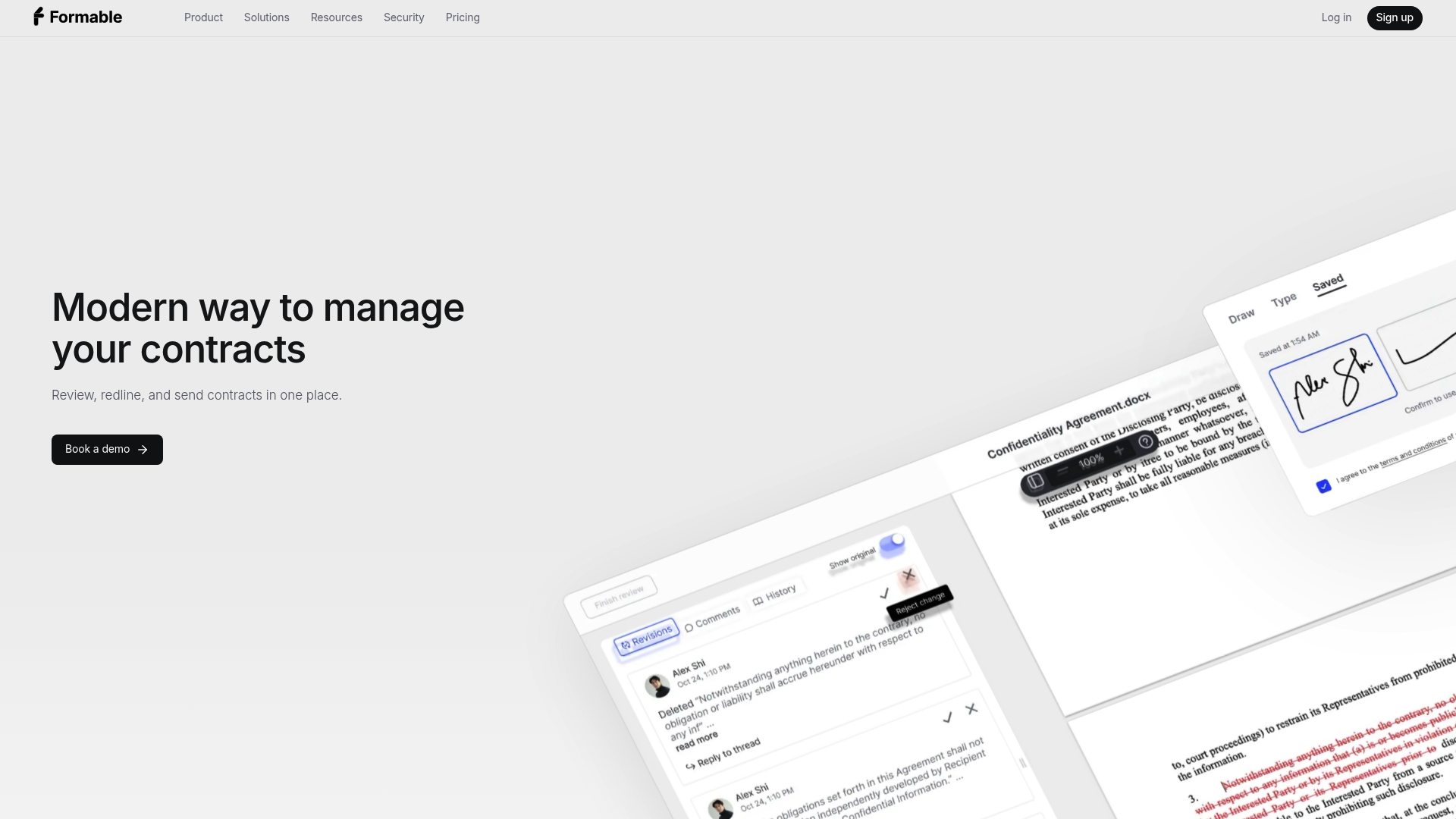
Formable is an AI-enabled contract management platform for startups and go-to-market teams. It covers the whole path to a signed deal: contract creation from templates and generative AI, AI contract review with playbooks, collaborative redlining, and e-signing with an audit trail.
If you only need signatures, Formable E-Signing works as a standalone product. Developers can add signing to their own platform through the embedded e-signing API. You can read how we approach security and legally binding e-signatures on our security page.
The Pro plan is $19.99 per month, and you can compare plans on the Formable pricing page. Part 11 compliance depends on your validation, procedures and use of the system, so we are glad to talk through how your workflow maps to your own requirements.
Common mistakes to avoid
- Treating every document as a Part 11 record. Scope first, then controls. It keeps the effort proportionate.
- Using shared accounts. One login per person, always.
- Pasting a signature image. A scanned or pasted image is not linked to the record.
- Skipping the meaning of the signature. Show review, approval or authorship.
- Buying a tool and stopping there. Validation is, by one checklist's account, the most common gap, and it sits with you.
- Forgetting retention. Records must stay retrievable throughout their retention period, so plan exports and storage.
If you are building signing into your own product, our guides on implementing e-signing on your site and the e-signature API cover the developer side, and the six-step signature collection checklist helps legal and engineering teams agree on requirements.
FAQ
Is a typed name or a click enough under Part 11?
The definition of an electronic signature is broad enough to include symbols a person adopts as the equivalent of a handwritten signature. But the surrounding controls decide compliance: a unique individual, two identification components for non-biometric signatures, a signed record showing name, date, time and meaning, and a link to the record.
Does Part 11 apply to every contract I sign electronically?
No. It applies to electronic records required under FDA regulations, or submitted to the FDA. Records not required under those rules but kept electronically are not Part 11 records, per the FDA's 2003 guidance. Confirm the status of specific documents with your regulatory counsel.
Is an ESIGN-compliant signature automatically Part 11 compliant?
No. ESIGN makes electronic signatures legally effective in commerce but does not specify a technology. Part 11 adds FDA-specific criteria, such as two distinct components and record linking. A signature can satisfy ESIGN and still fall short of Part 11 on a regulated record.
Do I need to validate my e-signature software?
For records within Part 11's scope, section 11.10(a) requires system validation. That means showing the system is accurate, reliable and consistent, and can discern invalid or altered records. Keep documented evidence and define when you will revalidate.
Can a scanned handwritten signature work?
A scanned image of a handwritten signature does not meet Part 11's electronic signature requirements, according to Kognitos' 2026 guide. The signature must be an electronic signature linked to its record, not a picture of one.
Sources
- Federal Register, 62 FR 13430, March 20, 1997
- eCFR: 21 CFR Part 11
- eCFR: 21 CFR Part 11 Subpart B
- eCFR: 21 CFR Part 11 Subpart C
- eCFR: 21 CFR 11.10
- FDA: Part 11 scope and application guidance
- FDA: Electronic systems, electronic records and electronic signatures in clinical investigations Q&A
- AHIMA: Laws, regulations and electronic signature acts appendix
- Kognitos: 21 CFR Part 11 guide
- ComplianceQuest: implementing 21 CFR Part 11